
LED Screen Panels: Modular LED Wall Buying Guide
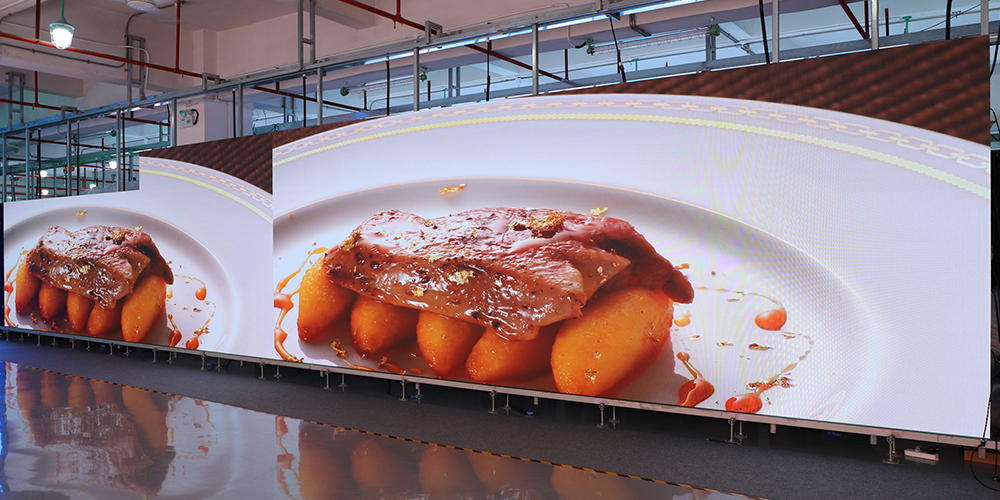
LED screen panels are modular direct-view display cabinets that connect to form a video wall. Each cabinet contains LED modules and the electronics needed to display part of one image. Choose a modular LED screen by its viewing distance, pixel pitch, indoor or outdoor rating, cabinet dimensions and service access. Consider these specifications together with the planned screen area.
For event companies, integrators and venue buyers, this guide explains how to compare panels, calculate a cabinet layout and request a complete system quote. HonghaiLED manufactures fixed-installation and rental-grade LED displays; rental-grade describes equipment built for repeated assembly, rather than an event-hire service.
By HonghaiLED · Updated . Product examples below use HonghaiLED’s published specifications. Confirm the selected configuration and current quotation before ordering.
Key buying points
- Specify whether “panel” means a complete cabinet or a replacement LED module.
- Compare pixel pitch and native pixel resolution as well as physical wall size.
- Match weather protection and maintenance access to the installation.
- Include the controller, mounting system, spare parts and delivery in the quote.
Request a modular LED screen configuration and quote
LED screen panels, modules and cabinets: what is the difference?
A modular LED video wall is assembled from multiple cabinets. The cabinets align mechanically and receive mapped image data so that the complete wall behaves as one display. Direct-view LEDs produce the image at the display surface; an LED-backlit LCD television uses a different display construction.
| Term | What it means | Buying check |
|---|---|---|
| LED module | A smaller LED circuit-board assembly that fits inside a cabinet | Check dimensions, pixel pitch, connectors and replacement compatibility |
| LED cabinet / screen panel | A framed display unit holding modules, receiving electronics and power components | Confirm what the quoted unit includes, its size and service method |
| Modular LED screen / video wall | The complete display built from connected cabinets | Check the cabinet layout, total pixels, control system and support structure |
“LED display panel” and “LED screen panel” are often used interchangeably. A quote for loose modules cannot be compared directly with a quote for finished cabinets or a complete installed wall. Ask for a bill of materials so you know exactly what is supplied.
Modularity can simplify repairs because a compatible failed module can be replaced individually. Expansion still needs planning: cabinet mechanics, pixel pitch, receiving-card configuration, calibration and spare controller capacity must match. Adding unrelated panels later does not automatically produce a uniform screen.
Indoor vs. outdoor modular LED screens
Indoor LED screen panels prioritize the viewing experience in a controlled environment; outdoor LED display panels must also suit daylight and weather exposure. A covered venue is not automatically equivalent to an indoor room. Confirm exposure at the front, rear and cable connections.
| Selection factor | Indoor display | Outdoor display |
|---|---|---|
| Viewing distance | Small text and close seating can justify a finer pitch | Choose pitch for the closest viewer, screen size and content—not an outdoor label alone |
| Brightness | Set output for room lighting and comfortable viewing | Specify daylight conditions and brightness adjustment requirements |
| Protection | Use the model’s stated indoor rating | Check separate front and rear IP ratings, connectors and installation protection |
| Maintenance | Front service helps where a wall blocks rear access | Plan access to modules, electronics and protected connections |
| Installation | Check available depth and mounting layout | Have the installation team assess the site, support and environmental conditions |
For a concrete comparison, the HH640F2 indoor LED display uses IP31-rated cabinets. The HH1000C6 outdoor rental configuration lists IP65 at the front and IP54 at the rear. These are model-specific examples, not ratings for every HonghaiLED panel. An IP rating does not mean a complete installation can be submerged or left with exposed connections.
Use brightness values from the chosen model’s specification sheet. There is no single brightness or pixel-pitch threshold suitable for all outdoor projects. Confirm the configuration for your venue rather than applying a broad indoor/outdoor rule.
How to choose modular LED display panels
1. Start with the closest viewer and smallest content
Record the nearest audience position, the farthest important viewing position and the content you must show. Presentation slides, prices and subtitles need more detail than large stage graphics. Share a sample of the intended content with the supplier and compare it at realistic viewing distances.
2. Compare pixel pitch with native resolution
Pixel pitch is the centre-to-centre spacing between adjacent pixels, measured in millimetres. P2.5 means a nominal 2.5 mm spacing. A smaller pitch places more pixels into the same physical area, but it also changes the system cost and controller load.
Calculate the expected pixel grid before buying. A large wall with a coarse pitch can have fewer pixels than a smaller fine-pitch wall. Ask for the exact pixel dimensions per cabinet and for the completed screen; marketing labels such as “HD” do not replace that calculation.
3. Match cabinet design to fixed installation or repeated setup
A permanent room display may need shallow depth and front access. A touring wall needs practical handling, alignment hardware, transport protection and a repeatable cabinet plan. Confirm whether curved or mixed-size assembly is supported by the specific series and optional hardware.
For example, the HH640F2 has a 640 × 480 mm cabinet, a 60 mm cabinet depth and six 320 × 160 mm modules. The HH1000C6 uses 500 × 1000 mm cabinets, quick locks and optional curved installation. Product selection should follow the installation requirements rather than cabinet size alone.
4. Check filming performance and control equipment
Refresh rate is how often the display updates its LED output; it is different from the video’s frame rate. The cited HonghaiLED models list a 3,840 Hz refresh specification. That figure alone does not guarantee clean footage. Test the intended cameras, shutter settings, screen brightness and content during a demonstration or rehearsal.
Ask the supplier to confirm input formats, screen pixel capacity, receiving-card mapping and any required scaling. Scheduling, remote monitoring and ambient-light control depend on the selected controller, software and sensors; do not assume they are built into every panel.
Cabinet sizes, quantities and video-wall resolution
For a rectangular wall, cabinet quantity equals the number of columns multiplied by the number of rows. Divide the planned width and height by the cabinet’s width and height, using the same units. The dimensions must resolve to whole cabinets; otherwise adjust the screen size or cabinet layout.
| Cabinet size | Layout | Finished display size | Cabinets |
|---|---|---|---|
| 500 × 500 mm | 8 columns × 6 rows | 4 m × 3 m | 48 |
| 500 × 1000 mm | 8 columns × 3 rows | 4 m × 3 m | 24 |
| 640 × 480 mm | 4 columns × 3 rows | 2.56 m × 1.44 m (16:9) | 12 |
These examples show why the same display area can require different cabinet counts. They assume upright, compatible cabinets in a flat rectangular layout. Curved walls, corners and mixed-size layouts need a separate drawing.
Resolution example: a hypothetical 4 m × 3 m wall at an exact 2.5 mm pitch has 4000 ÷ 2.5 = 1600 pixels across and 3000 ÷ 2.5 = 1200 pixels high. Its native resolution is therefore 1600 × 1200, not 1920 × 1080. This is a planning calculation, not a quoted product configuration; use the model’s actual pixel matrix for the final design.
The wall’s physical ratio and your video’s ratio also need to match. A 4 m × 3 m display is 4:3. Showing 16:9 content requires a deliberate decision about unused space, scaling or cropping. Resolve that with the content team before finalizing the order.
How LED panels connect and how to plan maintenance
Cabinets connect in three ways: mechanical joining aligns the wall, power distribution supplies the electronics, and data connections carry the mapped image. The controller must know which receiving card drives each section of the screen.
- Confirm the drawing: approve cabinet orientation, screen dimensions, support arrangement and maintenance access.
- Confirm the system scope: identify cabinets, controller, cables, mounting hardware and spare components.
- Have the installer prepare the assembly and connection plan: follow the supplied product documentation and the site’s requirements.
- Configure and test the wall: check image mapping, panel alignment, colour consistency, brightness and the intended video sources.
- Record the final setup: retain configuration files, cabinet labels and the approved parts list for future service.
For a wall-mounted system, “front-service modules” alone may not guarantee access to the receiving cards and power supplies. Confirm access to each component. Also ask how a replacement module is calibrated and which spare parts should come from the same production batch.
A useful handover includes the screen layout, controller settings, replacement instructions and support contact. Keep spare modules and approved configuration files available so that a small fault does not require redesigning the whole wall.
Applications and HonghaiLED modular panel examples
Events, stages and exhibitions
Repeated installation puts the emphasis on cabinet handling, alignment, quick locks and transport protection. Screen proportions should suit the stage design and camera views. Compare the HonghaiLED rental-grade LED display range for equipment designed for this use.
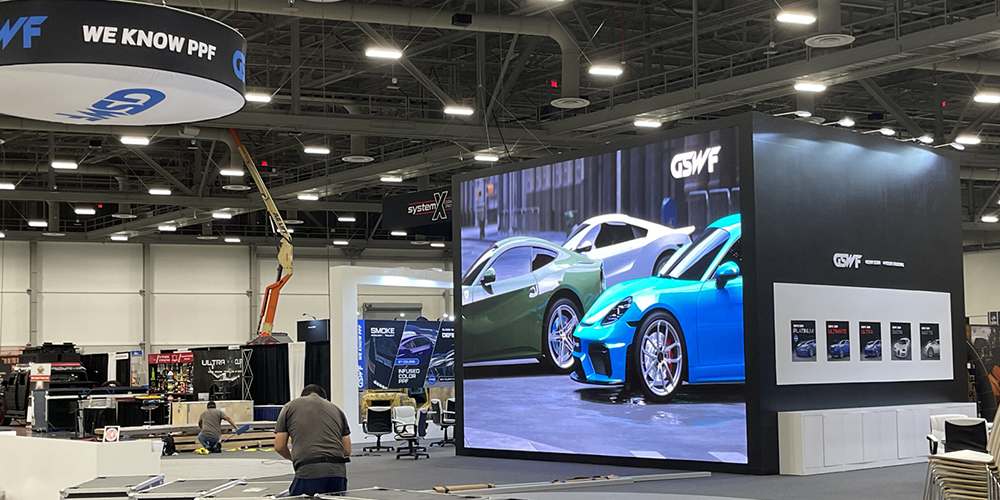
The HH1000C6 can connect vertically with the HH500C6 within the C6 series, allowing a mix of 500 × 1000 mm and 500 × 500 mm cabinets. Confirm the supported layout with HonghaiLED. This example does not establish compatibility between unrelated panel models.
Watch the HonghaiLED HH1000C6 rental display demonstration on YouTube to see the cabinet design alongside the published product information.
Retail and indoor presentation walls
Shop windows, lobbies and meeting rooms need readable content at the actual viewing distance. Window daylight may change the brightness requirement even when the cabinet is indoors. Maintenance access and available wall depth should be part of the initial brief.
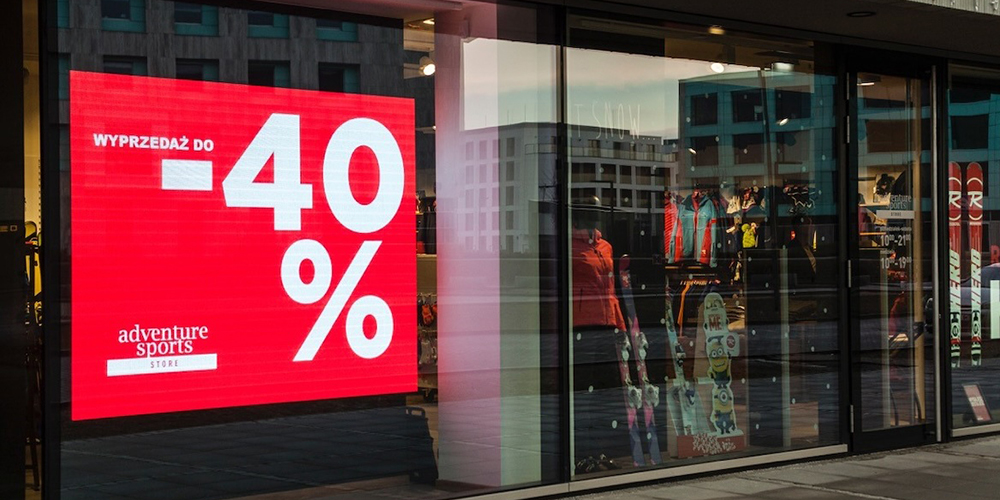
For fixed interiors, the HH640F2 provides front access to modules, power supplies and receiving cards. Its standard cabinet layout offers a practical starting point for planning a widescreen wall. Compare the exact pitch and brightness configuration on the product page before selecting it.
Architectural advertising displays
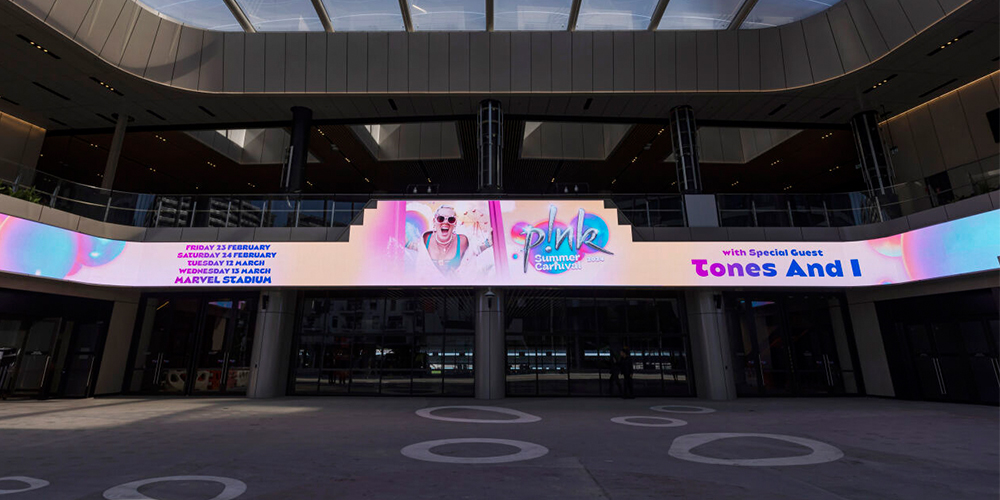
Ribbon displays, columns and custom wall shapes need more than a standard cabinet count. Check the content canvas, supported angles, mounting details and service route. A curved appearance or custom shape should be confirmed against the specific cabinet design.
Modular LED screen cost and quote checklist
A modular LED screen price depends on the selected pitch, display area, cabinet type and complete system scope. A price per panel or per square metre is useful only when the configuration and included items match. No single price applies to every indoor, outdoor or rental-grade wall.
Request separate line items for:
- Display cabinets: model, pixel pitch, cabinet count and exact native resolution.
- Control equipment: processor or sending controller, receiving cards and required software.
- Installation items: mounting or support hardware, power and data cables, and any optional angle hardware.
- Service items: spare modules, power supplies, receiving cards and configuration support.
- Logistics and terms: packing, freight, delivery destination, applicable charges, lead time and written warranty scope.
Renting for an occasional event and buying a rental-grade system are different decisions. Compare expected utilization with storage, transport, crew, maintenance and upgrade costs. Using a display once or twice a year does not by itself prove that buying is cheaper.
Send HonghaiLED these project details: intended use; indoor or outdoor location; wall width and height; closest viewing distance; content samples; fixed, hanging or ground-supported layout; camera requirements; maintenance access; delivery country; and required date. State your budget if you have one so suitable configurations can be compared.
Get an itemized modular LED screen quote with a proposed cabinet layout and the selected specifications.
LED screen panel FAQs
What are modular LED screen panels?
Modular LED screen panels are display cabinets that join to form a larger direct-view LED wall. Each cabinet holds LED modules and supporting electronics. The finished wall also needs compatible control equipment, power distribution and a support structure.
Can I mix panels from different LED screen models?
Do not assume different models are compatible. Cabinet dimensions, locks, pixel pitch, electronics and calibration must match. Some series support documented mixed-size layouts, such as HonghaiLED HH500C6 and HH1000C6 vertical splicing. Confirm the exact combination before ordering.
Can indoor LED screen panels be used outdoors?
Use an outdoor-rated configuration for outdoor exposure. Indoor cabinets are not automatically weatherproof. Check the selected model’s front and rear protection ratings and have the installation team confirm protection for connections and the full display system.
How many panels do I need for a 4 m × 3 m LED wall?
A flat wall using upright 500 × 500 mm cabinets needs 8 columns and 6 rows, or 48 cabinets. Upright 500 × 1000 mm cabinets need 8 columns and 3 rows, or 24 cabinets. These counts exclude spares and assume a compatible rectangular layout.
Can a modular LED screen be expanded later?
Expansion is possible when compatible cabinets remain available and the controller, support and power plan accommodate the larger wall. Reserve spare parts, retain calibration and configuration files, and agree the future layout with the supplier. Modularity does not guarantee unlimited expansion.
Related Posts
Creative LED Display: Types, Design, Cost and Applications
A creative LED display is a video screen designed around…
Indoor LED Screens: Types, Specifications and Selection Guide
Indoor LED screens are modular, direct-view displays that create images…
COB LED Display: Screen Technology, Comparisons and Buying Guide
A COB LED display is a direct-view LED screen that…

No Comments