
NovaStar MX40 Pro: User Manual, Specs and Price
NovaStar MX40 Pro, the flagship 4K independent controller in the COEX series, has proven its reliability in world-class events such as the Paris Olympic Games opening and closing ceremonies. It also provides comprehensive solutions for high-end applications like virtual production and film studios.
This guide will deeply analyze the core advantages of the MX40 Pro LED video processor and compare the features of different products in the COEX series. After reading, you’ll gain practical technical insights and purchasing recommendations.
catalogue
1.What is the NovaStar MX40 Pro?
2.NovaStar MX40 Pro Price
3.NovaStar MX40 Pro Function Analysis
4.Solution:When Do You Need the MX40 Pro?
5.MX40 vs CX80 Pro vs CX40 Pro vs KU20 vs MX6000 Pro
6.NovaStar MX40 Pro Manual, Specification and Setup
7.FAQs
8.conclusion
Quick answer: NovaStar MX40 Pro at a glance
What it is: the MX40 Pro is NovaStar’s flagship 4K all-in-one LED display controller in the COEX series, combining video processing and video sending in one 2U unit.
Capacity: 9 million pixels maximum, 20 Gigabit Ethernet output ports with hot backup, plus 4 x 10G optical output ports. Maximum output width and height are 16,384 pixels.
Inputs: 3 x HDMI 2.0 (with loop-through), 1 x DP 1.2 and 1 x 12G-SDI (with loop-through). 2 x Gigabit Ethernet control ports handle VMP and central control, and cascading up to 20 units needs no extra switch.
Software: COEX VMP (Vision Management Platform).
Manual and specs: download the MX40 Pro user manual and specification PDFs.
Typical price: around US$5,833 from resellers. Confirm the current quote, lead time and warranty with your supplier – request an MX40 Pro quote from HonghaiLED.
Best for: xR virtual production and film studios, broadcast and large live events, colour-critical commercial projects, and rental or custom-shaped screens.
1.What is the NovaStar MX40 Pro?
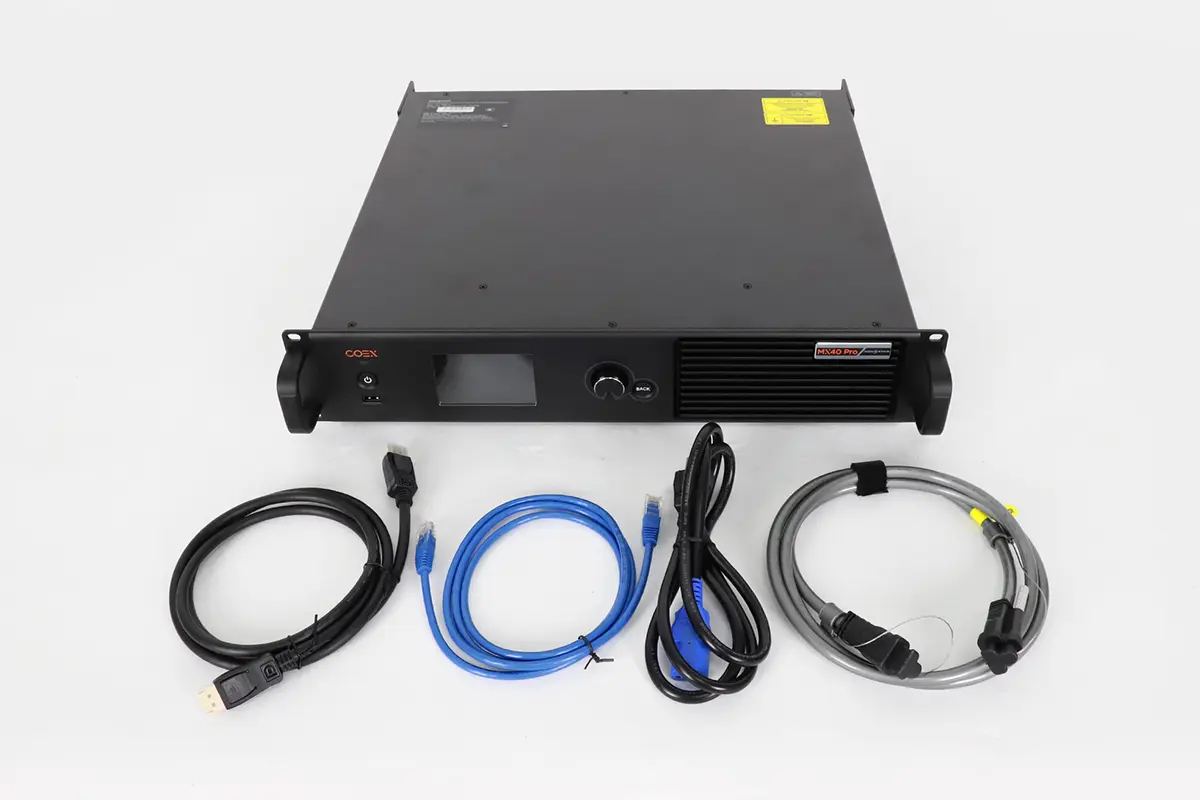
NovaStar MX40 Pro combines video processing and video control in one compact unit. Therefore, it is both an LED video processor and a video wall controller.
It supports up to 9 million pixels across 20 Ethernet ports and offers advanced functionalities such as HDR support, frame rate adaptability, and low-latency operation (as low as 0 frames). With inputs including HDMI 2.0, DP 1.2, and 12G-SDI, it caters to both standard and high-resolution video sources.
NovaStar MX40 Pro’s outstanding performance in real-world applications has earned it an excellent reputation among video wall controllers.
Tested in High-Profile Projects
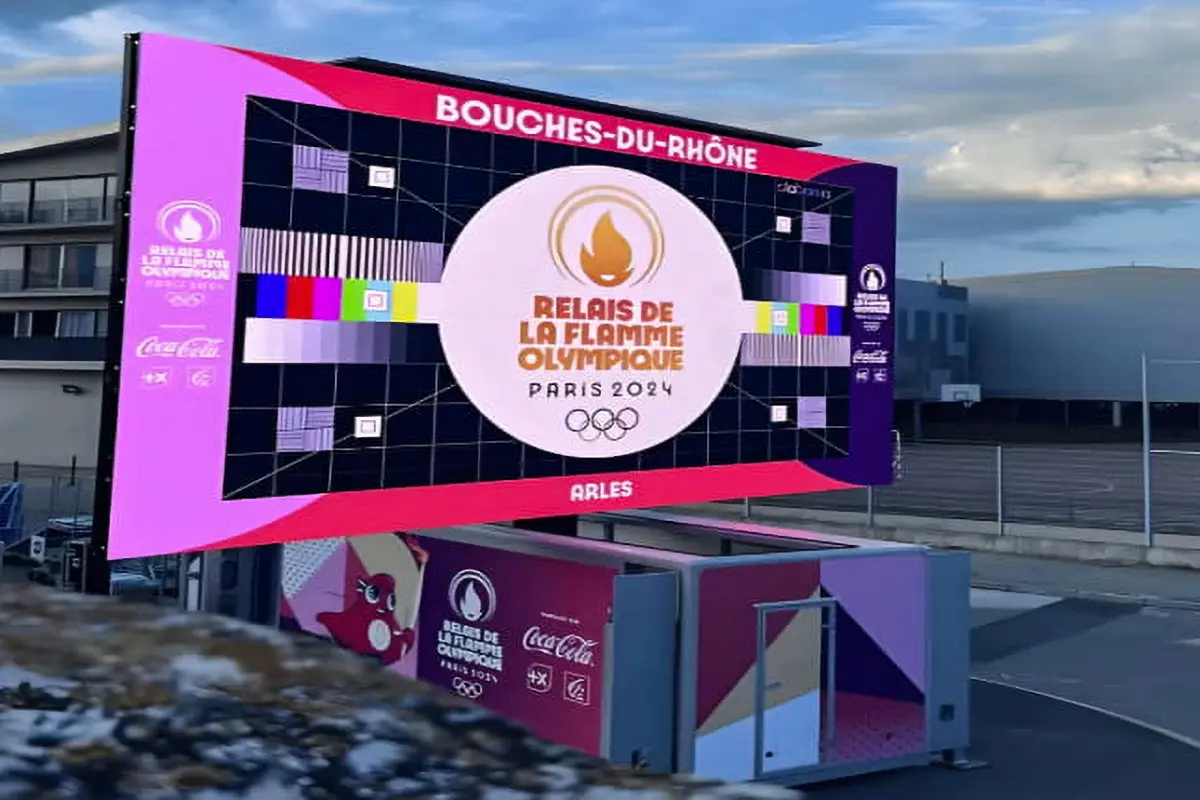
During the 2024 Paris Olympic Games opening and closing ceremonies, the MX40 Pro served as the core video wall controller, providing stable, ultra-high-definition video processing support for over 90% of the on-site displays. Its successful performance in such a high-pressure, demanding environment strongly proves its reliability.
Industry Recognition
MX40 Pro video wall controller has earned prestigious accolades, including the “CI Best Award” in North America and a spot on the final list for the European “AV Awards,” often referred to as the “Oscars of the AV industry.” These recognitions reflect the product’s exceptional design and performance, which have gained professional acclaim on an international scale.
Outstanding Video Processing Capabilities
With support for High Dynamic Range (HDR) and precise color management, the MX40 Pro delivers rich colors and detailed highlights and shadows. This is crucial for fields like virtual production and broadcasting, where achieving the highest visual quality is essential.
2.NovaStar MX40 Pro Price
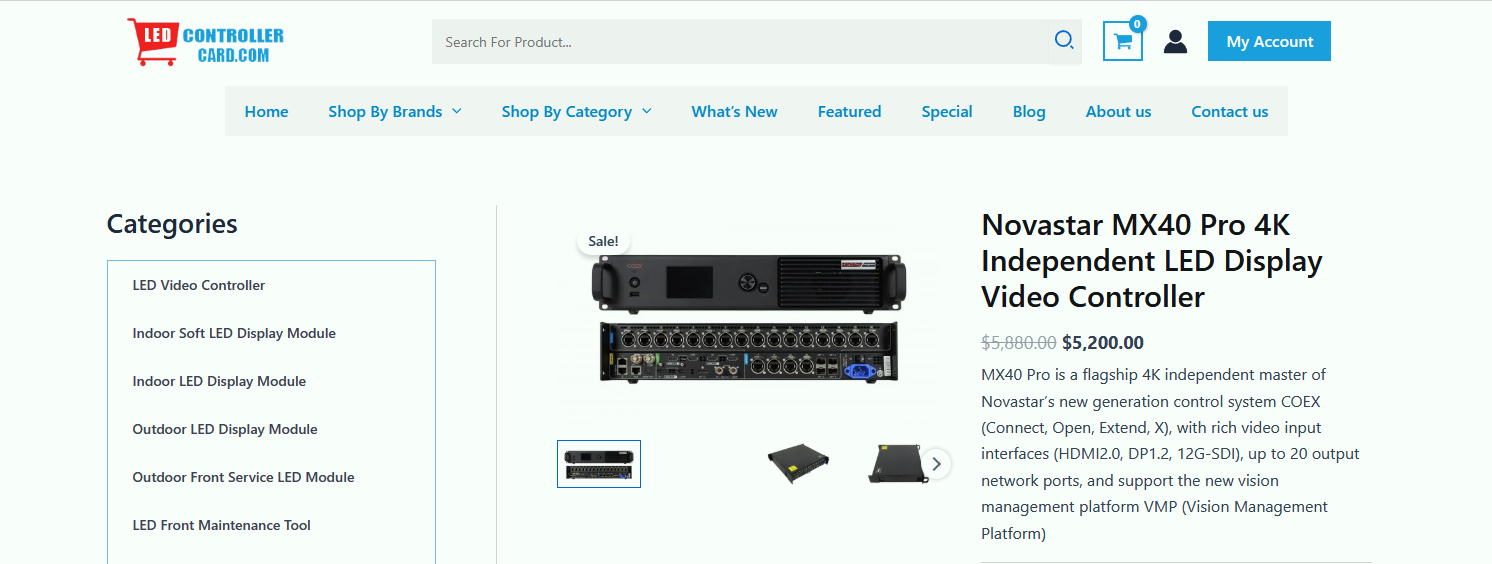
Priced at approximately $5,833 USD, the MX40 Pro sits in the mid-to-high range of NovaStar’s offerings. While it may seem expensive compared to entry-level controllers, its robust feature set justifies the investment for professionals who demand top-tier performance.
For smaller projects or budgets, alternatives like the KU20 might be more suitable, but if your workflow involves complex layering, scaling, or multi-screen setups, the MX40 Pro delivers unmatched value.
Buying an MX40 Pro? Send your screen size and pixel pitch to HonghaiLED for a current quote, lead time and warranty terms.
| Model | Approximate Price (USD) | Key Features |
| NovaStar KU20 | $1,500 – $2,000 | 6 Ethernet ports, basic calibration |
| NovaStar CX40 Pro | $4,500 – $5,000 | 6x 5Gbps Ethernet, dynamic booster, HDR |
| NovaStar MX40 Pro | ~$5,833 | 20 Ethernet ports, full grayscale calibration, 3D LUT |
| NovaStar CX80 Pro | $7,000 – $8,000 | 16x 5Gbps Ethernet, dual input cards, 8K support |
| NovaStar MX6000 Pro | $10,000+ | Modular design, 32x 4K layers, 141M pixel capacity |
When evaluating the cost, consider what’s included in the package:
- MX40 Pro controller unit
- Power cord
- Ethernet cable
- HDMI cable
- DP cable
- Certificate of Approval
Compared to competitors in the same category, the MX40 Pro video wall controller offers superior value with its integrated design (no additional cards required), comprehensive feature set, and compatibility with NovaStar’s ecosystem. While entry-level controllers might start around $2,000-$3,000, they often lack the processing power, input options, and reliability of the MX40 Pro.
3.NovaStar MX40 Pro Function Analysis
| Core Function | Technical Features | Value |
| Image Processing | Industry-unique integrated solution for 4K@80Hz 10bit 4:4:4 • 22bit+ technology for 64x dynamic contrast improvement & 0.002nits precise control • Supports HDR10 and HLG standards |
Eliminates color compression for smooth gradients; Accurately presents details in the darkest and brightest areas, avoiding over-exposure or crushed blacks. |
| Color Management | • 14-color channel calibration (incl. B/W & RGB derivatives), independent adjustment of Hue, Saturation, Brightness • Supports 3D LUT file loading & curve adjustment • Input source color management, independent color grading per source |
Lossless replacement of specific colors to meet brand requirements; Achieves Hollywood-grade cinematic tones; Ensures color consistency across multiple inputs on the same LED screen. |
| Interfaces & System Load | • Rich input interfaces: 3x HDMI 2.0 (IN+LOOP), 1x DP 1.2, 1x 12G-SDI (IN+LOOP) • 20 Gigabit Ethernet output ports with hot backup + 4x 10G optical output ports • 2x Gigabit Ethernet control ports for VMP and central control |
Compatible with broadcast cameras, high-end graphics cards, and other sources; Flexible setup for large-scale, long-distance complex display systems. |
| Sync & Frame Rate Tech | • Adaptive frame rate, support up to 240Hz+ • Precise synchronization with cameras, adapts to camera parameters |
Completely eliminates scan lines when filming the LED screen with high-speed cameras; Ensures smooth, tear-free visuals. |
| Energy Saving & Reliability | • Dynamic energy saving, reduces power consumption by approx. 20%-40% | Effectively lowers screen temperature, extending LED panel lifespan; Suitable for high-frequency plug/unplug environments (e.g., broadcast vans, rental), ensuring more stable connections. |
4.Solution:When Do You Need the MX40 Pro?
Virtual Production and xR Projects with Cinematic Quality
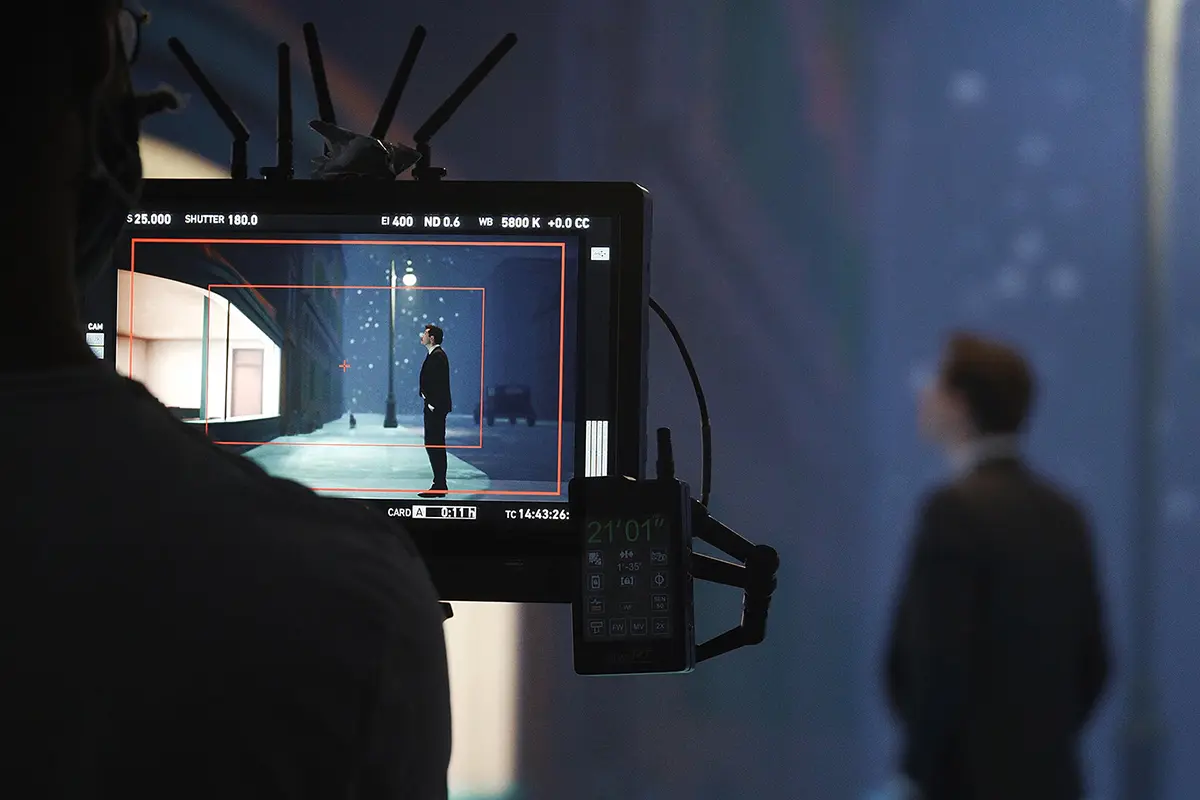
If your project involves xR virtual production, virtual stages, or film studios, the novastar MX40 Pro’s 4K 10-bit 4:4:4 uncompressed color, precise 3D LUT color management, and synchronization with cameras to eliminate scan lines are essential for ensuring the final image is realistic and flawless.
Large-Scale Events and Broadcast-Quality Live Streaming
In high-profile events like the Olympic Games opening and closing ceremonies, major concerts, and important sports broadcasts, system reliability and signal compatibility are critical. The MX40 Pro’s wide range of broadcast-grade inputs (such as 12G-SDI), powerful signal processing capabilities, and proven performance in top-tier events like the Paris Olympics provide a solid foundation for seamless operation.
Commercial Projects with Strict Color Consistency and Image Quality Requirements
For high-end brand showrooms, touring advertisements, and professional color grading environments, the MX40 Pro’s 14-channel color calibration feature ensures accurate brand color reproduction. Its outstanding ability to handle both low and high brightness details enhances the overall visual experience, giving your displays a premium, refined look.
Rental Market and Complex Custom-Shaped Screen Projects
For rental providers, equipment must be adaptable to various customer needs. Novastar MX40 Pro combines video processing and control in one unit, working with intuitive VMP software for quick and flexible screen configuration. Whether it’s a standard large screen or a complex custom-shaped display, the MX40 Pro ensures fast deployment and improved operational efficiency.
5.MX40 Pro vs. CX80 Pro vs. CX40 Pro vs. KU20 vs. MX6000 Pro
| Feature | MX40 Pro | CX80 Pro | CX40 Pro | KU20 | MX6000 Pro |
| Form Factor | 2U | 2U | 2U | 0.5U | 6U |
| Max Resolution | 4K | 8K | 4K | 2K | 8K |
| Max Load Capacity | 9 million pixels | 35.4 million pixels | 9 million pixels | 3.9 million pixels | 141 million pixels |
| Input Options | Fixed: 3x HDMI, 1x DP, 1x SDI | Modular: 8K or 4K cards | Fixed: 2x HDMI, 1x DP, 2x SDI | Fixed: 1x HDMI | Modular: up to 8 input cards |
| Output Bandwidth | 1G (per port) | 5G (per port) | 5G (per port) | 1G (per port) | 1G or 5G (configurable) |
| Max Ethernet Ports | 20 | 16 | 6 | 6 | Up to 320 |
| Layers | 4 | N/A | 3 | N/A | 32 |
| HDR Support | Yes | Yes | Yes | No | Yes |
| 3D LUT Support | Yes | Yes | Yes | No | Yes |
| Latency | 0-frame (Send-Only) | 0-frame (Send-Only) | 0-frame (Send-Only) | 0-frame | 0-frame |
| Best For | Medium installations, broadcast | Large 8K installations | Medium installations with 5G | Small installations | Massive displays, modular flexibility |
6.NovaStar MX40 Pro Manual, Specification and Setup
Download the NovaStar MX40 Pro manual, specification and release notes
NovaStar keeps the controller documents separate. The versions hosted on this page are:
- MX40 Pro User Manual V1.5.0 (PDF) – 44 pages on the front and rear panels, the LCD menu, working mode, network settings, screen configuration and maintenance.
- MX40 Pro Specification V1.5.0 (PDF) – electrical data, input and output interfaces, load capacity and environmental limits.
- MX40 Pro Release Notes V1.4.0 (PDF) – what changed in the 1.4.x firmware release.
Check the version number before you flash firmware or plan cabinet counts: NovaStar’s own product page already lists a V1.5.1 specification, firmware and release notes for the MX40 Pro, while the PDFs above are the V1.5.0 documents. The user manual covers the on-screen menus; screen building and colour tuning are covered in the separate VMP software manual.
NovaStar MX40 Pro specifications at a glance
| Item | MX40 Pro specification |
| Maximum load capacity | 9 million pixels (8bit@60Hz: 659,722 pixels per Ethernet port; 10bit@60Hz: 494,791 pixels with A10s Pro or A8s Pro receiving cards; 10/12bit@60Hz: 329,861 pixels) |
| Output ports | 20 x Gigabit Ethernet outputs with hot backup between ports + 4 x 10G optical outputs |
| Control ports | 2 x Gigabit Ethernet (TCP/IP), no switch or router required for cascading; up to 20 units in one chain |
| Input interfaces | 3 x HDMI 2.0 (IN+LOOP), 1 x DP 1.2, 1 x 12G-SDI (IN+LOOP) |
| Maximum output size | 16,384 x 16,384 pixels |
| Layers | 4 layers |
| Control software | COEX VMP (Vision Management Platform) |
What is inside the MX40 Pro user manual?
- Appearance and interfaces: front panel display and knob, HDMI, DP, SDI, Genlock, USB and Ethernet ports.
- Menu operations: working mode, communication settings, mapping, maintenance and diagnostics.
- Screen configuration: quick configuration from the front panel and free configuration in VMP.
- Display effect adjustment and presets, plus firmware version and factory reset.
Setup essentials: connect, address and configure the MX40 Pro
- Choose the working mode. On the main menu open System Settings > Working Mode and select All-In-One Controller or Send-Only Controller.
- Set the network. The factory IP address shown on the home screen is 192.168.0.10. Open Communication Settings > Network Settings, choose Mode, then set a static IP address, subnet mask and default gateway (Manual) or let the controller obtain an address (Auto). Select Reset to return to the default address. On long SDI runs use 12G SDI coaxial cable rated for the distance.
- Connect the control computer. Install VMP, then add the controller by IP address. Cascaded units share the built-in network switching, so no external switch is needed.
- Load receiving card files. Import the cabinet RCGF or RCGFX files for your panels before you map the screen.
- Map and calibrate. Build the layout, match the cabinet topology, apply presets and use HDR10/HLG, 3D LUT and 14-channel colour calibration to fine-tune the picture.
- Record the firmware version under System Settings before and after any update, and use Factory Reset only when you intend to clear device data.
Sources: NovaStar official MX40 Pro product page (novastar.tech) and the MX40 Pro V1.5.0 user manual and specification hosted on this page.
7.FAQs
Can the NovaStar MX40 Pro handle 8K content?
The MX40 Pro can accept 8K input signals through its HDMI ports, but its processing capacity is 9 million pixels, which is about 4K at standard frame rates. For true 8K processing, choose the CX80 Pro or MX6000 Pro.
Can I cascade multiple MX40 Pro units for larger installations?
Yes. Up to 20 MX40 Pro units can be cascaded over Ethernet, and the built-in network switching function means no extra switch or router is needed. Cascading lets you drive a screen larger than the 9 million pixel limit of one unit.
Does the MX40 Pro support 3D functionality?
Yes. When it is paired with compatible NovaStar receiving cards and 3D equipment, the MX40 Pro can drive 3D LED displays. Specific 3D glasses may be required, so confirm the setup with your supplier.
What is the warranty period for the MX40 Pro?
NovaStar normally offers a standard 2-year warranty on the MX40 Pro, with extended warranty options from authorized dealers. Confirm the exact terms in your quotation before ordering.
Where can I download the NovaStar MX40 Pro user manual and specification?
This page hosts the MX40 Pro User Manual V1.5.0 and the MX40 Pro Specifications V1.5.0 as PDF downloads. The manual covers the ports, LCD menu, working mode, network settings, screen configuration and maintenance, while the specification lists load capacity and input and output limits. Check the version number before you update firmware.
What is the default IP address of the NovaStar MX40 Pro?
The IP address shown on the factory home screen is 192.168.0.10. To change it, open Communication Settings > Network Settings on the controller LCD screen, choose Mode, then select Manual to enter a static IP address, subnet mask and default gateway, or select Auto to obtain an address automatically. Select Reset to restore the default address.
Does the MX40 Pro use VMP or NovaLCT software?
The MX40 Pro is operated with VMP (Vision Management Platform), NovaStar COEX series software, rather than the older NovaLCT. VMP is used to build the screen layout, map cabinets, apply presets and adjust the display effect. The COEX VMP downloads are on this site.
Why do some listings say the MX40 Pro is 8.8 million pixels when NovaStar says 9 million?
NovaStar official specification lists a maximum load capacity of 9 million pixels for the MX40 Pro, with 659,722 pixels per Ethernet port at 8bit@60Hz. Some reseller pages quote 8.8 million pixels for the same controller, so confirm which figure a quote is based on before you plan cabinet counts.
8.Conclusion
Before you buy, check four things against your project: how many pixels you need to load (the MX40 Pro handles up to 9 million), which sources are on site (HDMI 2.0, DP 1.2, 12G-SDI), whether you need 4K 10-bit 4:4:4 colour with HDR and 3D LUT, and how the controller will be operated – front panel, VMP or central control. If 9 million pixels is more capacity than you need, a smaller COEX controller saves budget; if you need more, you move up the range.
Keep reading
- NovaStar MX20 vs MX40 Pro – 3.9 million vs 9 million pixels, six vs twenty ports, and when the smaller unit is enough.
- NovaStar CX40 Pro guide – the same 9 million pixel capacity with 5G output ports and a lower price.
- NovaStar MX2000 Pro review and MX6000 Pro – 35.4 million and 141 million pixels for very large walls.
- NovaStar software downloads – VMP and firmware for the whole COEX range.
Still deciding? Send HonghaiLED your screen size, pixel pitch and source list and we will confirm whether the MX40 Pro, CX40 Pro or MX2000 Pro fits the project, with current pricing and lead time.
Related Posts
NovaStar TU40 Pro: Specifications, Setup & LED Display Guide
The NovaStar TU40 Pro combines media playback, video processing and…
Novastar MX2000 Pro Controller: Specs, Price, Manual and Review
The Novastar MX2000 Pro is a state-of-the-art 8K LED display controller, designed…
NovaStar MCTRL600 LED Display Controller: Specs, Manual, Software and Price
The NovaStar MCTRL600 is a standalone LED display controller, also…

No Comments