
LED Display Redundancy: A Buyer’s Failover Test Guide
LED display redundancy is a planned alternative path that keeps a defined part of a screen system working when its primary path fails. A second cable alone does not protect every component. Buyers need to specify the failure to be covered, the acceptable screen behavior, and the evidence required before accepting the installation.
This guide helps AV integrators, distributors and project contractors turn a request for backup into a procurement and commissioning plan. It covers source, controller, transport and receiving paths. Power distribution and structural work still require the responsible qualified specialists and the approved site procedure.
The tables below are proposed planning tools, not results from an HonghaiLED project or a universal technical standard. Use them with the exact hardware manuals, agreed operating requirements and supplier drawings. A useful LED display redundancy specification states both what remains available and what is outside its scope.
1. Define the LED display redundancy failure scope
Start with the business consequence of an interruption. A lobby screen, a touring stage and a control room may need different responses. Ask the owner whether a brief interruption is acceptable, whether live movement must continue, and whether a holding image is useful. Agree these outcomes before comparing equipment lists.
LED display redundancy should be described by a failure domain: the part of the system whose loss the backup is intended to cover. Source backup, controller backup and cable backup answer different questions. A display can survive one cable fault while remaining vulnerable to the loss of its only processor.
| Domain | Question for the supplier | What to avoid assuming |
|---|---|---|
| Playback source | Can an independent source supply the required content? | A second input proves the first computer is healthy. |
| Controller | Which device and configuration take over? | Two ports on one controller replace a second controller. |
| Signal route | Which cable, converter and route are protected? | Two cables in one damaged route remain independent. |
| Receiving path | Which cabinets remain addressed after the specified fault? | A loop protects failed modules or every receiving card. |
| Power supply | Which approved power arrangement supports continued operation? | Signal backup can power an unpowered screen. |
For each row, write one failure event and one expected outcome. “Loss of primary signal route; all designated cabinets retain the approved moving image” is reviewable. “Full backup included” leaves too much open. Also state whether the requirement concerns one fault at a time or a particular combination of faults.
Do not confuse LED display redundancy with a stock of replacement parts. A spare helps restore service after diagnosis and replacement. An active backup path is already connected and configured to perform a defined role. Both may belong in a project, but they have different response times and operating costs.
2. Map independent paths and shared dependencies
Draw the signal chain from the content source to the last cabinet. Show the primary and backup routes separately, then mark every component they share. Include converters, patch panels, distribution points and control connections. LED display redundancy becomes easier to assess when the shared dependencies are visible on one drawing.
A useful review follows each proposed failure from left to right. If a controller disappears, can the backup still receive content? If one cable route is unavailable, does the alternative route reach the intended cabinets? If the screen remains lit, is it displaying the correct live information rather than an old frame?
Physical separation matters when the design is meant to survive route damage. Two identified cables may still share one conduit, connector panel or vulnerable crossing. Ask the installer to document the actual route. The required degree of separation depends on the project; a diagram alone cannot prove the installed paths are independent.
Consider a hypothetical venue with two playback computers and two controllers, all connected through one upstream distribution device. The equipment count looks resilient, but the distribution device remains a shared dependency. This example illustrates a design question, not a claim that any particular product requires that layout.
For LED display redundancy, the cabinet drawing must agree with the system drawing. Give cabinets stable identifiers and mark the entry and return connections. An installer should be able to follow the intended data order without guessing which end of a row is the starting point. Record any differences between factory testing and the final site layout.
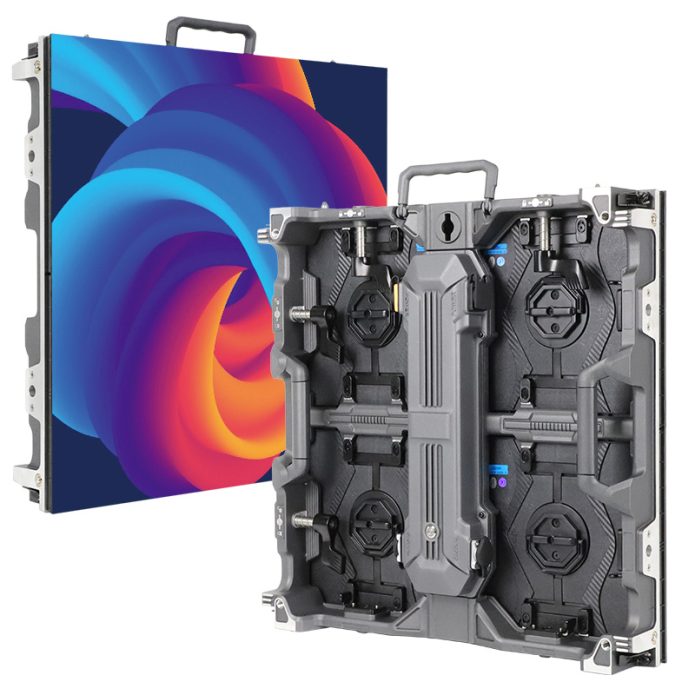
Use the relevant HH500H9 product information or your selected cabinet documentation to identify the actual hardware. Do not transfer options from another cabinet family. LED display redundancy must be specified for the delivered bill of materials, including receiving cards and power arrangements.
3. Specify LED display redundancy in the quotation
Ask suppliers to respond to a common schedule instead of offering an unqualified backup checkbox. The schedule should separate included equipment, configuration work, commissioning tests and owner responsibilities. This makes price comparisons more meaningful without pretending that all backup designs deliver the same coverage.
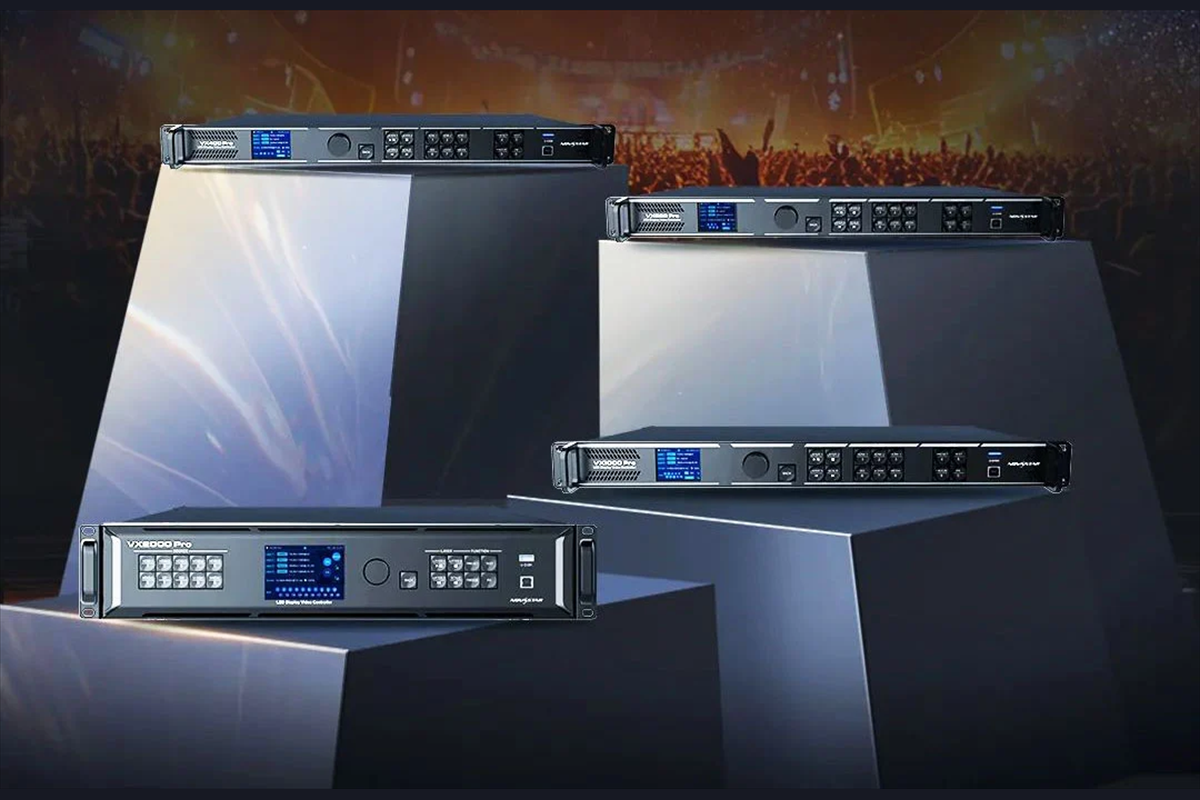
For a concrete example, the NovaStar VX Pro manual V1.1.0 distinguishes device, input and Ethernet-port backup. Its device-backup prerequisites include matching models and device versions. It also warns against mixing configuration methods for the same backup relationship. Verify these requirements against the exact installed version.
| Deliverable | Required detail | Buyer decision |
|---|---|---|
| Equipment schedule | Model, quantity, version and assigned role | Check whether both paths are fully supplied. |
| Connection drawing | Port pairs, cabinet order and route identifiers | Check protected areas and shared dependencies. |
| Capacity calculation | Actual canvas, signal format and backup loading | Confirm the backup carries the required image. |
| Behavior schedule | Detection, switch and return conditions | Agree what operators should expect. |
| Test and handover scope | Witnesses, records, exceptions and training | Assign responsibility before delivery. |
LED display redundancy can consume connections that might otherwise serve additional screen area. Require a port allocation for the normal and backup states. Do not add every physical connector together as independent display capacity. The supplier should identify the supported operating mode and demonstrate that the intended canvas still fits.
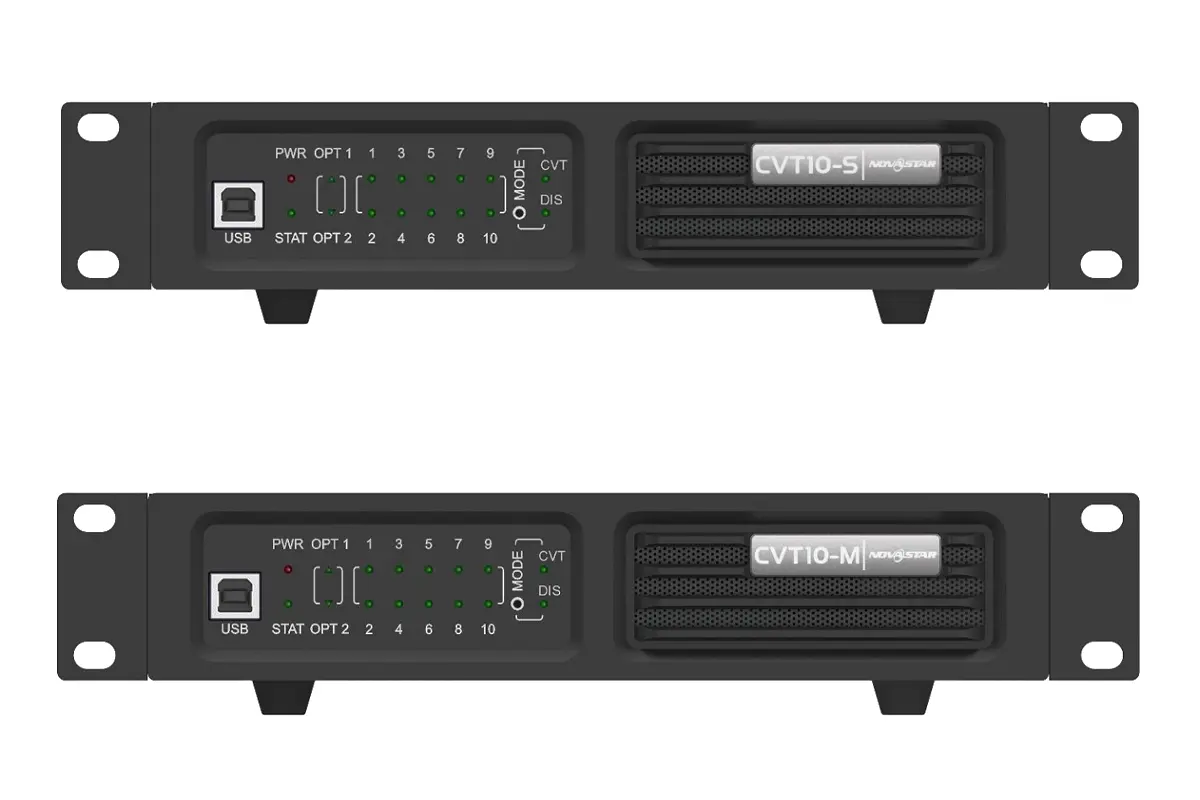
For fiber transport, ask which optical modules, converters and operating modes belong to each route. Connector appearance alone does not establish compatibility. The CVT10 fiber converter guide provides product context, but the project must confirm the complete controller-to-converter combination and the specified fiber type.
Separate desired performance from verified performance. If the owner requests a particular interruption limit, include it as a proposed acceptance criterion. The supplier must confirm feasibility and the measurement method. Never turn a brochure phrase such as seamless switching into a measured timing guarantee for an untested installation.
A clear LED display redundancy quotation also names exclusions. Examples might include simultaneous loss of both sources or damage outside the agreed protected route. Exclusions help buyers decide whether another measure is needed. They should be reviewed with the operating team before the purchase order is finalized.
4. Build a controlled LED display redundancy test plan
Test during an approved commissioning window with the operator and qualified commissioning team present. Establish a known working baseline first. Confirm the intended image, cabinet mapping and normal status indications. Save the approved configuration and agree how to restore it before introducing any simulated fault.
Use manufacturer-supported test functions where appropriate. The VX Pro manual describes backup-port test modes that can exercise output behavior without unplugging Ethernet cables. Such a test is useful, but it does not by itself prove physical route separation or the independence of every power and transport component.
For LED display redundancy, test one defined event at a time. Record the starting state, intervention, observed screen response and recovery. Do not improvise live electrical disconnections, open energized enclosures or alter structural supports. Any required power-related test belongs to the site’s approved specialist procedure.
| Test | Observation | Limit of the evidence |
|---|---|---|
| Normal baseline | All expected cabinets show correct moving content. | Does not demonstrate backup activation. |
| Supported backup-path test | The intended alternative output serves its mapped area. | May not reproduce physical route damage. |
| Approved primary-source loss | Agreed alternate content appears and remains current. | Signal loss differs from a frozen application. |
| Approved controller-loss test | The designated backup device serves the required canvas. | Only the tested configuration is evidenced. |
| Primary restoration | Return behavior matches the operator’s agreed policy. | A successful switch does not prove a safe return. |
| Final restoration | Normal settings and all required protections are restored. | Unresolved exceptions still require action. |
Use content that reveals movement and mapping. A static logo may conceal a frozen image; a numbered cabinet pattern may reveal a routing error but say little about live playback. Plan both observations where relevant. Keep the same test content and source settings across repeated trials so the results can be compared.
Check the whole designated screen, not only the cabinets nearest the controller. A partial mapping error may leave most of the image looking normal. Ask a second observer to watch distant areas, or use an agreed recording position that includes the full screen. Preserve enough detail to identify which cabinets were affected.
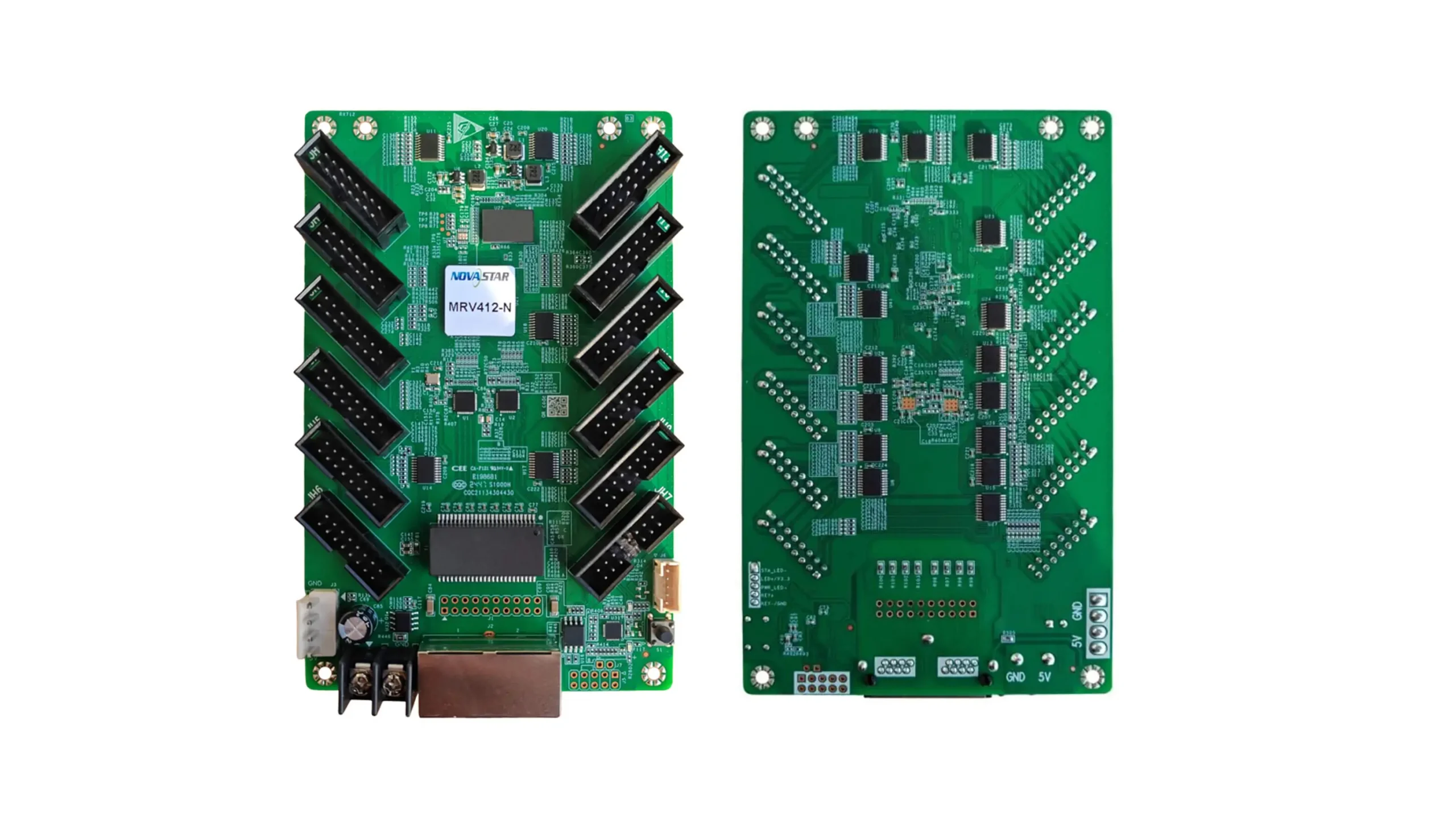
The MRV412-N specifications V1.0.3 describe an indicator state for Ethernet redundancy switchover and loop backup. Use indicators as supporting evidence for the correct hardware. They do not replace a visual check of the required image or demonstrate protection against every cabinet fault.
Finally, test recovery as carefully as failure. LED display redundancy may behave differently when the primary path returns. The VX Pro manual documents a primary-source preference setting that affects return behavior. Record the chosen policy and confirm that the operators understand it before ending the session.
5. Turn observations into acceptance evidence
A passing LED display redundancy test needs a traceable record. “Screen stayed on” is incomplete if nobody recorded the configuration, observed area or current content. Associate each test with the final drawing revision and equipment list. A later engineer should be able to understand what was demonstrated without relying on the original installer.
| Record field | What to capture | Why it matters |
|---|---|---|
| Test identity | Date, location, witness and test reference | Connects evidence to an accountable session. |
| Configuration | Models, versions, drawing and settings archive | Defines the system actually tested. |
| Expected behavior | Protected area, content and agreed interruption criterion | Prevents changing the pass condition afterward. |
| Observed behavior | Image continuity, alarms, timing method and recordings | Separates observations from assumptions. |
| Disposition | Pass, fail, untested item and responsible owner | Keeps exceptions visible through handover. |
If timing matters, define how it will be measured before the test. A person watching the screen may notice a visible interruption but cannot establish a precise sub-frame duration. Agree the recording equipment, timing reference and interpretation method with the supplier. Report only the precision that the method supports.
LED display redundancy acceptance should distinguish a failed test from an untested requirement. A route-damage scenario that was not exercised is not automatically a failure, but it is not a demonstrated pass either. The owner can then decide whether further evidence or a formally accepted limitation is appropriate.
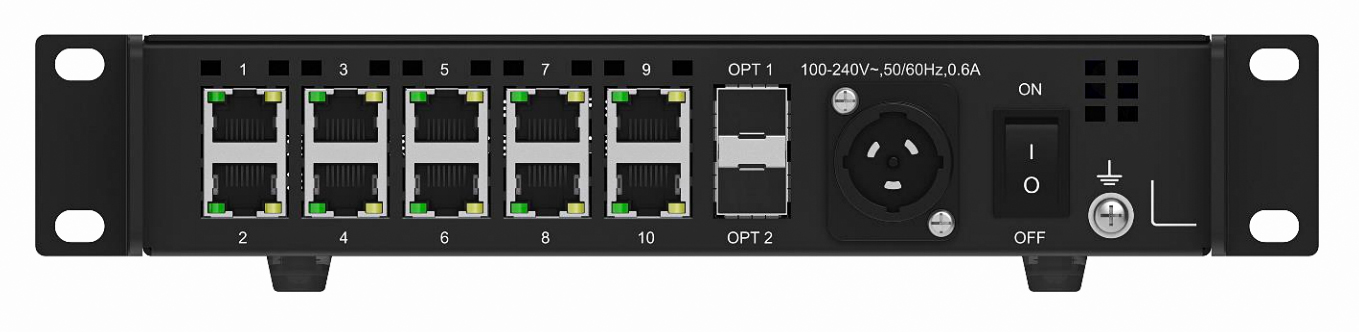
Keep photographs of the installed labels separate from generic product illustrations. Product images explain component identity; site photographs establish where a particular cable or unit was installed. The pictures in this guide are product references, not evidence that the example test schedule has been performed on a real project.
6. Keep LED display redundancy ready after handover
A backup system can become stale when routine changes affect only the primary path. Include LED display redundancy in the change record whenever the canvas, cabinet order, sources, firmware or controller configuration changes. The responsible technician should review which earlier test results remain valid and which affected functions need to be exercised again.
Assign an owner for the configuration archive and another named contact for operational faults if necessary. Store approved files where authorized technicians can retrieve them during service. Include the version, date, equipment identity and restoration notes. Avoid an unexplained folder of similarly named files that nobody can confidently associate with the installed screen.
For rental projects, LED display redundancy may need review after each layout change. The same cabinets can form a different canvas with a different data order. A previous event’s passing result cannot automatically validate the new arrangement. Use the current layout and approved connections when planning the next commissioning check.
Set a review schedule based on the site’s operation and risk rather than claiming a universal interval. Operators should know how to recognize a backup state, whom to contact and which actions are outside their role. A visible image on the backup path may mean service continues while protection against the next fault is reduced.
Link LED display redundancy records to the maintenance log. After replacement or repair, document the restored hardware and any retest. Keep unresolved items assigned to an owner. The goal is a known operating state, not merely a screen that happens to be showing content at the end of the visit.
7. LED display redundancy procurement FAQ
Can spare controllers replace an active backup system?
Not automatically. A stored spare usually requires installation and configuration before it can restore service. LED display redundancy requires a defined working alternative path. Decide whether the project needs continuous operation, faster repair, or both, then specify the corresponding equipment and procedures.
Can we reuse a controller already in stock?
Possibly, after verifying the exact model, version, capacity and supported pairing. LED display redundancy is not established by matching connectors. Ask the supplier to identify compatibility evidence and include the proposed unit in the actual commissioning configuration.
Does backup give us extra screen capacity?
Do not assume it does. Connections assigned to protection may carry an alternative copy of the required image. For LED display redundancy, request separate normal-state and backup-state loading calculations before allocating extra cabinets to apparently unused ports.
Will input backup detect a frozen application?
A frozen application can still output a valid video signal. Signal-loss switching therefore should not be treated as proof of frozen-content detection. Define that scenario separately in the LED display redundancy requirements and ask what detection and recovery method is actually provided.
Can maintenance proceed while the backup carries the image?
That depends on the approved design and service procedure. LED display redundancy does not authorize live electrical work or guarantee safe component removal. Have the responsible specialists define permitted maintenance actions and identify the protection temporarily lost during that work.
What switching time should the purchase order require?
Use an agreed project requirement with a feasible measurement method. There is no timing value demonstrated by this guide. LED display redundancy acceptance should record observed results for the supplied configuration instead of converting a general marketing description into a numerical guarantee.
Should we choose the controller before defining the failures?
Define the failure coverage first. Otherwise, available features can quietly become the project requirement. LED display redundancy planning should connect the owner’s continuity needs to the controller, transport, receiving path, test scope and operating responsibilities as one coordinated design.
8. Conclusion
LED display redundancy is most useful when its scope can be explained, tested and maintained. Specify the protected failure domains, identify shared dependencies, agree recovery behavior and retain evidence from the delivered configuration. Treat unknown or untested items explicitly so the owner understands the remaining limits.
For an HonghaiLED project, send your screen layout and continuity requirements to the HonghaiLED team. Include the intended application, cabinet arrangement, available source equipment, transport distance and required acceptance tests. These details provide a practical starting point for discussing LED display redundancy and preparing a configuration-specific proposal.
Related Posts
How to Back Up and Restore NovaLCT Configuration Files
To back up NovaLCT configuration files, read the working settings…
NovaStar H Series vs VX Series: Which Controller Is Right for You?
NovaStar H Series vs VX Series comes down to architecture…
NovaStar TB50 Multimedia Player: Specs, Setup and Software
The NovaStar TB50 multimedia player is an all-in-one Taurus-series controller…

No Comments