
NovaStar H Series vs VX Series: Which Controller Is Right for You?
NovaStar H Series vs VX Series comes down to architecture rather than brand tier. Choose VX Pro when one LED screen, a known source list, and up to 13 million pixels are enough. Choose H Series when the project needs more pixels, more output ports, mixed connector standards, dense multi-window layouts, multi-screen control, or system-level redundancy.
Decision table: start here
| Project requirement | Recommended platform | Why |
|---|---|---|
| One LED screen, a fixed source list, up to 13 million pixels, fast setup | VX Pro (VX400 Pro, VX600 Pro, VX1000 Pro, VX2000 Pro) | Fixed ports, compact housing, quick deployment, easy to standardise |
| More than 13 million pixels, more than twenty Ethernet outputs, or several independent screens | H Series | Modular cards scale the chassis to the project instead of adding extra boxes |
| Mixed connectors (HDMI, DisplayPort, SDI, IP, NDI, HDBaseT, optical) inside one processor | H Series | Input and output cards are chosen per signal list and can be replaced later |
| Control room or 24/7 installation that must survive a card or power failure | H Series | Input-source hot backup, power-supply hot backup, and device-to-device hot backup |
| Touring inventory that must stay simple to operate and easy to replace | VX Pro | Identical spare units and one software interface, with fewer card decisions on site |
Capacity, ports, layers, and redundancy were checked against NovaStar’s published H Series and VX Pro documentation for the current models. Both families are configurable, so confirm the final pixel load, card selection, hardware revision, and firmware against the exact product specification before ordering.
Table of Contents
1. The Short Answer: Match Architecture to the Job
2. Product Roles: Modular Platform vs Fixed Appliance
3. NovaStar H Series vs VX Series Comparison Table
4. Performance Limits That Change the Decision
5. Best-Fit Use Cases
6. Five Checks Before You Specify a Controller
7. Common Buying Mistakes
8. Frequently Asked Questions
9. Conclusion
1. The Short Answer: Match Architecture to the Job
For most single-screen event and commercial projects, choose a VX Pro controller. It combines video processing, scaling, switching, and LED sending in one compact fixed-port unit. The VX400 Pro through VX2000 Pro cover 2.6 million to 13 million pixels, so model selection is straightforward once the source list and port map are fixed.
Choose an H Series chassis when the system needs many sources, many outputs, unusually high pixel capacity, advanced multi-window layouts, centralised control, or serious redundancy. In the NovaStar H Series vs VX Series decision, H is the scalable system platform and VX is the fast, efficient appliance. Our NovaStar H Series guide covers the chassis options in more detail.
1.1 Choose H Series when complexity will grow
An H chassis makes sense when the specification includes several screens, mixed connector standards, control-room workflows, input and device hot backup, or future expansion. The modular card design lets integrators build the exact signal path required instead of replacing the controller when the project grows.
1.2 Choose VX Series when speed and simplicity matter
A VX Pro is usually the better operational choice for touring crews, rental companies, houses of worship, conference rooms, and standard LED walls. Its fixed I/O removes card-selection decisions, reduces rack space, and makes it easier to keep identical backup units ready.
2. Product Roles: Modular Platform vs Fixed Appliance
2.1 NovaStar H Series: a modular splicer and controller platform
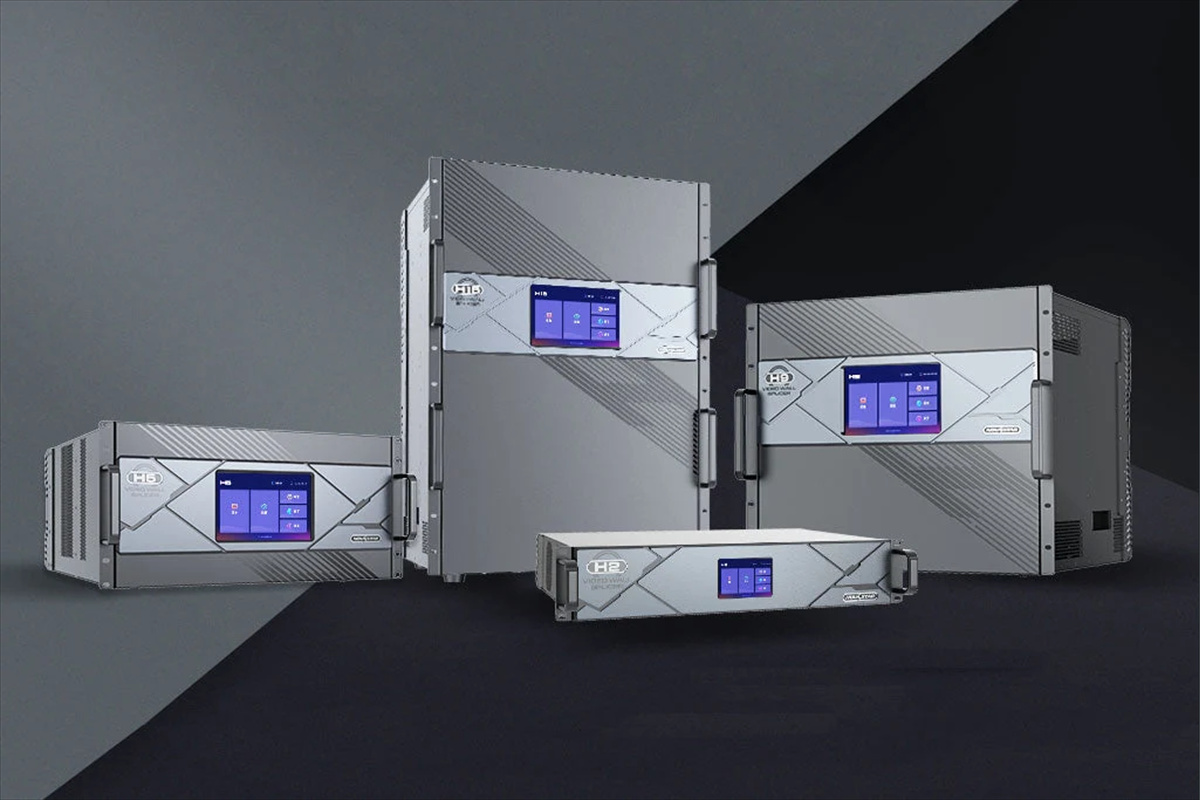
NovaStar describes H Series as its flagship all-in-one video splicing processor for fine-pitch LED applications. The family has five chassis: H2 (2U), H5 (5U), H9 (9U), H15 (15U), and H20 (20U), plus Enhanced versions of the H9 and H15. Every chassis takes plug-in input, output, and sending cards, so a system can be re-specified without replacing the processor.
Loading capacity therefore depends on the chassis and the sending card fitted, not on the model name alone. The table below shows the range for each chassis with the two most common sending-card types.
| H Series chassis | Rack units | Max. input / output cards | Max. layers | Max. loading capacity |
|---|---|---|---|---|
| H2 | 2U | 4 / 2 | 32 | 26 million pixels (H_20xRJ45) to 41.6 million pixels (H_4xfiber) |
| H5 | 5U | 10 / 3 | 48 | 39 million pixels to 62.4 million pixels |
| H9 | 9U | 15 / 5 | 80 | 65 million pixels to 104 million pixels |
| H9 Enhanced | 9U | 15 / 10 | 160 | 65 million pixels to 208 million pixels |
| H15 | 15U | 30 / 10 | 160 | 130 million pixels to 208 million pixels |
| H15 Enhanced | 15U | 30 / 16 | 160 | 208 million pixels to 332.8 million pixels |
| H20 | 20U | 40 / 20 | 320 | 260 million pixels to 416 million pixels |
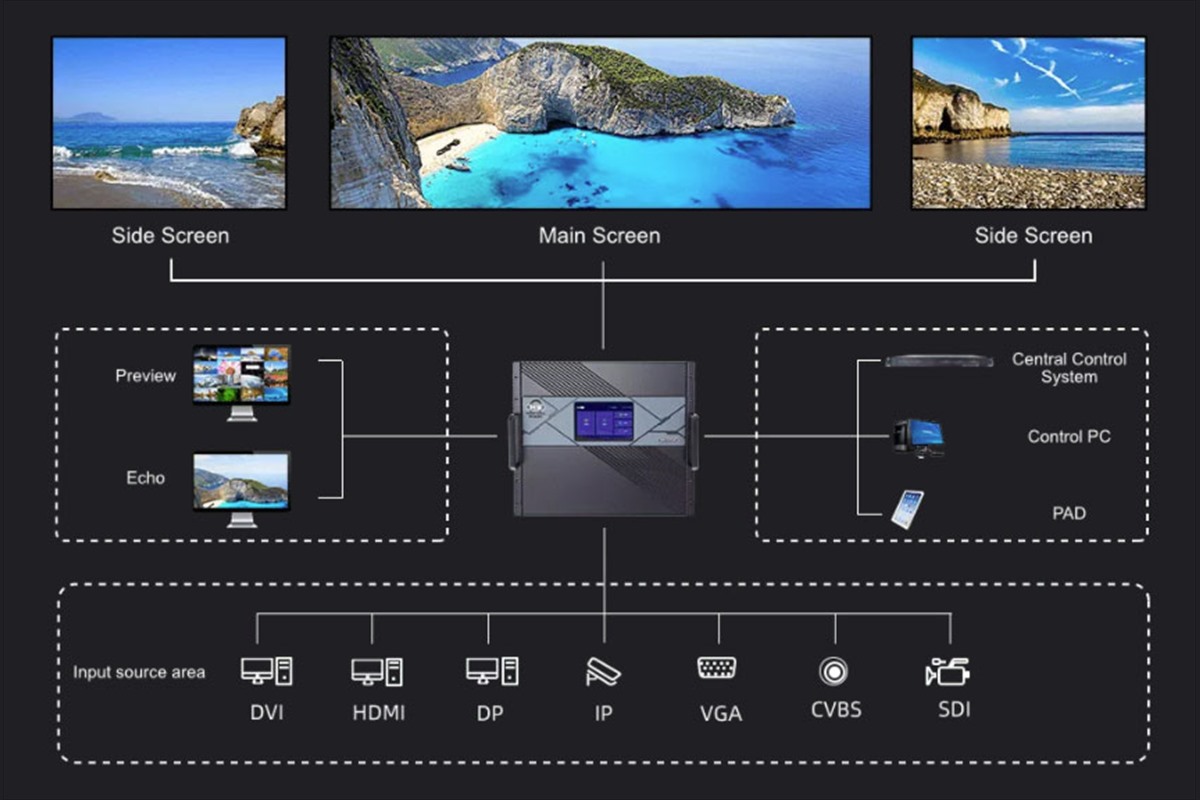
Capacity is only part of the H Series proposition. The platform accepts cards for HDMI, DisplayPort, DVI, SDI, IP, NDI, HDBaseT, optical transmission, preview, audio, and control. NovaStar specifies 16 layers per card, 8K end-to-end processing, 4K 120 Hz input support, synchronised multi-screen control, Stream Deck compatibility, an open API, SNMP monitoring, and full-link hot backup. That combination makes H Series behave more like a video routing and display platform than a single LED controller. Projects that start at the small end of the family are covered in our H2 review, the H5 video wall splicer page, and the H9 video wall splicer page.
2.2 NovaStar VX Series: a fixed-configuration all-in-one controller
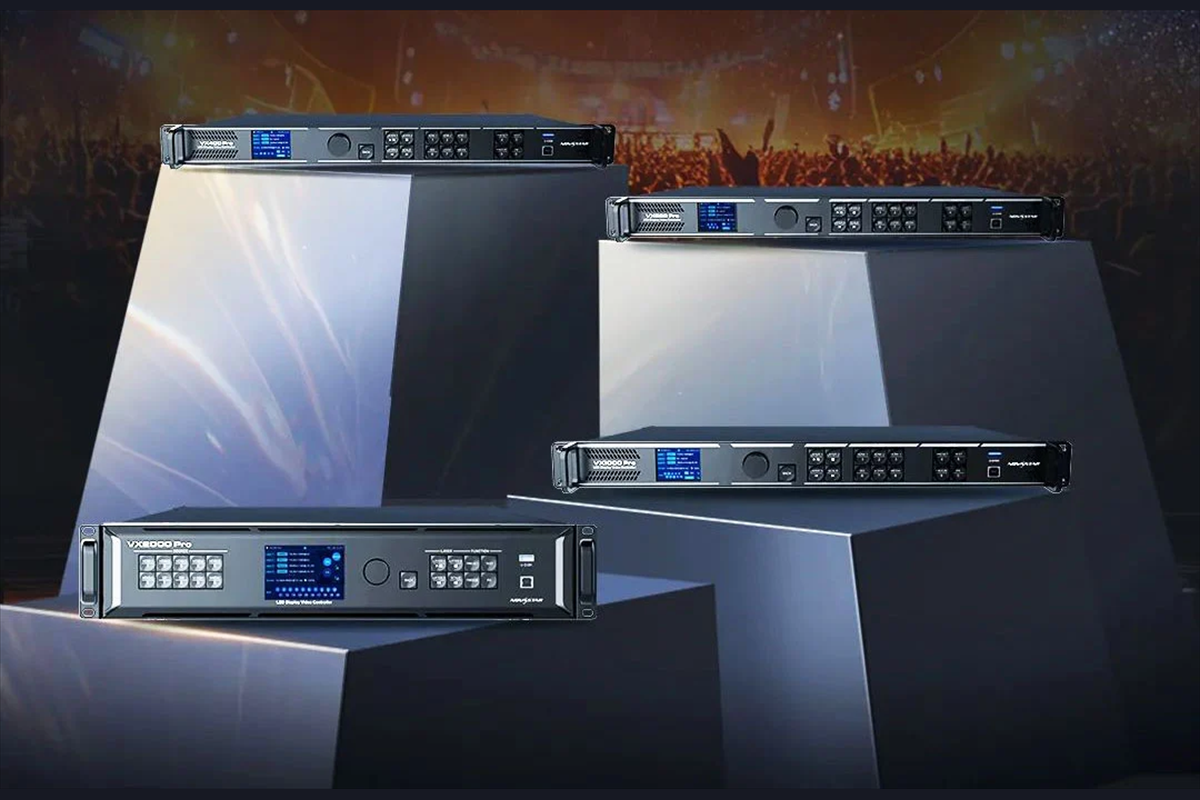
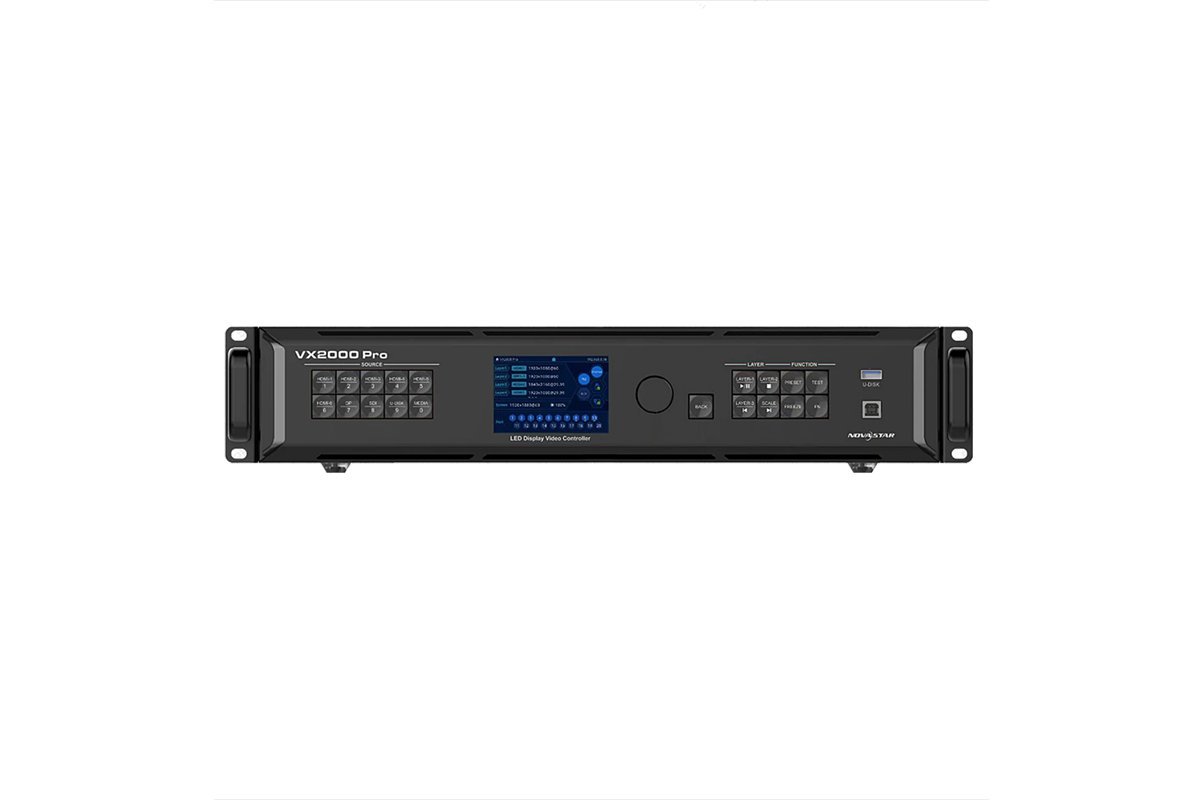
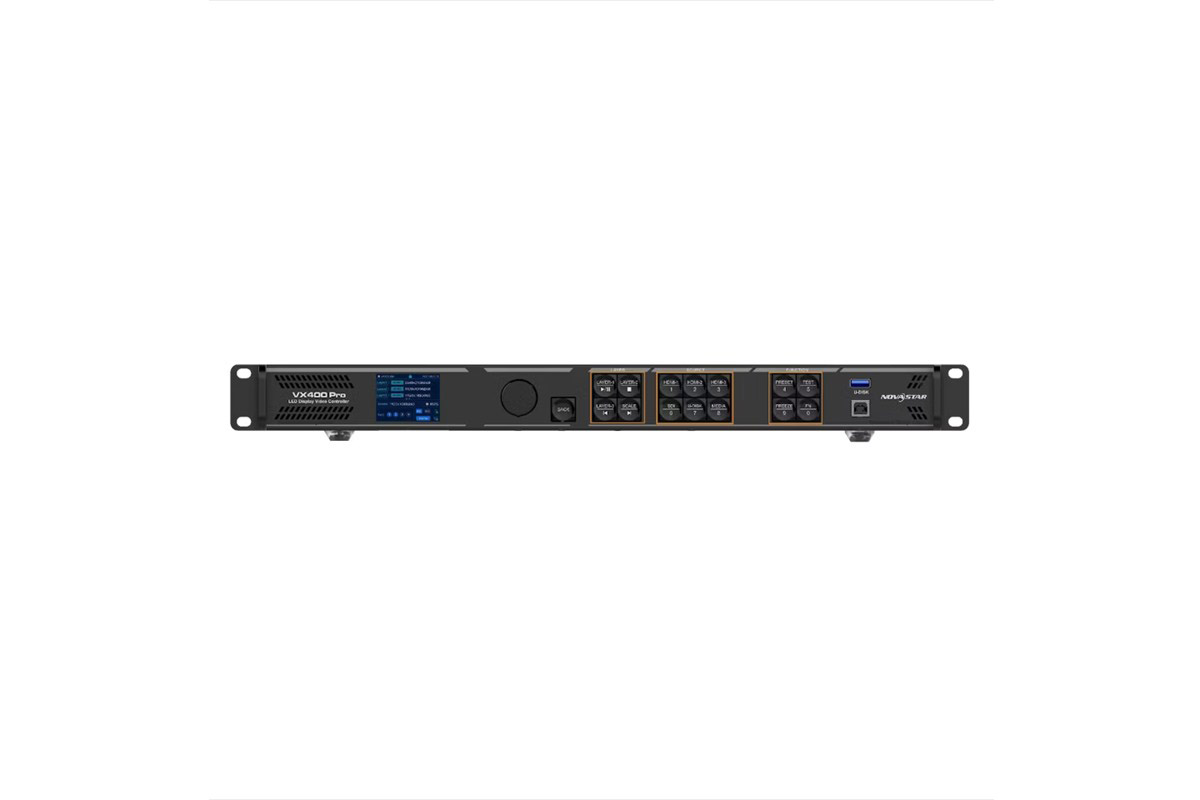
The current VX Pro family has four models, and each name states its Ethernet output count: four, six, ten, and twenty ports. Loading capacity rises with the port count.
| VX Pro model | Ethernet outputs | Max. loading capacity | Layers |
|---|---|---|---|
| VX400 Pro | 4 | 2.6 million pixels | 6 x 2K |
| VX600 Pro | 6 | 3.9 million pixels | 6 x 2K |
| VX1000 Pro | 10 | 6.5 million pixels | 6 x 2K |
| VX2000 Pro | 20 | 13 million pixels | 12 x 2K, 6 x DL, or 3 x 4K |
Every current VX Pro model accepts real 4K through HDMI 2.0 at up to 4096 x 2160 at 60 Hz, and the whole family supports 256 presets. NovaStar also states that loading capacity is calculated against the physical cabinet rather than inside a fixed rectangle, which improves Ethernet port utilisation on irregular walls.
Other shared features include USB media input, text, image, weather and clock OSD content, optical ports, and a single software interface for macOS, Windows, and the web. For model-level detail, see our VX1000 Pro vs VX600 Pro guide, the VX2000 Pro review, and the VX600 Pro page.
Watch: how NovaStar all-in-one LED controllers are positioned across the range.
3. NovaStar H Series vs VX Series Comparison Table
The table below summarises the architectural difference. Because both families contain several models and configurations, confirm the final pixel load, layer count, card type, and firmware against the exact product specification before ordering.
| Decision factor | NovaStar H Series | NovaStar VX Pro Series |
|---|---|---|
| Architecture | Modular card-based splicer and controller chassis | Fixed-port all-in-one controller |
| Current models | H2, H5, H9, H15, H20 (plus H9 and H15 Enhanced) | VX400 Pro, VX600 Pro, VX1000 Pro, VX2000 Pro |
| Loading capacity | 26 million pixels on the H2 with H_20xRJ45 cards up to 416 million pixels on the H20 with H_4xfiber cards; NovaStar states up to 520 million pixels for the platform with an optical transmitter card | 2.6 million to 13 million pixels, one value per model |
| Ethernet output ports | Set by the output and sending cards fitted | 4, 6, 10, or 20 fixed ports |
| Input and output flexibility | Combine HDMI, DisplayPort, DVI, SDI, IP, NDI, HDBaseT, RJ45, and optical cards | Predetermined connectors on each model |
| Layers | 32 layers on the H2 up to 320 layers on the H20, with up to 16 layers per card | 6 x 2K on the VX400/600/1000 Pro; 12 x 2K, 6 x DL, or 3 x 4K on the VX2000 Pro |
| Presets | Managed through the browser-based H Series control software | 256 presets across the family |
| Redundancy | Input-source hot backup, device-to-device hot backup, and redundant power supplies | Practical source and device backup, but less system-level redundancy |
| Rack space | 2U to 20U | Compact 1U chassis |
| Best fit | Control rooms, broadcast, multi-screen venues, and very large fine-pitch systems | Rental events, stages, meeting spaces, and standard commercial LED walls |
| Expansion path | Add or change cards within the chassis limits | Move to a larger VX model or add another controller |
4. Performance Limits That Change the Decision
4.1 Pixel capacity and canvas size
Pixel capacity is the fastest way to narrow NovaStar H Series vs VX Series. A VX2000 Pro tops out at 13 million pixels, which is enough for many large 4K-class or unusually shaped LED walls. Above that ceiling the comparison ends early, because every H Series chassis carries more, from 26 million pixels on the H2 to 416 million pixels on the H20 depending on the sending cards fitted.
Do not size a controller from total pixels alone. Verify the maximum width and height, the pixel load of each Ethernet or optical output, cabinet mapping, refresh rate, bit depth, and how the load is distributed across ports. A wall can sit below the total limit and still fail the design if one output is overloaded. The VX2000 Pro, for example, supports a canvas of up to 16,384 x 8,192 pixels across twenty Ethernet outputs.
4.2 Inputs, outputs, and future expansion
With VX, the selected model defines the connector set. That is a strength when the sources are known: one 4K laptop feed, a switcher output, a camera return, and standard Ethernet runs. Commissioning is predictable and replacing the controller is simple.
H Series is better when the connector mix is uncertain or specialised. An integrator can combine HDMI, DisplayPort, SDI, NDI, DVI, HDBaseT, or optical cards. This flexibility is the biggest long-term advantage in NovaStar H Series vs VX Series, especially for venues that renew their sources without replacing the LED wall.
4.3 Layers, presets, and multi-screen operation
Layer demand is another dividing line. A corporate stage may need only a background plus two picture-in-picture windows, which six 2K layers on a VX Pro handle comfortably. A command centre may need dozens of independent windows across several canvases, synchronised screen control, OSD data, and rapid recall of many layouts. That is where H Series layer density, from 32 layers on the H2 to 320 on the H20, and the browser-based multi-screen software matter.
4.4 Reliability and control integration
For mission-critical installations, H Series offers the more comprehensive redundancy design: input-source hot backup, device-to-device hot backup, and redundant power supplies. The supply arrangement differs by chassis, with optional redundancy on the H2, H5 and H9, dual supplies as standard on the H15, and three supplies plus an optional fourth on the H20.
Open API, SNMP, TCP/IP, RS232, and Stream Deck compatibility also fit managed AV environments. A VX Pro can still be deployed redundantly, and keeping a spare fixed unit is often the simplest event strategy. The real NovaStar H Series vs VX Series question is whether you need redundancy inside one integrated platform or prefer to swap a standardised appliance.
5. Best-Fit Use Cases
5.1 Rental stages and live events
For rental buyers comparing NovaStar H Series vs VX Series, choose VX Pro when the show uses one primary LED canvas, a manageable number of sources, and a crew that values fast setup. Match the VX400 Pro, VX600 Pro, VX1000 Pro, or VX2000 Pro to the final pixel map and port distribution. For touring inventory, standardising several identical units reduces training and spare-parts complexity.
Move to H Series when the production uses several large LED surfaces, many live inputs, complex window layouts, or centralised switching. In a multi-stage festival or broadcast-heavy event, H can consolidate equipment that would otherwise require separate processors, matrix routers, and controllers.
5.2 Corporate lobbies and retail LED walls
VX Pro is normally the efficient choice for a reception video wall, showroom, digital backdrop, or retail display. Its 4K input, scaling, presets, and OSD functions cover typical daily operation without an oversized system.
H becomes valuable when a headquarters combines a lobby wall, briefing centre, executive boardroom, and data displays under one management system. The decision in NovaStar H Series vs VX Series should follow the entire signal workflow, not only the largest screen.
5.3 Control rooms, broadcast, and command centres
For control rooms evaluating NovaStar H Series vs VX Series, H Series is the clear default when operators must monitor many sources continuously, create complex layouts, recall large preset libraries, and maintain service through a component failure. NDI, SDI, IP, preview, API, and SNMP options make the platform easier to integrate with professional control infrastructure.
5.4 Fine-pitch and very large LED installations
Large fine-pitch walls can exceed the VX range quickly because tighter pixel pitch increases pixel count without increasing physical size. Start with a complete cabinet-level load map. If the project needs more than 13 million pixels, many outputs, or future canvas expansion, the H architecture is usually more economical than stacking fixed controllers and external processors. Our LED display range covers the matching screen hardware.
6. Five Checks Before You Specify a Controller
6.1 Calculate the real load
Multiply total screen width by total screen height in pixels, then add every independently controlled canvas. Keep practical headroom for mapping changes. Next, check port-by-port load and the controller’s maximum width and height. This step often eliminates half the options in NovaStar H Series vs VX Series.
6.2 List every source and destination
When specifying NovaStar H Series vs VX Series, record connector type, resolution, frame rate, HDCP requirement, colour depth, and whether a loop output or preview feed is needed. If the list fits a VX Pro exactly, fixed I/O is an advantage. If it requires several standards or may change, price the appropriate H cards from the beginning.
6.3 Define layer and preset requirements
Count simultaneous windows, not just physical inputs. Then list the layouts operators must recall. VX Pro offers six or twelve 2K layers and 256 presets, which suits many productions; H Series is designed for far denser compositions, with up to 320 layers on the H20.
6.4 Decide your redundancy strategy
For a rental company, a spare VX unit may be cheaper and easier than a more elaborate architecture. For a 24/7 control room, hot-swappable signal paths, redundant power, and monitored devices can justify H Series. Include the cost of downtime, not only the controller purchase price.
6.5 Match the controller to the team
A system is reliable only if the operators can support it. VX favours repeatable, appliance-style workflows. H rewards detailed engineering, card planning, documentation, and trained operators. Our NovaStar H Series guide, H2 review, and VX1000 Pro vs VX1000 comparison provide more detail for planning a system.
7. Common Buying Mistakes
- Comparing only total pixel capacity. Width, height, per-port loading, frame rate, and bit depth can be the real limits.
- Buying H Series without pricing the cards. A chassis is only the starting point; calculate the complete configured system.
- Choosing VX without expansion headroom. A model that is full on day one may force an early replacement.
- Assuming every model has identical connectors. Check the exact VX model or H card list, not a family-level summary.
- Ignoring operations and backup. The easiest controller to specify may not be the easiest to support during a live failure.
A disciplined NovaStar H Series vs VX Series comparison includes the screen map, signal schedule, layer plan, redundancy design, rack space, control protocol, and five-year expansion forecast.
8. Frequently Asked Questions
01.Is NovaStar H Series better than VX Series?
Not in every project. H Series wins on scale, modular I/O, layer density, and system-level redundancy. VX Pro wins on cost, rack space, and deployment speed when the pixel load and connector list are already fixed. If one VX Pro covers the screen, the sources, and the layers with headroom, it is usually the better engineering choice.
02.How many pixels can a NovaStar VX Pro controller handle?
The VX400 Pro handles 2.6 million pixels, the VX600 Pro 3.9 million, the VX1000 Pro 6.5 million, and the VX2000 Pro 13 million. Once a design passes 13 million pixels, or one processor must drive several screens, H Series becomes the appropriate family.
03.How many pixels can a NovaStar H Series chassis handle?
It depends on the chassis and the sending card. An H2 with H_20xRJ45 cards manages 26 million pixels, while an H20 with H_4xfiber cards reaches 416 million pixels. NovaStar states the platform can support up to 520 million pixels when an optical transmitter card is used.
04.Which NovaStar controller should I choose for a rental stage?
For a single LED canvas with a known source list, choose VX Pro; the VX400 Pro and VX600 Pro cover most rental walls. Move to H Series when the show uses several large screens, many live inputs, complex window layouts, or centralised switching inside one processor.
05.Do I need H Series for a 4K LED wall?
Not by itself. Every current VX Pro model accepts 4K at 4096 x 2160 at 60 Hz through HDMI 2.0, so a 4K source is not the deciding factor. Total pixel load, output port count, layer count, and expected growth decide the family.
06.What information should I send for a controller recommendation?
Send the cabinet resolution and quantity, the complete pixel map, the source list with connector types and frame rates, the number of simultaneous windows, cable distances, backup requirements, rack space, and the expansion you expect over the next five years. With those details a supplier can make a defensible NovaStar H Series vs VX Series recommendation instead of guessing from screen size.
9. Conclusion
NovaStar H Series vs VX Series is a choice between scalable system architecture and compact operational efficiency. Select VX Pro for defined single-screen workflows and rapid deployment. Select H Series for very high pixel loads, modular I/O, multi-screen layouts, centralised control, and mission-critical redundancy. Finalise the model only after checking the cabinet-level load map, connector schedule, layer count, and backup plan.
Need help matching a chassis or controller to a specific pixel budget? Send us the screen dimensions, pixel pitch, and source list through our contact page, review current controller software on our NovaStar software download page, or browse complete LED display solutions for the screen side of the project.
Related Posts
How to Back Up and Restore NovaLCT Configuration Files
To back up NovaLCT configuration files, read the working settings…
LED Display Redundancy: A Buyer’s Failover Test Guide
LED display redundancy is a planned alternative path that keeps…
NovaStar TB50 Multimedia Player: Specs, Setup and Software
The NovaStar TB50 multimedia player is an all-in-one Taurus-series controller…

No Comments