
NovaStar MX20 vs MX40 Pro: Specs, Capacity and Which to Buy
Quick answer: Choose the NovaStar MX20 for LED walls up to 3.9 million pixels, six Ethernet outputs, three layers, and HD/SDR inputs. Choose the NovaStar MX40 Pro (also written MX40Pro) for up to 9 million pixels, 20 Ethernet outputs, four 4K layers, HDMI 2.0, DP 1.2, 12G-SDI, HDR, and xR production. Both are all-in-one COEX controllers driven by NovaStar’s VMP software, so the decision comes down to capacity, source format and processing features – not the control workflow.
Before buying, confirm per-port loading, bit depth, frame rate, receiving-card model, maximum output dimensions, and redundancy. A screen can remain below the headline pixel limit and still exceed a port or geometry constraint. Last updated: September 22, 2026 – every capacity, input and loading figure below was re-checked against NovaStar’s published MX20 and MX40 Pro documentation.
Quick match: which controller fits your LED screen?
| Your LED screen or signal | NovaStar MX20 | NovaStar MX40 Pro |
|---|---|---|
| 1080p-class wall (about 2.07 million pixels) at 8-bit, 60 Hz | Fits when the six outputs stay inside the per-port limit | Works, but more controller than the job needs |
| 1440p-class wall (about 3.69 million pixels) | Possible on total capacity; confirm per-port load, layers and output width first | Comfortable fit with headroom |
| True 4K canvas (3840 x 2160 = 8.29 million pixels) | Exceeds the 3.9-million-pixel device ceiling | Required on total capacity |
| Ultra-wide output wider than 4,096 pixels | Above the maximum output width | Supports output dimensions up to 16,384 pixels |
| 4K or HDR sources over HDMI 2.0, DP 1.2 or 12G-SDI | HDMI 1.3 and 3G-SDI only | Native 4K inputs plus HDR10, HLG and 3D LUT tools |
| xR stage or camera-facing LED volume | Genlock and low latency, but no dedicated xR tools | Shutter Fit, frame multiplication and advanced color controls |
Table of Contents
- Quick Verdict
- NovaStar MX20 vs MX40 Pro Specification Comparison
- Capacity Math: Check the Screen Before the Feature List
- Inputs and Image Processing
- Workflow, Redundancy, and Rack Practicalities
- Which Controller Fits Your Application?
- Common Selection Mistakes
- Final Decision Checklist
- MX40 Pro Manual, Price and Related Controllers
- Frequently Asked Questions
- Conclusion
1. Quick Verdict
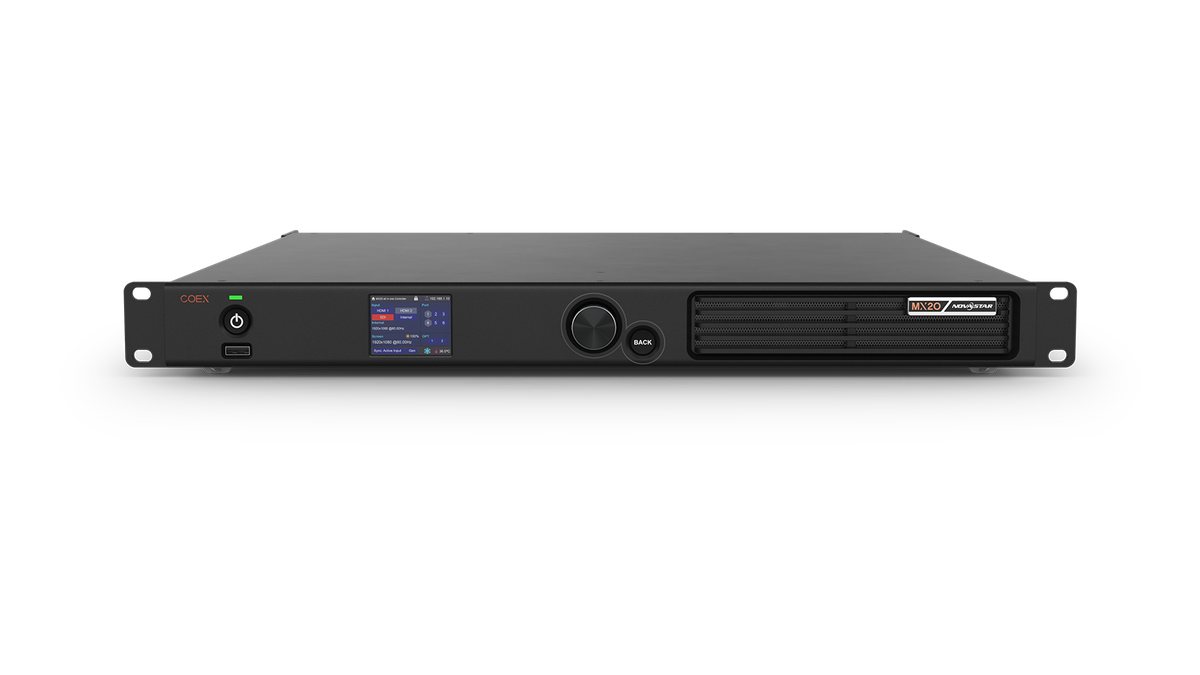
1.1 Choose the NovaStar MX20 if…
Choose the MX20 when all of the following are true:
- The LED canvas is comfortably below 3.9 million pixels after per-port calculations.
- Six Gigabit Ethernet outputs are enough for the cabinet map and backup plan.
- Your sources are HDMI 1.3 or 3G-SDI rather than native 4K HDMI, DisplayPort, or 12G-SDI.
- Three independent layers cover the required compositions.
- You want COEX features such as VMP control, Genlock, presets, frame-rate adaptation, full-grayscale calibration support, and sub-1 ms minimum processing latency without buying more controller than the project needs.
- A compact 1U chassis, lower power draw, and lower transport weight matter.
The MX20 is particularly strong for corporate stages, houses of worship, rental inventory for modest walls, broadcast confidence displays, and fixed installations with a known canvas and straightforward HD sources.
1.2 Choose the NovaStar MX40 Pro if…
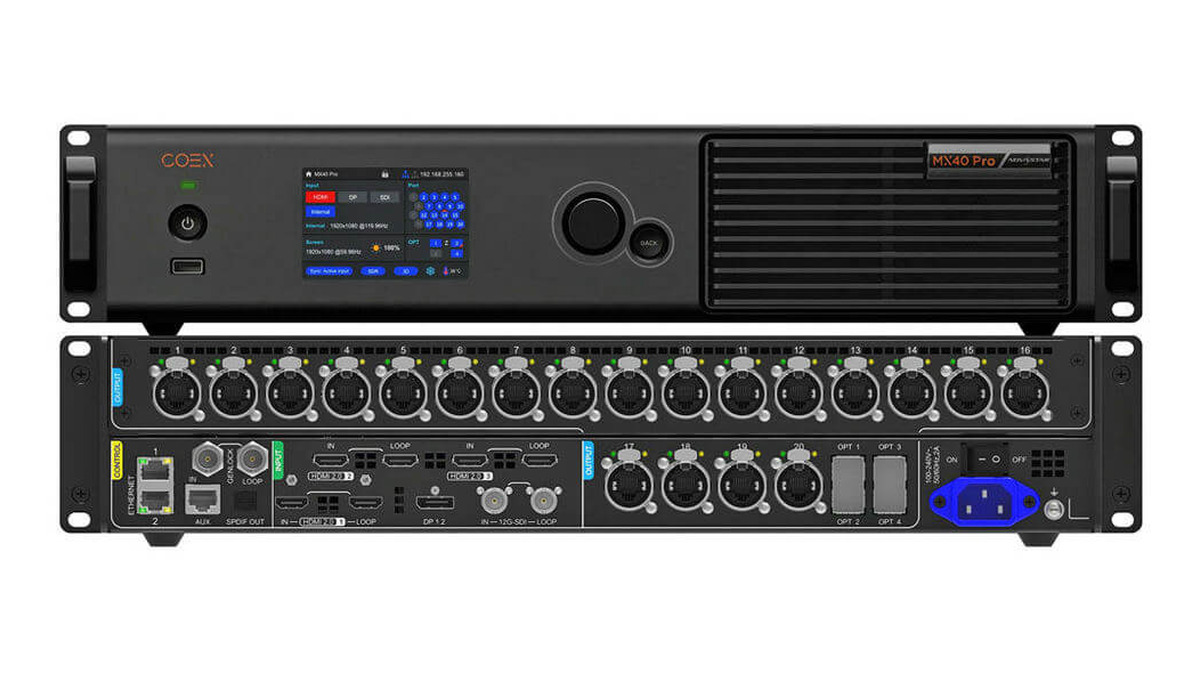
Choose the MX40 Pro when any of these requirements are non-negotiable:
- The canvas exceeds the MX20’s capacity, six-port count, or 4,096-pixel output width/height limit.
- You need HDMI 2.0, DP 1.2, or 12G-SDI inputs for a true 4K signal path.
- You need four independent 4K layers rather than three layers.
- HDR10, HLG, 3D LUTs, Color Curves, Color Replacement, Dynamic Booster, 3D, Shutter Fit, or frame multiplication is part of the production brief.
- The system needs 20 physical Gigabit Ethernet outputs or four 10G optical outputs with configurable 20-port/40-port optical modes.
- You are building an xR stage, broadcast studio, flagship touring package, or unusually wide creative display.
Bottom line: if the MX20 passes the capacity calculation and the production brief is HD/SDR, it is usually the more rational purchase. Buy the MX40 Pro for requirements the MX20 cannot satisfy, not merely for unused headroom.
2. NovaStar MX20 vs MX40 Pro Specification Comparison
This comparison is based on the published NovaStar MX20 LED Display Controller Specifications (V1.5.0 and V1.5.1), the NovaStar MX40 Pro LED Display Controller Specifications (V1.5.0), the NovaStar MX30 and KU20 LED Display Controller Specifications, and NovaStar’s official COEX 1G product comparison. Source documents are named here as plain text rather than outbound links: NovaStar MX20 LED Display Controller Specifications V1.5.0 and V1.5.1; NovaStar MX40 Pro LED Display Controller Specifications V1.5.0; NovaStar MX30 LED Display Controller Specifications V1.5.0; NovaStar KU20 LED Display Controller Specifications V1.5.0; NovaStar COEX 1G series product comparison (novastar.tech). Verified on September 22, 2026.
| Specification | NovaStar MX20 | NovaStar MX40 Pro | Why it matters |
|---|---|---|---|
| Product position | All-in-one COEX controller | Flagship all-in-one COEX controller | Both combine processing and LED control in one chassis |
| Maximum device load | Up to 3.9 million pixels | Up to 9 million pixels | This is a ceiling, not a guarantee at every bit depth/frame rate |
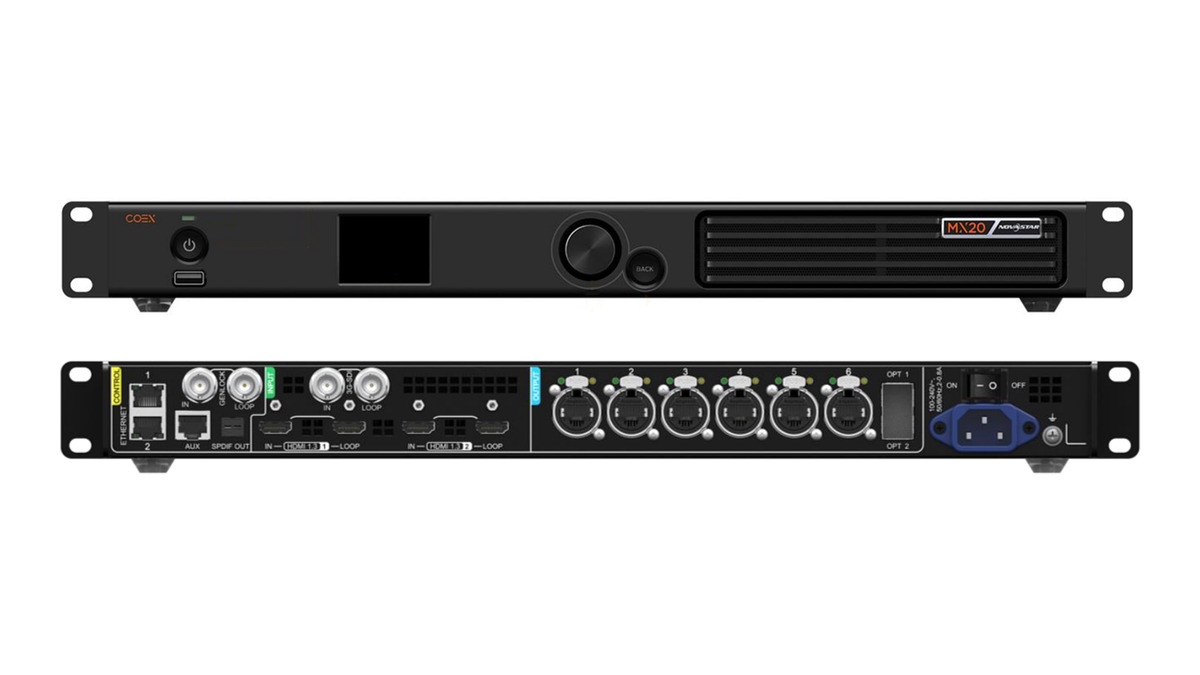
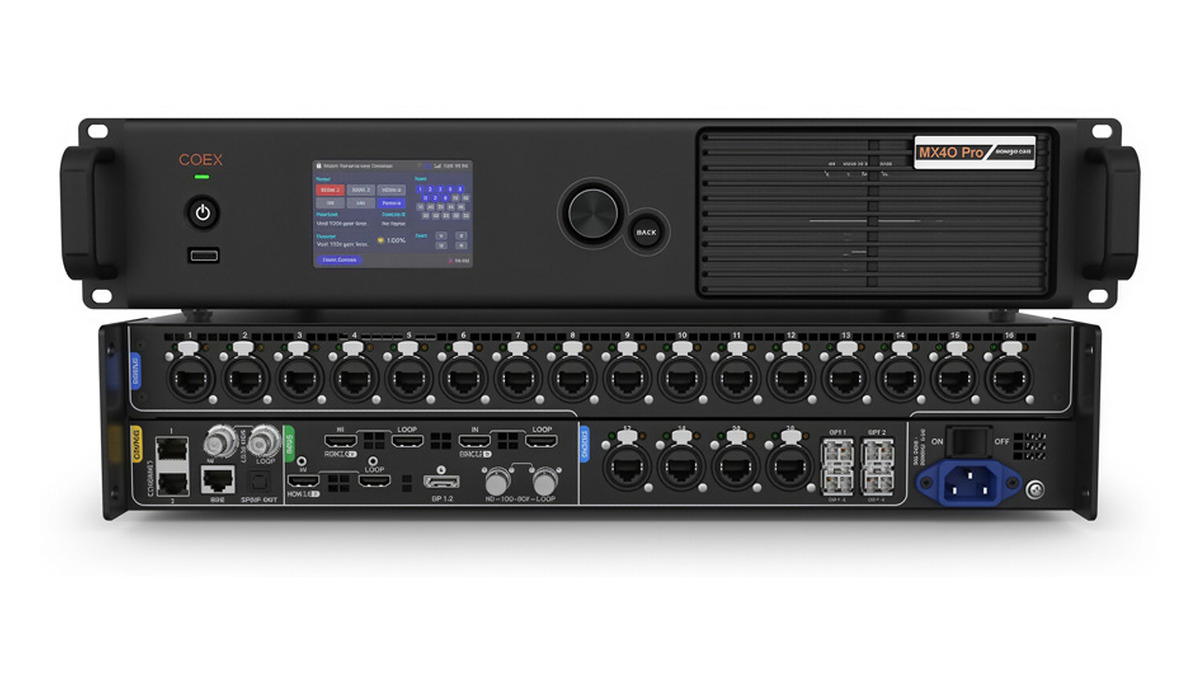
| Physical Ethernet outputs | 6 x Gigabit Ethernet | 20 x Gigabit Ethernet | More ports simplify large cabinet maps and distribution |
| Optical outputs | 2 x 10G | 4 x 10G; selectable 20-port or 40-port mode | Optical mode changes mapped output channels; it does not add physical RJ45 ports |
| Video inputs | 2 x HDMI 1.3 with loop; 1 x 3G-SDI with loop | 3 x HDMI 2.0 with loop; 1 x DP 1.2; 1 x 12G-SDI with loop | MX40 Pro accepts modern 4K production sources directly |
| Input bit depth | 8-bit and 10-bit | 8-bit, 10-bit, and 12-bit | Higher bit depth reduces banding but also affects port capacity |
| HDMI capability | Up to 1920 x 1200 at 60 Hz as the listed maximum; custom/forced canvases up to 3,840 px wide or 2,560 px high | Up to 4096 x 2160 at 60 Hz; forced ultra-wide inputs up to 8192 x 1080 at 60 Hz | Match the source format, not just the LED canvas |
| SDI capability | 3G-SDI, up to 1920 x 1080 at 60 Hz | 12G/6G/3G/HD-SDI, up to 4096 x 2160 at 60 Hz | MX40 Pro fits UHD broadcast chains without an external converter |
| Maximum output width/height | 4,096 pixels | 16,384 pixels | A narrow banner can exceed the MX20 limit despite a low total pixel count |
| Independent layers | 3 | 4 x 4K layers | Relevant for multi-source compositions inside the controller |
| HDR | Not listed | HDR10 and HLG | Required for managed HDR workflows |
| Advanced color tools | 14-channel correction; full-grayscale calibration support | Adds Color Replacement, Color Curves, 3D LUT, Dynamic Booster, HDR, and more | MX40 Pro is built for color-critical and camera-facing work |
| Camera/xR tools | Frame-rate adaptive operation; low latency | Adds Shutter Fit and frame multiplication up to 480 Hz | These tools target demanding camera capture workflows |
| Genlock | Input with loop-through | Input with loop-through | Both can synchronize to a production timing reference |
| Presets | Up to 128 | Up to 128 | Useful for repeatable show states and fast recalls |
| VMP / protocols | VMP; SNMP, Art-Net, central control | VMP; SNMP, Art-Net, central control | Core management workflow is shared |
| Minimum processing latency | 0-frame mode, less than 1 ms | 0-frame mode, less than 1 ms | Feature combinations and screen mapping still require validation |
| Chassis size | 482.6 x 49.9 x 384.0 mm | 482.6 x 94.2 x 467.0 mm | MX20 is approximately 1U; MX40 Pro is approximately 2U and deeper |
| Net weight | 4.5 kg | 7.5 kg | Important for fly packs and touring inventory |
| Maximum power consumption | 50 W | 95 W | Plan rack power and cooling accordingly |
| Typical noise at 25 degrees C | 36.2 dB(A) | 38.5 dB(A) | Relevant for quiet studios and control rooms |
| IP rating | IP20 | IP20 | Both require dry, protected indoor installation |
2.1 What is genuinely the same?
Both products belong to the COEX ecosystem and work with NovaStar’s VMP software. Both provide Genlock, 128 presets, irregular-screen loading without counting blank pixels, Ethernet-port hot backup, frame-rate adaptation, image scaling, 14-channel color correction, automated monitoring, and a minimum processing-latency mode of less than 1 ms.
That shared foundation is why the MX20 should not be dismissed as a basic sender. It offers much of the operational experience of the COEX platform. The MX40 Pro adds scale, source flexibility, and high-end image-processing tools.
2.2 Where does the MX40 Pro earn its premium?
The premium is justified when a project uses its additional capability: direct 4K inputs, 12-bit source handling, 20 Ethernet ports, wider canvases, four 4K layers, HDR, 3D LUT workflows, advanced camera tools, or extensive optical distribution. If none of those items appears in the system design, the MX20 may produce the same practical result with less rack space, power, weight, and cost. For the full MX40 Pro connector map, manual, price factors and setup steps, see HonghaiLED’s NovaStar MX40 Pro manual, specs and price.
2.3 Where the MX20 and MX40 Pro sit in NovaStar’s COEX 1G family
The MX20 and MX40 Pro are two of six controllers in NovaStar’s COEX 1G line. The table below uses NovaStar’s published COEX 1G comparison data, including the MX30 that sits between them.
| COEX 1G controller | Maximum load | Ethernet outputs | Optical outputs | Layers | Chassis |
|---|---|---|---|---|---|
| MX6000 Pro | 141 million pixels (max) | Modular: 8 output-card slots | 10G fiber output card | Up to 32 x 4K | 6U |
| MX2000 Pro | 35.38 million pixels (max) | Modular: 2 output-card slots | 10G fiber output card | Up to 8 x 4K | 2U |
| MX40 Pro | 9 million pixels | 20 x 1G | 4 x 10G | 4 (4 x 4K) | 2U |
| MX30 | 6.5 million pixels | 10 x 1G | 2 x 10G | 3 | 2U |
| MX20 | 3.9 million pixels | 6 x 1G | 2 x 10G | 3 | 1U |
| KU20 | 3.9 million pixels | 6 x Ethernet | 1 x 10G | 1 | 1U |
The MX30 is the closest alternative when a project needs 4K input and more than 3.9 million pixels but not the MX40 Pro’s 9 million pixels, 12-bit processing or advanced xR tools. Beyond all-in-one controllers, the modular MX2000 Pro and MX6000 Pro let you add input and output cards as requirements grow.
3. Capacity Math: Check the Screen Before the Feature List
3.1 Start with total active pixels
Calculate the physical LED canvas first:
total active pixels = canvas width x canvas height
A 1920 x 1080 wall contains 2,073,600 pixels. A 3840 x 2160 wall contains 8,294,400 pixels. The first is below the MX20’s headline 3.9-million-pixel limit; the second requires the MX40 Pro based on total capacity alone.
Irregular canvases deserve special treatment. Both controllers support “no rectangle restriction,” so blank space around separated or shaped LED sections does not consume device capacity. Count the pixels in the cabinets that are actually loaded.
3.2 Then calculate per-port loading
The device total is only one constraint. NovaStar’s V1.5.1 tables specify these maximum values per Gigabit Ethernet port at 60 Hz:
| Output format at 60 Hz | A10s Pro/A8s Pro family | Other listed Armor-series receiving cards |
|---|---|---|
| 8-bit | 659,722 pixels per port | 659,722 pixels per port |
| 10-bit | 494,792 pixels per port | 329,861 pixels per port |
| 12-bit | 329,861 pixels per port | 329,861 pixels per port |
The MX20 does not accept a 12-bit video input, so the 12-bit row is mainly relevant to the MX40 Pro. Per-port limits follow the receiving card inside the cabinet, so match the table to the card you will actually specify – see HonghaiLED’s guides to the NovaStar A10s Pro receiving card and the NovaStar MRV416-N receiving card. At higher frame rates, per-port capacity falls further. At 120 Hz, for example, an A10s Pro/A8s Pro-family path is limited to 329,861 pixels per port at 8-bit and 247,396 at 10-bit.
This produces a counterintuitive result: a 1920 x 1080 wall distributed evenly over six MX20 ports needs about 345,600 pixels per port. It fits at 8-bit/60 Hz.
At 10-bit/60 Hz, it fits with A10s Pro/A8s Pro-family receiving cards, but it exceeds the 329,861-pixel per-port limit listed for other Armor-series cards. The display is under 3.9 million pixels, yet the detailed port calculation can still disqualify the design.
3.3 Do not ignore the overall device ceiling
Per-port arithmetic does not cancel the device limit. Twenty MX40 Pro ports at 659,722 pixels each would total more than 13 million pixels, but the controller remains capped at 9 million pixels. Conversely, 20 ports at 12-bit/60 Hz total only about 6.6 million pixels, so a full 3840 x 2160 canvas cannot be assumed to work at that format even though it is below the 9-million-pixel headline.
For commissioning headroom, avoid designing every output exactly at its mathematical maximum. Allow room for cabinet-map changes, redundancy, and narrow load areas. NovaStar notes that when a rectangular load area within a port is less than 128 pixels wide, capacity loss must be calculated as (128 - load width) x load height; multiple narrow areas accumulate additional loss.
3.4 Width can decide before pixel count does
The MX20’s maximum output width or height is 4,096 pixels, while the MX40 Pro supports up to 16,384 pixels. An ultra-wide ribbon measuring 8,000 x 240 pixels contains only 1.92 million pixels, but it exceeds the MX20’s output-dimension limit. This is a clear MX40 Pro application despite the modest total pixel count.
4. Inputs and Image Processing
4.1 MX20: an efficient HD/SDR signal path
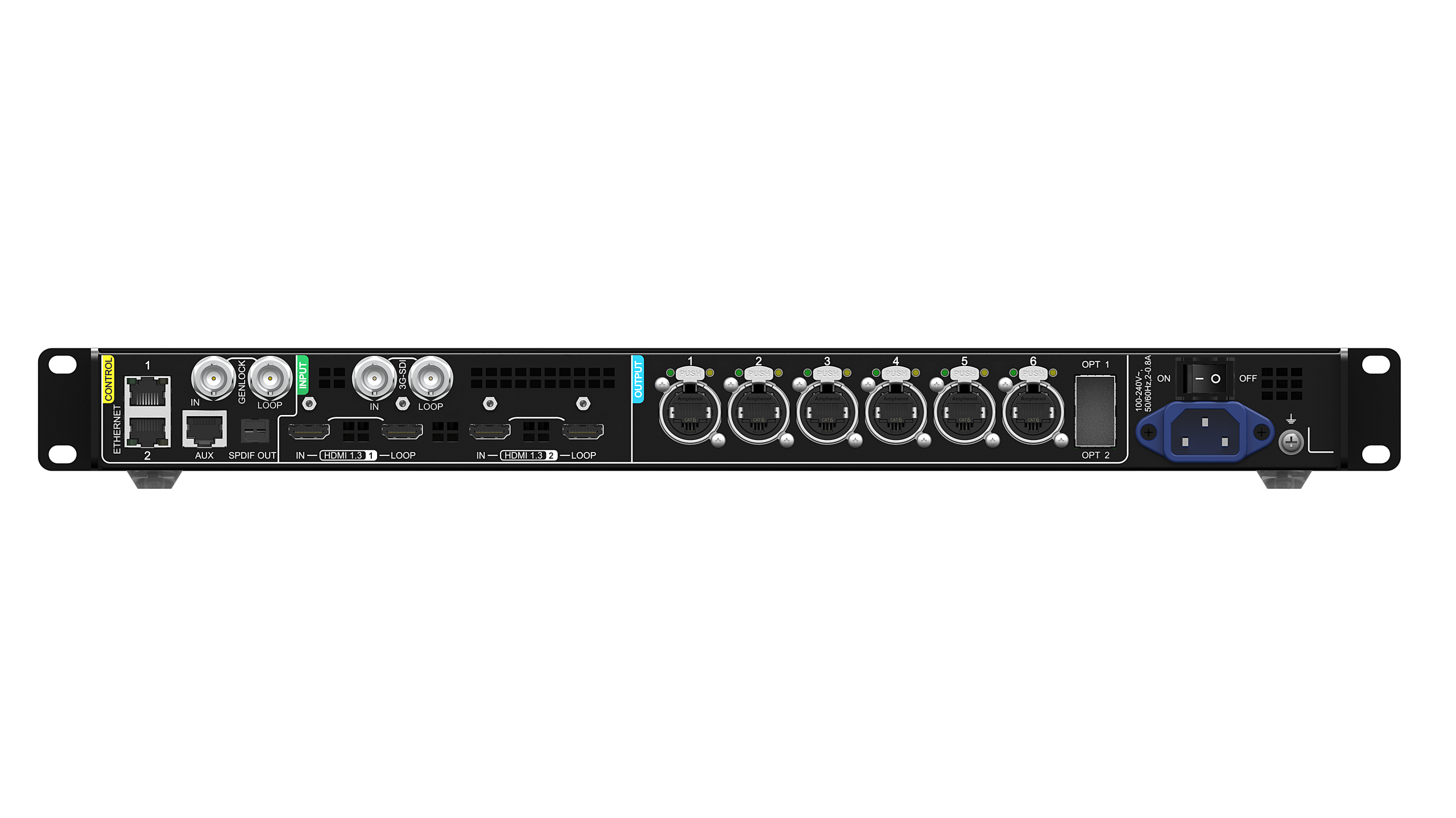
The MX20 accepts two HDMI 1.3 inputs and one 3G-SDI input, each with loop-through. NovaStar lists HDMI at up to 1920 x 1200 at 60 Hz under the connector’s maximum-resolution specification, with custom forced formats up to 3,840 pixels wide or 2,560 pixels high.
The detailed source table also lists 2560 x 1440 at 24/25/30 Hz, not 60 Hz. Its 3G-SDI path reaches 1920 x 1080 at 60 Hz.
That makes the MX20 a natural fit for HD switchers, media servers, presentation systems, and broadcast sources. If the production already ends in 1080p and does not require HDR, adding a flagship 4K controller may not improve the visible result.
4.2 MX40 Pro: 4K, HDR, and color-managed production
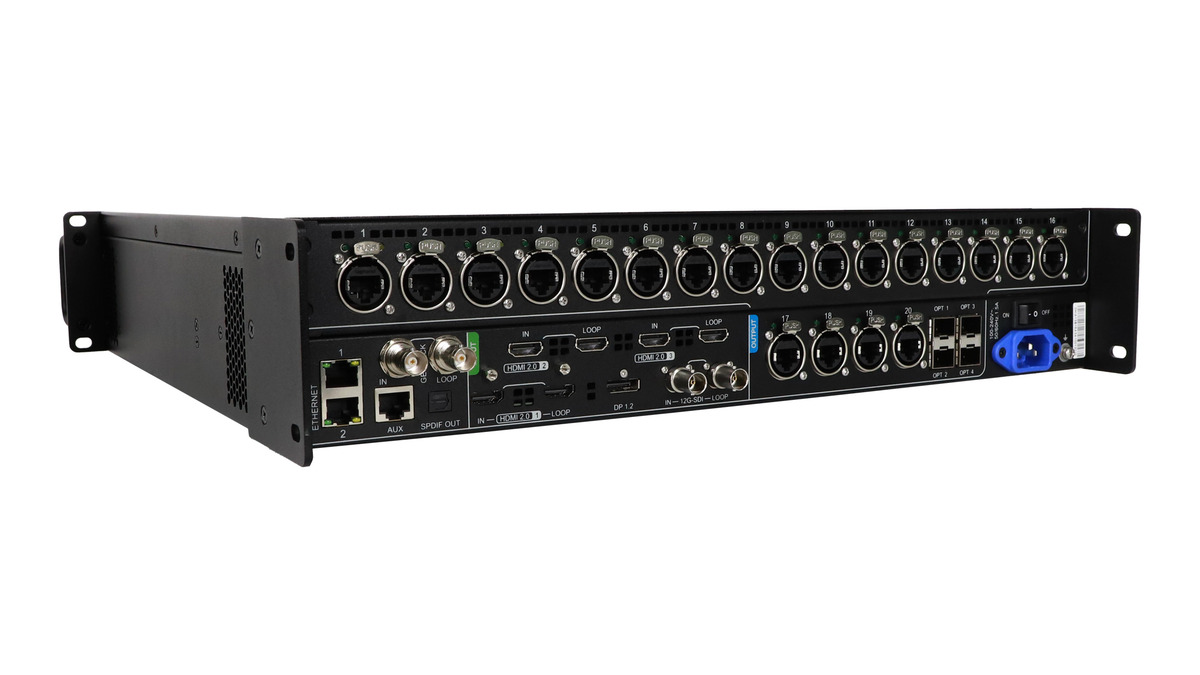
The MX40 Pro accepts three HDMI 2.0 sources, one DP 1.2 source, and one 12G-SDI source. HDMI and DP support up to 4096 x 2160 at 60 Hz, while forced ultra-wide HDMI formats can reach 8192 x 1080 at 60 Hz. The 12G-SDI input supports up to 4096 x 2160 at 60 Hz.
The higher-end processing is just as important as the connectors. The MX40 Pro adds:
- HDR10 and HLG for high-dynamic-range sources.
- 3D LUT import at 17-cube, 33-cube, or 65-cube precision.
- Color Curves and Color Replacement for source-specific adjustments.
- Dynamic Booster for frame-by-frame contrast/detail optimization with compatible receiving hardware and calibration equipment.
- Shutter Fit and frame multiplication for camera-facing and xR workflows.
- Four independent 4K layers for multi-source compositions.
These are production tools, not universal picture-enhancement buttons. NovaStar’s function-limitations table states that several features depend on specific receiving cards, driver ICs, cameras, colorimeters, NCP files, or mutually exclusive operating modes. Specify the complete signal-and-receiving chain before promising a feature to a client.
5. Workflow, Redundancy, and Rack Practicalities
5.1 Shared VMP operations reduce training differences
Both controllers use VMP for screen configuration, device management, and monitoring. Both also support SNMP, Art-Net, and central-control protocols, and both can cascade control connections over Ethernet without a separate switch for the supported topology.
For rental companies, this common workflow is valuable. Operators can move between MX20 and MX40 Pro systems without learning a completely different control environment. Standardized presets, receiving cards, firmware policy, and diagnostic procedures often matter more than adding one more headline feature.
5.2 Optical outputs need a topology plan
The MX20’s two 10G optical outputs carry the data for Ethernet ports 1-6, with the second optical port acting as a copy channel. The MX40 Pro has four 10G optical outputs and can use 20-port or 40-port optical modes. In 40-port mode, the optical outputs map channels 1-40, but the chassis still has only 20 physical RJ45 outputs.
Treat optical mode, physical Ethernet, and backup assignments as a designed topology. Do not count an optical copy or logical channel as an independent physical output without checking the manual and downstream fiber converter arrangement.
5.3 Rack and transport requirements are materially different
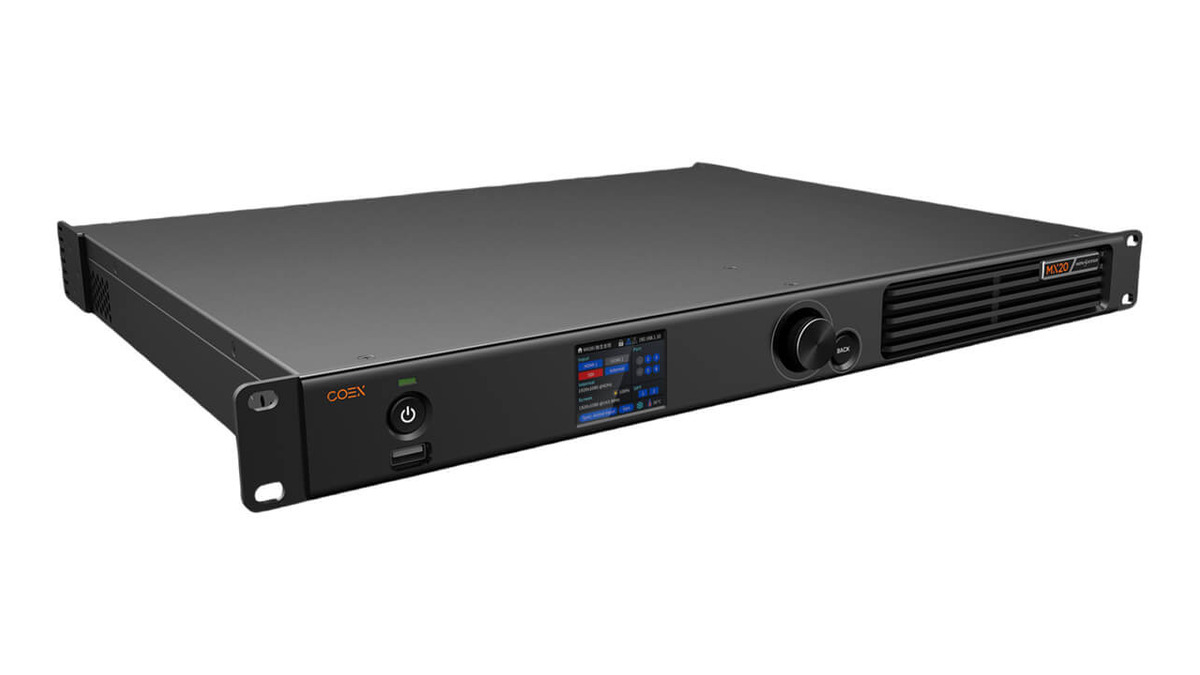
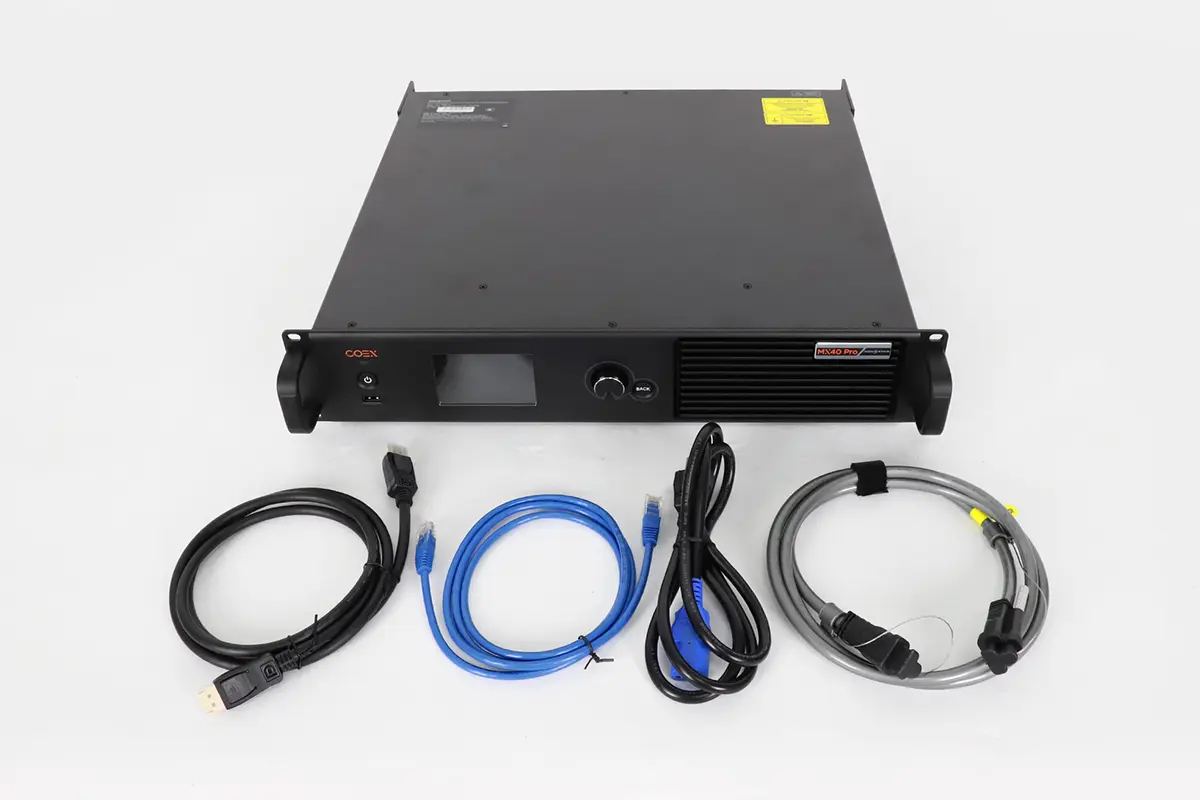
The MX20 is 49.9 mm high, 384 mm deep, weighs 4.5 kg, and consumes up to 50 W. The MX40 Pro is 94.2 mm high, 467 mm deep, weighs 7.5 kg, and consumes up to 95 W. The larger unit also has explicit flight-case requirements in the V1.5.1 document.
For a touring rack, check usable depth behind the front rails, cable bend radius, rear support, ventilation, and flight-case structure. For a quiet studio, note the published typical noise levels of 36.2 dB(A) for MX20 and 38.5 dB(A) for MX40 Pro at 25 degrees C.
6. Which Controller Fits Your Application?
6.1 Corporate events and houses of worship
For a 1920 x 1080 or similarly sized main wall fed from an HD switcher, the MX20 is often the right starting point. Verify per-port load at the chosen bit depth and receiving-card family, then confirm whether three layers are enough. Its 1U chassis and lower weight are helpful in compact racks.
Choose the MX40 Pro when the same venue needs native 4K inputs, more complex in-controller compositions, multiple large canvases, or an ultra-wide output above 4,096 pixels.
6.2 Broadcast studios
An HD studio working in 3G-SDI can use the MX20, especially for smaller walls and confidence displays. A UHD studio built around 12G-SDI, HDR, 3D LUTs, or a large camera-facing LED background should select the MX40 Pro. Direct 12G-SDI avoids adding a converter solely to enter the controller.
6.3 Virtual production and xR
The MX40 Pro is the clear choice for most serious xR stages because it provides Shutter Fit, frame multiplication, 4K inputs, greater loading capacity, wider output dimensions, and advanced color tools. Confirm the required receiving cards, driver ICs, NCP files, Genlock design, camera/colorimeter workflow, and feature compatibility before procurement.
The MX20 can still serve small camera-facing environments where the project needs Genlock, low latency, and frame-rate adaptation but does not require the MX40 Pro’s specialized xR features.
6.4 Touring and rental inventory
The decision depends on the jobs the rack must cover. The MX20 is efficient for a fleet of repeatable, modest canvases and can increase the number of deployable systems per budget. The MX40 Pro is the more flexible flagship when one rack must accept varied 4K sources, drive large or unusual canvases, and support demanding camera workflows.
For broader system planning, review HonghaiLED’s commercial LED display solutions and outdoor LED display guide. These resources help connect controller capacity with cabinet type, installation environment, viewing distance, and service requirements.
7. Common Selection Mistakes
7.1 Buying from the 3.9M or 9M number alone
Headline capacity ignores per-port load, bit depth, frame rate, receiving-card family, and narrow-load-area losses. Calculate all of them.
7.2 Confusing input resolution with LED output dimensions
Input resolution describes the video signal entering the controller. Output width/height and active pixel count describe the LED canvas. A controller can scale a source, but both sides of the system must independently fit their limits.
7.3 Assuming every advanced feature works in every mode
On the MX40 Pro, low latency cannot be enabled simultaneously with Genlock, 3D, or frame multiplication. Other features require specific receiving cards and calibration hardware. Build a compatibility matrix for the exact show mode.
7.4 Treating optical ports as extra free capacity
Optical outputs transport mapped Ethernet-channel data. Their modes and copy relationships do not override the controller’s pixel ceiling or automatically create additional physical copper outputs.
7.5 Specifying without system headroom
A design at the mathematical limit has little tolerance for cabinet-map changes, backup ports, higher bit depth, or future content formats. Leave documented engineering margin and validate the final .scr/screen configuration in VMP before the equipment reaches site.
8. Final Decision Checklist
8.1 Five calculations to complete
Before requesting a quote, document:
- Active LED width, height, and total physical pixels.
- Required source formats, including connector, resolution, frame rate, bit depth, color sampling, and HDR/SDR status.
- Receiving-card models and the maximum pixels assigned to every output port.
- Maximum output width/height and any narrow cabinet regions under 128 pixels wide.
- Backup, fiber, and control topology, including which outputs are active or redundant.
8.2 Four workflow questions to answer
Then ask the production team:
- Are three layers enough, or are four 4K layers required?
- Do we need HDR, 3D LUT, Dynamic Booster, Shutter Fit, 3D, or frame multiplication?
- Which functions must run simultaneously, and does NovaStar permit that combination?
- Does the rack meet space, depth, cooling, power, noise, and transport requirements?
If the MX20 passes every calculation and workflow question, choose it with confidence. If it fails even one hard constraint, move to the MX40 Pro or redesign the system.
9. NovaStar MX40 Pro Manual, Price and Related Controllers
Once the capacity decision is settled, these HonghaiLED resources cover the next step for each controller.
- NovaStar MX40 Pro: user manual, specs and price — connector map, VMP setup, function limits and the factors that move the price.
- NovaStar MX2000 Pro controller review — the next step up in capacity for large COEX installations.
- NovaStar MX6000 Pro video wall controller — card-based processing for very large or 5G-solution walls.
- NovaStar LED control software download — VMP and related NovaStar tools for both controllers.
- NovaStar CX40 Pro LED display controller guide — the 4K COEX alternative when you want 5G output ports instead of 1G.
- NovaStar H Series vs VX Series — if you are still weighing the COEX MX controllers against the H and VX processor families.
Both controllers run on the same VMP workflow, so software does not change the MX20 vs MX40 Pro decision. Capacity, source formats and processing features do.
10. Frequently Asked Questions
10.1 What is the main difference between the NovaStar MX20 and MX40 Pro?
The MX20 is a compact HD/SDR COEX controller for up to 3.9 million pixels, six Ethernet outputs, and three layers. The MX40 Pro raises capacity to 9 million pixels, provides 20 Ethernet outputs and four 4K layers, and adds HDMI 2.0, DP 1.2, 12G-SDI, HDR, 3D LUT, and specialized xR tools.
10.2 Is NovaStar MX40Pro the same as MX40 Pro?
Yes. Searches for NovaStar MX40Pro usually refer to the NovaStar MX40 Pro; the official product name includes a space before Pro. It is the flagship all-in-one COEX controller discussed in this comparison.
10.3 How many pixels and Ethernet ports do the MX20 and MX40 Pro support?
The NovaStar MX20 supports up to 3.9 million pixels through six physical Gigabit Ethernet outputs. The MX40 Pro supports up to 9 million pixels through 20 physical Gigabit Ethernet outputs. Actual usable capacity can be lower at higher bit depths or frame rates and depends on the receiving-card family and port mapping.
10.4 Can the NovaStar MX20 handle a full 4K LED wall?
No for a standard 3840 x 2160 LED canvas. That canvas contains 8.29 million pixels, which exceeds the MX20’s 3.9-million-pixel device capacity. Input resolution and LED output capacity are separate limits.
10.5 Can the MX40 Pro drive a full 4K canvas at 12-bit and 60 Hz?
Do not assume so from the 9-million-pixel headline. NovaStar lists 329,861 pixels per port at 12-bit and 60 Hz; across 20 ports that is about 6.6 million pixels, below the 8.29 million pixels in a 3840 x 2160 canvas. Validate the final source format, receiving cards, mapping, and controller configuration.
10.6 Do both controllers support Genlock and low latency?
Yes. Both list Genlock input with loop-through and a minimum 0-frame processing mode of less than 1 ms. However, NovaStar states that low latency cannot operate with Genlock. The MX40 Pro also prevents low latency from operating simultaneously with 3D and frame multiplication.
10.7 Which NovaStar controller is better for virtual production?
The MX40 Pro is generally the stronger xR and virtual-production choice because it adds Shutter Fit, frame multiplication, 4K/HDR inputs, greater pixel capacity, 3D LUT support, and advanced color controls. The complete system still needs compatible receiving cards, driver ICs, calibration tools, timing, and VMP/NCP configurations.
10.8 How much do the NovaStar MX20 and MX40 Pro cost?
NovaStar does not publish a fixed list price for either controller, so advertised figures vary by region, dealer stock and configuration. The price you actually pay depends on the controller version, the receiving cards and cabinets ordered with it, the fiber converter and optical modules, spare parts, shipping, and local support or commissioning. For a project budget, send the screen size, pixel count, source formats and port map to a NovaStar distributor and compare like-for-like quotations, including VMP software support and warranty terms. For screen-level budgeting benchmarks, see our outdoor LED billboard price guide and indoor LED display price guide.
10.9 Where can I get the MX20 and MX40 Pro manual, firmware and VMP software?
Start with HonghaiLED’s NovaStar MX40 Pro manual and setup guide for the flagship controller, and the NovaStar LED control software download page for VMP and related tools. Both the MX20 and MX40 Pro are configured in VMP, so screen files, presets and receiving-card settings stay in the same environment. Always match the firmware and VMP version to the documentation revision you are following.
Source and review method: Specifications and port-loading limits were checked against the cited NovaStar documentation and the official COEX 1G product overview on September 22, 2026. Published capacities are maximums; confirm the final VMP mapping, receiving cards, bit depth, frame rate, redundancy, and feature compatibility before procurement.
10.10 Is there a NovaStar controller between the MX20 and MX40 Pro?
Yes. The NovaStar MX30 sits between them in the COEX 1G family. NovaStar lists the MX30 at 6.5 million pixels, 10 Gigabit Ethernet ports, two 10G optical ports and three layers in a 2U chassis, with HDMI 2.0, HDMI 1.4, DP 1.1 and 3G-SDI inputs. It is the middle option when a project needs more than the MX20’s 3.9 million pixels, but not the MX40 Pro’s 9 million pixels, four 4K layers or 12-bit processing.
11. Conclusion
In the NovaStar MX20 vs MX40 Pro comparison, choose the MX20 when your LED canvas fits within 3.9 million pixels and needs no more than six Ethernet outputs, three layers, or HD/SDR inputs. It provides the core COEX and VMP workflow in a compact, efficient chassis.
Choose the MX40 Pro for larger canvases, 20 Ethernet outputs, native 4K inputs, HDR, four 4K layers, advanced color tools, or xR workflows. Before purchasing, verify total pixels, canvas dimensions, bit depth, frame rate, receiving cards, and per-port loading. Select the controller that meets every requirement with practical headroom.
Related Posts
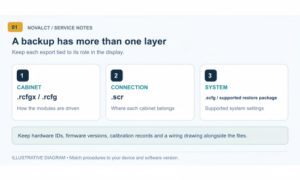
How to Back Up and Restore NovaLCT Configuration Files
To back up NovaLCT configuration files, read the working settings…
LED Display Redundancy: A Buyer’s Failover Test Guide
LED display redundancy is a planned alternative path that keeps…
NovaStar H Series vs VX Series: Which Controller Is Right for You?
NovaStar H Series vs VX Series comes down to architecture…

No Comments