
NovaStar MCTRL R5: Specs, Price, Manual & Setup Guide
The NovaStar MCTRL R5 is an independent LED display controller — also called a video processor or sending box — made by Xi’an NovaStar Tech Co., Ltd. It is the first NovaStar controller that supports image rotation at any angle, and a single unit drives up to 3,840×1,080@60Hz of LED screen, including custom ultra-wide and ultra-long resolutions. Working with A8s or A10s Pro receiving cards and NovaStar SmartLCT software, it covers free screen configuration, 8-bit and 10-bit video, pixel-level brightness and chroma calibration, and cascading of up to eight devices.
This guide collects the verified MCTRL R5 specifications from the official MCTRL R5 LED Display Controller Specifications V1.0.5 datasheet, its inputs and outputs, the limits of image rotation, typical price range, manual and firmware options, setup steps and the questions buyers ask most — so you can judge whether the R5 fits a rental LED display or a fixed installation.
1. What Is the NovaStar MCTRL R5?
2. NovaStar MCTRL R5 Specifications
3. Inputs, Outputs and Control Ports
4. Image Rotation: How It Works and Its Limits
5. NovaStar MCTRL R5 Price
6. Manual, Firmware and SmartLCT Software
7. MCTRL R5 Setup: Step by Step
8. Applications and Typical Projects
9. Pros, Cons and Related Controllers
10. FAQs
11. Sources and Verification
12. Conclusion
1. What Is the NovaStar MCTRL R5?
Direct answer: the NovaStar MCTRL R5 is a standalone (independent) LED display controller in NovaStar’s MCTRL series. One unit loads up to 3,840×1,080@60Hz and supports any custom resolution inside that capacity, which is what makes it a common choice for ultra-wide and ultra-long LED screens. It is also the first NovaStar controller with image rotation built in — rotation works on 8-bit video sources and only after the screen has been configured.
“Independent” means the R5 does its own video processing and sending: you feed it 6G-SDI, HDMI 1.4 or dual-link DVI, and it outputs to the LED cabinets over eight Gigabit Ethernet ports plus two 10G optical ports. NovaStar positions the R5 for rental and fixed-installation work such as concerts, live events, sports venues and security monitoring centers.
MCTRL R5 key specifications at a glance:
| Specification | NovaStar MCTRL R5 |
| Product type | Independent LED display controller (video processor / sending box) |
| Manufacturer | Xi’an NovaStar Tech Co., Ltd. (NovaStar) |
| Load capacity | Up to 3,840×1,080@60Hz; any custom resolution within that capacity |
| Video inputs | 1× 6G-SDI, 1× HDMI 1.4, 1× dual-link DVI |
| Video outputs | 8× RJ45 Gigabit Ethernet plus 2× 10G optical ports (OPT1, OPT2) |
| Capacity per Ethernet port | 650,000 pixels (8-bit input) / 325,000 pixels (10-bit input) |
| Image rotation | Rotation at any angle (port rotation and screen rotation); not available on 10-bit input |
| Receiving cards | NovaStar A8s or A10s Pro |
| Control software | NovaStar SmartLCT |
| Cascading | Up to 8 MCTRL R5 units |
| Power | AC 100–240 V, 50/60 Hz, 25 W rated |
| Dimensions and weight | 482.6 × 334.6 × 52.0 mm / 4.3 kg |
| Certifications | FCC, RoHS, UL&CUL, CE, CB, IC |
| Typical street price | About US$2,100–2,700 for one unit from US and EU resellers (September 2026 listings) |
2. NovaStar MCTRL R5 Specifications
The tables below reproduce the manufacturer’s published MCTRL R5 specifications (MCTRL R5 LED Display Controller Specifications V1.0.5, released 2024-08-27).
2.1 Input connectors
| Input | Connector | Details |
| SDI | 1× 6G-SDI | Maximum 3,840×1,080@60Hz. Interlaced signals are not supported, and the input resolution and bit depth cannot be set on SDI signals. |
| HDMI | 1× HDMI 1.4 | HDCP 1.4 supported. 8-bit sources up to 3,840×1,080@60Hz; 10-bit sources up to 2,048×1,152@60Hz. Minimum 800×600@24Hz, custom resolutions supported up to 3,840 wide or 3,840 high (800×3,840@60Hz). |
| DVI | 1× dual-link DVI | 8-bit sources up to 3,840×1,080@60Hz, with the same custom-resolution range as HDMI. Interlaced signals are not supported. |
2.2 Output, control and sync ports
| Port | Connector | Details |
| Ethernet output | 8× RJ45 Gigabit Ethernet (ports 1–8) | 650,000 pixels per port with 8-bit input, 325,000 pixels per port with 10-bit input. Ethernet port redundancy is supported. Audio output is not supported. |
| Optical output | 2× 10G optical ports (OPT1, OPT2) | OPT1 copies and outputs the data of Ethernet ports 1–8; OPT2 is the copy channel of OPT1. |
| Control | ETHERNET | Connects the controller to the control computer. |
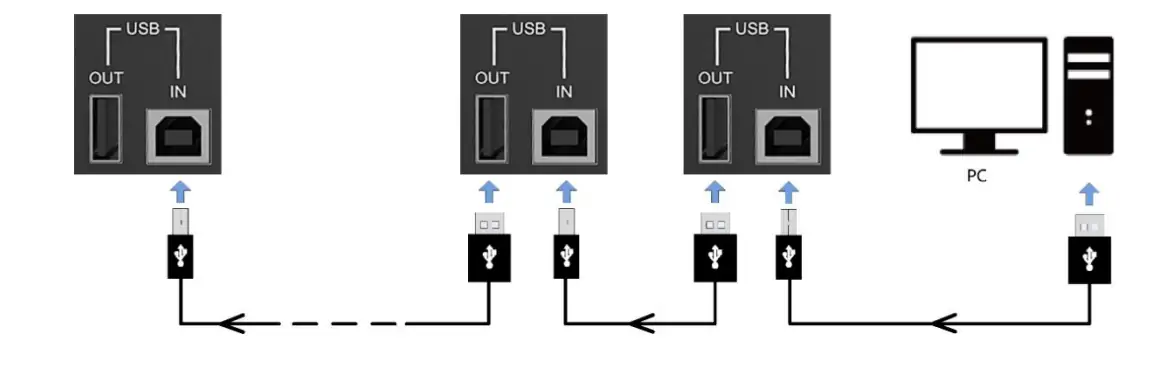
| Cascade and debug | USB IN-OUT | Type-B USB 2.0 in (cascade or PC debugging) and type-A USB 2.0 out (cascade). Up to 8 devices can be cascaded. |
| Sync | GENLOCK IN-LOOP | Bi-Level, Tri-Level and Black burst genlock. IN accepts the sync signal and LOOP passes it to the next device. |
2.3 Electrical, environmental and physical specifications
| Item | Value |
| Input voltage | AC 100 V–240 V, 50/60 Hz |
| Rated power consumption | 25 W |
| Operating temperature | –20 °C to +60 °C |
| Operating humidity | 10%–90% RH, non-condensing |
| Storage temperature | –20 °C to +70 °C |
| Dimensions | 482.6 mm × 334.6 mm × 52.0 mm |
| Weight | 4.3 kg |
| Packing box / carrying case | 560 × 405 × 180 mm / 545 × 380 × 145 mm |
| Included accessories | 1× power cord, 1× Ethernet cable, 1× USB cable, 1× HDMI cable, 1× DVI cable |
| Certifications | FCC, RoHS, UL&CUL, CE, CB, IC |
3. Inputs, Outputs and Control Ports
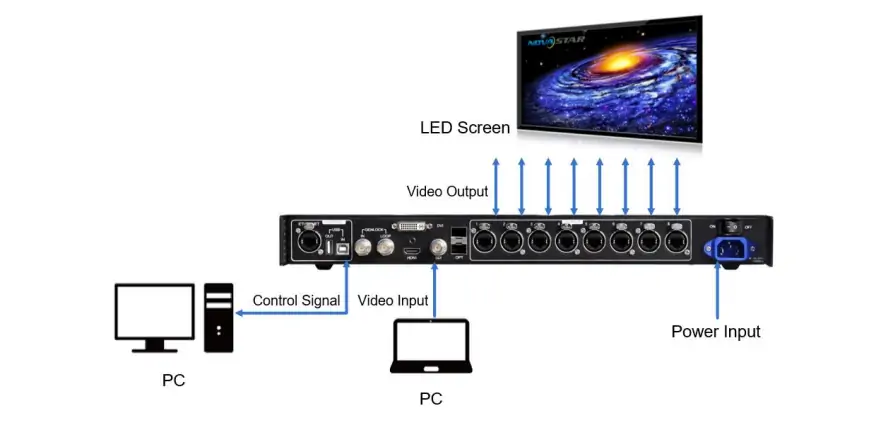
In practice the MCTRL R5 sits between your video source and the LED cabinets. The table below summarises what each group of ports is for.
| Connection | Use it for |
| 6G-SDI input | Broadcast and event switchers on 6G-SDI. Resolution and bit depth follow the incoming signal — SDI input settings cannot be adjusted on the controller. |
| HDMI 1.4 input | Media players, laptops and scalers. HDCP 1.4 is supported, so protected playback devices work over HDMI. |
| Dual-link DVI input | Legacy graphics cards and dual-link DVI sources that need the full 3,840×1,080@60Hz. |
| Ethernet ports 1–8 | LED cabinets and receiving cards. Budget 650,000 pixels per port for 8-bit input or 325,000 pixels per port for 10-bit input. |
| OPT1 and OPT2 | Long-distance or redundant data runs to remote cabinets; OPT1 mirrors Ethernet ports 1–8 and OPT2 mirrors OPT1. |
| ETHERNET | Connecting the control computer that runs SmartLCT. |
| USB IN-OUT | Cascading additional R5 units (up to eight in total) or connecting a PC for device debugging. |
| GENLOCK IN-LOOP | Locking the display to an external sync source (Bi-Level, Tri-Level or Black burst) and looping that signal to the next device. |

3.1 Front panel indicators and controls
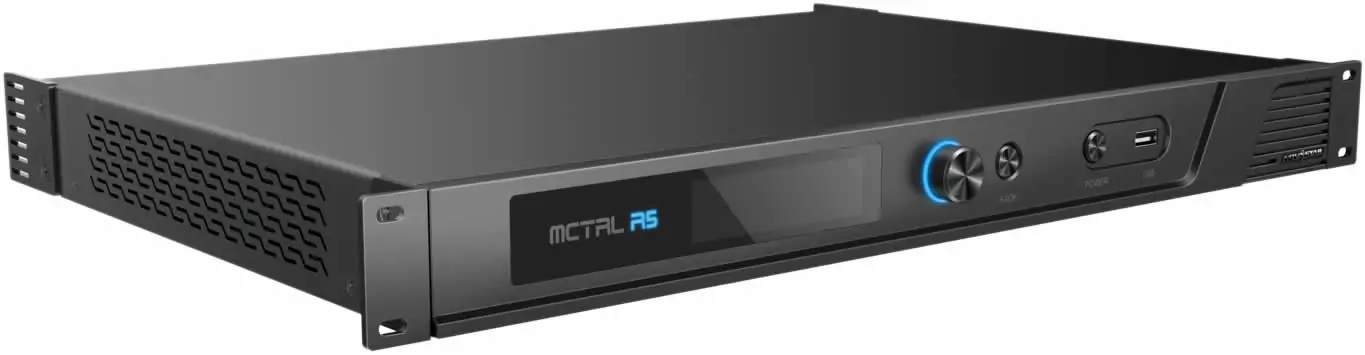
The front panel carries the status indicator, an OLED screen, a knob, BACK and POWER buttons, and the USB-A port used for firmware updates. The indicator tells you the state at a glance: solid blue means normal operation, solid orange means no signal input, breathing blue means standby and solid red means an alarm.


4. Image Rotation: How It Works and Its Limits
Image rotation is the feature that separates the MCTRL R5 from earlier NovaStar controllers. It is designed for creative and unusual cabinet layouts — advertising columns, angled signage walls, ceiling-mounted screens and rotating stage set-ups.
The controller supports two rotation modes:
- Port rotation: rotates the display of the cabinets loaded by specific Ethernet ports.
- Screen rotation: rotates the entire LED display uniformly.
Rotation in SmartLCT needs the A8s or A10s Pro receiving cards, and the manufacturer lists three constraints:
- A 10-bit input does not support image rotation.
- The screen must be configured on the MCTRL R5 before rotation can be set in the LCD menu.
- The screen must be configured in SmartLCT before rotation can be set there.

5. NovaStar MCTRL R5 Price
There is no single list price for the MCTRL R5, because it is sold both as a standalone controller and as part of LED display projects. Three factors move the number most:
- What is in the box: a bare R5 unit costs less than a kit that bundles receiving cards, Ethernet and DVI/HDMI cabling and a carrying case.
- Channel and region: authorised distributors, integrators and marketplaces price differently, and import duties and warranty terms differ by country.
- Project volume: multi-screen and repeat orders are quoted below single-unit retail.
For a reality check on single-unit retail, public US and EU reseller listings in September 2026 cluster between roughly US$2,100 and US$2,700 for one MCTRL R5. Wholesale and project pricing is normally lower. Treat that band as a retail benchmark, not as a quotation: the only reliable figure for your order is a quote based on your configuration.
HonghaiLED supplies the MCTRL R5 together with the LED screens it controls, so controller pricing is usually quoted inside a project. Send us your screen size, pixel pitch, cabinet type and whether you need rotation, and we will quote the controller together with receiving cards and cabling — contact us for a project quote.
Source note: the price band above is an observation of public reseller listings and Google Shopping price insights for the model in September 2026, not a manufacturer list price. Prices change; confirm current pricing with your supplier.
6. Manual, Firmware and SmartLCT Software
Three resources matter when you commission an MCTRL R5:
- The specifications document: MCTRL R5 LED Display Controller Specifications, version V1.0.5 (2024-08-27). It covers connectors, port capacity, power, environment and physical data — the figures reproduced in section 2 of this article.
- SmartLCT: NovaStar’s control software, used for screen configuration, rotation and calibration. NovaStar’s MCTRL R5 product page lists software version V1.0.3.0 for the model.
- Firmware: installed on the R5 from the front-panel USB-A port using a USB drive, so updates do not need a laptop at the screen.
You can download current NovaStar software and driver files from our LED display download center, and browse our other LED control system articles for step-by-step configuration guides.
7. MCTRL R5 Setup: Step by Step
Commission the controller in this order. Rotation is deliberately last, because both rotation modes require a configured screen.
- Mount and power the unit. The MCTRL R5 is 482.6 × 334.6 × 52.0 mm and runs on AC 100–240 V. After power-up, check that the R5 indicator is solid blue; solid orange means the controller has no signal input.
- Connect the video source to 6G-SDI, HDMI 1.4 or dual-link DVI. Keep to one source format you intend to use on site — SDI and DVI do not accept interlaced signals.
- Connect the LED cabinets to Ethernet ports 1–8, planning around 650,000 pixels per port for 8-bit input (325,000 for 10-bit).
- Add redundancy or fibre runs if the site needs them. Use OPT1 and OPT2 for optical data paths, or configure redundancy between Ethernet ports.
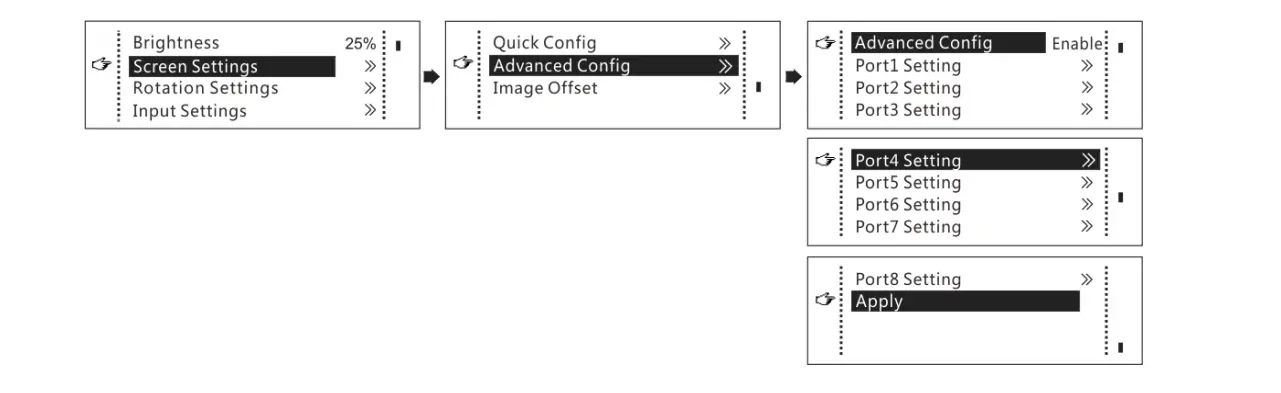
- Configure the screen in SmartLCT over the ETHERNET port, or from the front-panel OLED menu: screen size, cabinet layout and receiving card mapping.
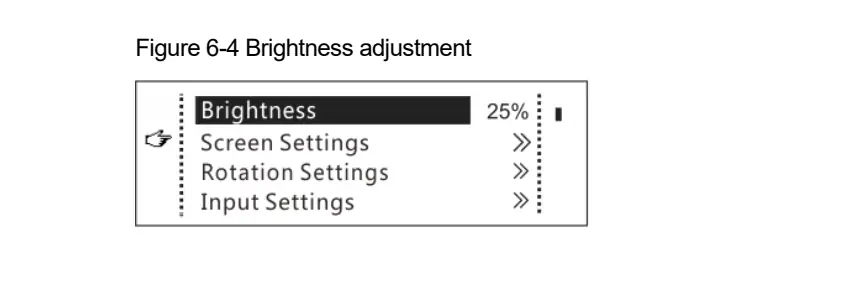
- Calibrate brightness and chroma. Work with NovaStar’s high-precision calibration system for pixel-level brightness and chroma correction across the whole screen.
- Set image rotation. Choose port rotation or screen rotation, then apply the angle you need. Remember that 10-bit input does not support rotation.
- Lock sync where it matters. Feed a Bi-Level, Tri-Level or Black burst genlock signal into GENLOCK IN and loop it to the next device.
- Cascade for large walls. Join up to eight R5 units through USB IN-OUT.
- Update firmware when a new release appears using a USB drive in the front-panel USB-A port.
8. Applications and Typical Projects
NovaStar lists the MCTRL R5 for rental and fixed installation, naming concerts, live events, security monitoring centers, the Olympic Games and sports centers. The table below maps those uses to the HonghaiLED solutions they usually sit inside.
| Application | Why the R5 fits | HonghaiLED solution |
| Concerts, touring and live events | Fast screen configuration plus rotation for creative stage layouts | Rental LED display and stage LED display |
| Sports venues and stadium screens | Genlock keeps the display locked to broadcast sync; 650,000 pixels per port handles large sections | Stadium perimeter LED display |
| Control rooms and security monitoring | Stable 24/7 operation and redundant Ethernet or optical data paths | Indoor LED screen |
| Advertising and digital signage | Custom ultra-wide resolutions and rotation for columns and angled walls | LED advertising screen |
| Fixed indoor installations | Independent processing that frees the media player and scales to eight cascaded units | LED display products |
9. Pros, Cons and Related Controllers
9.1 Where the MCTRL R5 is strong
- Rotation is built in: the first NovaStar controller to rotate images at any angle, so angled and column screens do not need external processing.
- Flexible capacity: 3,840×1,080@60Hz with custom resolutions inside the range, useful for ultra-wide and ultra-long displays.
- Serious output headroom: eight Gigabit Ethernet ports at 650,000 pixels each (8-bit), plus two 10G optical ports for long or redundant runs.
- Broadcast-friendly: 6G-SDI, HDMI 1.4 with HDCP 1.4 and dual-link DVI, with genlock for sync-critical venues.
- Serviceable on site: OLED menu, front-panel USB firmware updates and pixel-level brightness and chroma calibration.
- Scales cleanly: cascade up to eight units for larger walls.
9.2 Limits to plan around
- No rotation on 10-bit input: if you need rotation, plan an 8-bit signal path.
- Configuration comes first: the screen must be configured on the controller or in SmartLCT before rotation settings apply, which adds a step during commissioning.
- Controller only: there is no audio output and no USB media playback — pair it with a media player or processor when the project needs those.
- Single-unit capacity has a ceiling: screens beyond 3,840×1,080@60Hz need cascading or a larger processor.
If your project outgrows the R5, these HonghaiLED controller guides cover the alternatives: NovaStar MCTRL660 guide, NovaStar MCTRL1600, NovaStar MCTRL500 and the NovaStar VX600 Pro video processor.
10. FAQs
➖ What is the NovaStar MCTRL R5?
It is an independent LED display controller made by NovaStar. One unit processes and sends up to 3,840×1,080@60Hz, supports custom resolutions inside that capacity, and is the first NovaStar controller with image rotation built in.
➖ What is the load capacity of the MCTRL R5?
A single MCTRL R5 loads up to 3,840×1,080@60Hz, including any custom resolution within that range. Larger screens are handled by cascading up to eight units.
➖ How many pixels can each MCTRL R5 Ethernet port drive?
650,000 pixels per port with an 8-bit input and 325,000 pixels per port with a 10-bit input. The MCTRL R5 has eight Gigabit Ethernet output ports.
➖ Which receiving cards and software does the MCTRL R5 work with?
NovaStar A8s or A10s Pro receiving cards with NovaStar SmartLCT software, which is what enables free screen configuration and rotation at any angle.
➖ How many MCTRL R5 devices can be cascaded?
Up to eight MCTRL R5 units, connected through the USB IN-OUT ports.
➖ Does the MCTRL R5 support image rotation?
Yes. It supports port rotation for cabinets loaded by specific Ethernet ports and screen rotation for the whole display. Rotation requires the screen to be configured first.
➖ Can I use image rotation with a 10-bit video source?
No. A 10-bit input does not support image rotation. Over HDMI, 10-bit sources are also limited to 2,048×1,152@60Hz while 8-bit sources reach 3,840×1,080@60Hz.
➖ What inputs and outputs does the MCTRL R5 have?
Inputs: 1× 6G-SDI, 1× HDMI 1.4 and 1× dual-link DVI. Outputs: 8× RJ45 Gigabit Ethernet and 2× 10G optical ports (OPT1 and OPT2), plus ETHERNET, USB IN-OUT and GENLOCK IN-LOOP control ports.
➖ How much does the NovaStar MCTRL R5 cost?
Public US and EU reseller listings in September 2026 put a single unit at roughly US$2,100–2,700. Project and wholesale pricing is usually lower and depends on whether you buy the controller alone or with receiving cards, cables and calibration.
➖ Where can I download the MCTRL R5 manual and firmware?
NovaStar publishes the MCTRL R5 specifications document (V1.0.5, 2024-08-27) and the SmartLCT software. Current NovaStar software and driver files are available in our download center, and firmware is installed on the R5 from the front-panel USB-A port.
➖ Does the MCTRL R5 output audio?
No. The MCTRL R5 does not support audio output; it processes and sends video data to the LED cabinets.
➖ What power and environment does the MCTRL R5 need?
AC 100–240 V at 50/60 Hz with 25 W rated consumption, operating from –20 °C to +60 °C at 10–90% RH non-condensing. The unit measures 482.6 × 334.6 × 52.0 mm and weighs 4.3 kg.
11. Sources and Verification
Specifications in this article come from the manufacturer’s MCTRL R5 LED Display Controller Specifications, version V1.0.5, released 2024-08-27 (Xi’an NovaStar Tech Co., Ltd.) and from NovaStar’s MCTRL R5 product page, which lists software version V1.0.3.0 for the model. Price observations come from public US and EU reseller listings and Google Shopping price insights in September 2026. Where the manufacturer does not publish a value, we say so rather than estimating. Specifications can change with firmware and hardware revisions — confirm the current datasheet before ordering.
12. Conclusion
The NovaStar MCTRL R5 remains a practical choice when a project needs image rotation, custom ultra-wide resolutions and room to grow to eight cascaded units. It is not the right controller for 10-bit rotation workflows, for projects that need built-in media playback or audio, or for screens that exceed its single-unit capacity. Match those constraints against your signal path and cabinet layout, and the R5 is straightforward to specify.
If you are planning an indoor LED screen, a rental LED display or an advertising wall, our engineers can size the controller, receiving cards and cabinets as one system. Browse the LED control system articles for related configuration guides, or contact HonghaiLED with your screen dimensions and pixel pitch for a full project quotation.
Related Posts
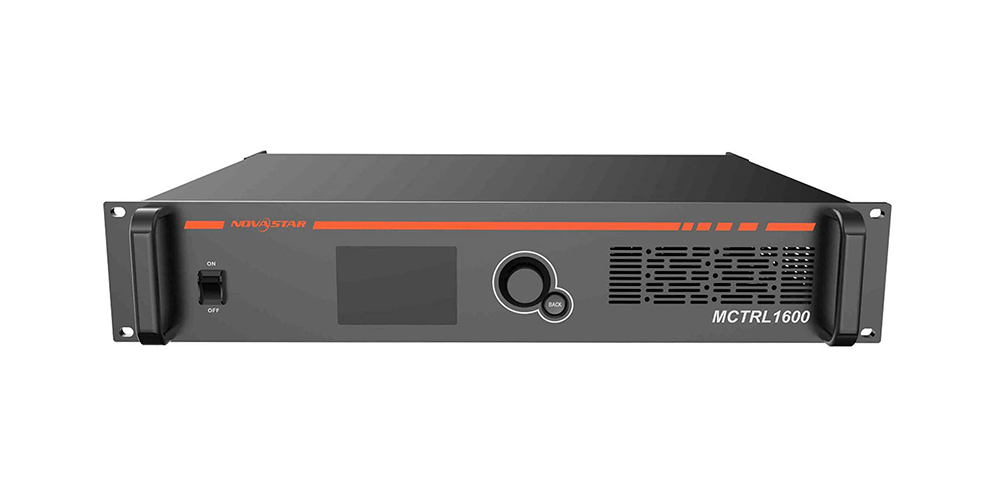
NovaStar MCTRL1600 LED Display Controller: Specs, Manual and Setup
Looking for NovaStar MCTRL1600 specifications, the manual, or a straight…
NovaStar VX600 Pro: Specs, Manual, Setup & Layer Guide
Novastar VX600 Pro isn’t just a video wall controller—it’s the…
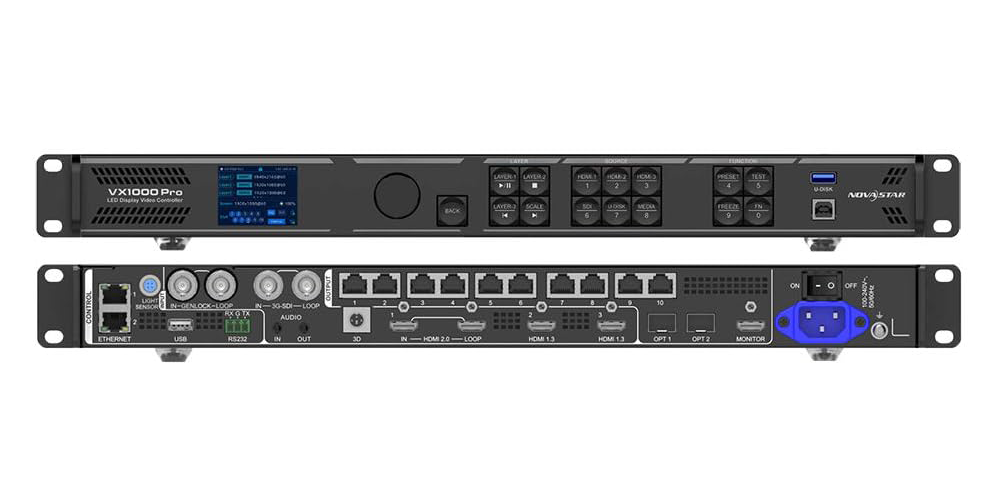
NovaStar VX1000 Pro LED Controller: Specs, Manual & Price
The NovaStar VX1000 Pro is an all-in-one LED display controller…

No Comments