
NovaStar MCTRL1600 LED Display Controller: Specs, Manual and Setup
Looking for NovaStar MCTRL1600 specifications, the manual, or a straight answer on how much LED screen one unit can drive? This page brings the documented numbers together in one place, explains the controller’s two working modes, and flags the specification values that change with the input path.
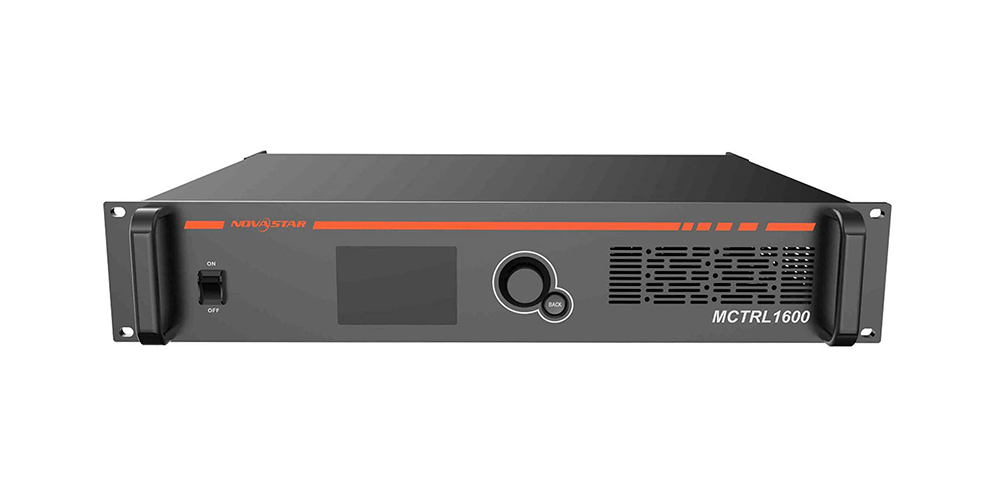
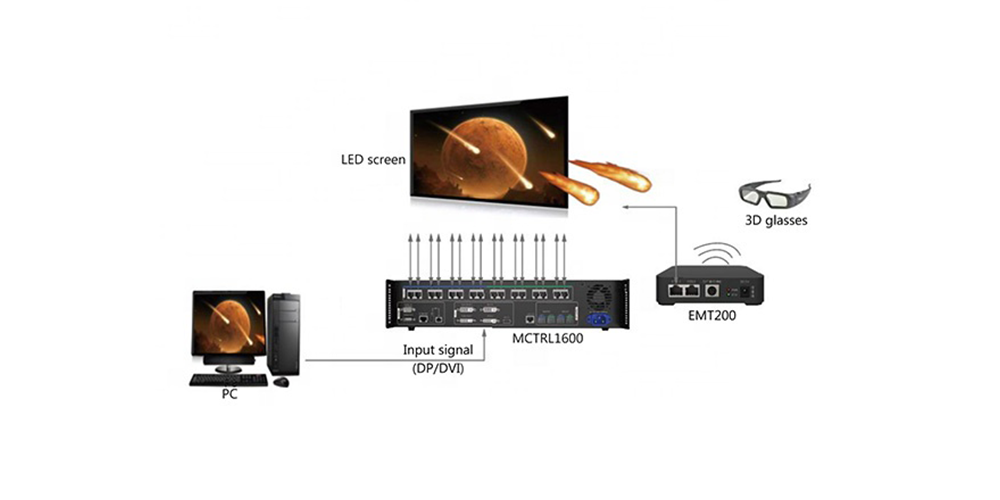
The NovaStar MCTRL1600 is a 4K×2K LED display controller — an independent sending controller that also works as an optical-to-Ethernet converter. It has 1× DisplayPort 1.2 and 4× DVI inputs, 16× Gigabit Ethernet outputs, and 4× 10G optical ports that can be configured as primary and backup paths. Configuration is done with NovaStar NovaLCT over USB or TCP/IP.
Table of Contents
1. NovaStar MCTRL1600 at a Glance
2. Technical Specifications
3. Key Features Explained
4. Where the MCTRL1600 Fits: Applications
5. MCTRL1600 vs MCTRL4K and MCTRL600
6. Setup, Configuration and Troubleshooting
7. FAQ
8. Conclusion
1. NovaStar MCTRL1600 at a Glance
The NovaStar MCTRL1600 is a 4K×2K independent master (sending controller) designed for large LED walls that need a true 4K@60Hz canvas and long-distance signal transmission over fibre. NovaStar positions it in the MCTRL controller family alongside the MCTRL600, MCTRL660 and MCTRL4K, and it is also deployed as a pure optical-to-Ethernet converter where the video processing is handled elsewhere.
Two characteristics define where it is used:
- One unit can act as several controllers. In sending-card mode the MCTRL1600 can be used as two independent masters over dual-link DVI, or four independent masters over single-link DVI.
- It works as a converter as well as a controller. In optical/electrical conversion mode it extends a signal between a processor and remote cabinets without adding another processing stage.
If you are comparing NovaStar controllers, the closest internal references are the MCTRL500 independent controller, the MCTRL R5 and the MCTRL660.
Quick answer
| Device type | 4K×2K LED display controller and optical-electrical converter |
| Inputs | 1× DisplayPort 1.2, 4× DVI (dual-link selectable on DVI 1/2) |
| Outputs | 16× Gigabit Ethernet, 4× 10G optical (primary/backup capable) |
| Loading capacity | Approx. 8.3 million pixels typical; up to approx. 8.8M via DP 1.2 and up to approx. 9.2M across four single-link DVI paths |
| Input resolution | 3840×2160@60Hz documented; 4096×2160@60Hz listed by some distributors |
| Configuration software | NovaStar NovaLCT over USB or TCP/IP |
| 3D | Yes, with a NovaStar EMT200 3D transmitter and 3D glasses |
| Model status | Legacy model — distributors point to the MCTRL4K as the recommended successor outside China |
2. Technical Specifications
The table below summarises the published MCTRL1600 specification. Values are taken from NovaStar MCTRL1600 specifications V1.2.3 as reproduced in distributor documentation; where sources disagree, both figures are shown rather than averaged.
| Specification | Detail |
|---|---|
| Product type | LED display controller / sending box (4K×2K independent master) with optical-electrical conversion mode |
| Video inputs | 1× DisplayPort 1.2; 4× DVI (dual-link and single-link selectable) |
| Input resolution | 3840×2160@60Hz documented; 4096×2160@60Hz listed by some distributors; up to 7680×1080@60Hz on the DisplayPort path |
| Maximum canvas | Custom resolution, up to 7680 pixels wide or tall |
| Video formats | RGB, YCbCr 4:4:4, YCbCr 4:2:2, YCbCr 4:2:0 |
| Bit depth | 8-bit / 10-bit / 12-bit |
| Colour control | Independent RGB gamma adjustment for grayscale tuning |
| LED outputs | 16× Gigabit Ethernet (Neutrik etherCON class connectors) |
| Optical outputs | 4× 10G optical (LC), configurable as primary and backup/copy paths |
| Working modes | Sending-card mode, or optical-electrical converter mode. In sending-card mode it can run as 2 (dual-link DVI) or 4 (single-link DVI) independent masters |
| 3D support | Works with the NovaStar EMT200 3D transmitter and 3D glasses |
| Control interface | USB and TCP/IP |
| Power supply | AC 100–240V, 50/60Hz |
| Loading capacity | Approx. 8.3 million pixels in the published spec list; up to approx. 8.8M via DP 1.2 and up to approx. 9.2M across four single-link DVI paths in other distributor reproductions |
Loading capacity depends on the input path
This is the single most misunderstood part of the MCTRL1600 specification — the pixel capacity is not one fixed number. It is limited by the input port that feeds the controller:
| Input path | Reported capacity | Practical note |
|---|---|---|
| DisplayPort 1.2 (single port) | Approx. 8.8 million pixels | Highest capacity from one cable; the normal choice for a single 4K@60Hz signal |
| 4× single-link DVI | Up to approx. 9.2 million pixels | Largest total canvas, but needs four source paths and more cabling |
| 2× dual-link DVI | Approx. 8.3 million pixels | Matches the figure printed in the standard MCTRL1600 spec list |
| Per Gigabit Ethernet output | Approx. 659,722 pixels at 60Hz, 8-bit | Per-port capacity falls as refresh rate and bit depth rise, so plan the port budget at the settings you will actually run |
Source note: figures are compiled from NovaStar MCTRL1600 specifications V1.2.3 as reproduced by distributors. Published capacity values differ between sources (8.3M, 8.8M, 8.85M and 9.2M) because they refer to different input paths or datasheet revisions. Confirm against the datasheet revision supplied with your unit before finalising a wall design.
3. Key Features Explained
3.1 True 4K@60Hz canvas with custom resolutions
The controller accepts a 3840×2160@60Hz (and, in some documentation, 4096×2160@60Hz) source and can be mapped to non-standard canvases up to 7680 pixels wide or tall. That makes it suitable for ultra-wide banner walls, very tall columns and irregular shapes where a fixed 16:9 output would waste pixels.
3.2 Sixteen Gigabit Ethernet outputs
16 Gigabit Ethernet outputs give fine-grained zoning. With roughly 659,722 pixels per port at 60Hz and 8-bit, a large wall can be split into many small zones, which keeps receiving-card loads balanced and makes fault-finding easier when one section loses signal.
3.3 10G optical transmission with backup paths
Frequently used with fibre converters such as the CVT8-5GS fibre converter, the 4× 10G optical ports carry signal over long runs without the noise and distance limits of copper. Ports can be assigned as primary and backup paths so a damaged fibre does not black out the screen.
3.4 8/10/12-bit processing and independent RGB gamma
The MCTRL1600 processes 8-bit, 10-bit and 12-bit video and allows independent RGB gamma curves. For stage and broadcast work — where camera exposure changes constantly — per-channel gamma tuning is the main tool for holding detail in shadows without crushing the mid-tones.
3.5 Two working modes in one chassis
Used as a sending card, the MCTRL1600 drives the wall directly. Used as an optical-electrical converter, it transports signal between a processor and distant cabinets. On projects where the video processing already exists, the second mode lets the same unit serve as a pure transmission device.
3.6 3D display support
Paired with a NovaStar EMT200 3D transmitter and 3D glasses, the MCTRL1600 supports stereoscopic 3D playback for showrooms, themed attractions and immersive exhibition walls. See 3D LED display for how the display side of that system is built.
4. Where the MCTRL1600 Fits: Applications
The MCTRL1600 suits projects where a single 4K canvas has to be distributed across a large, high-value LED wall:
| Application | Why the MCTRL1600 fits |
|---|---|
| Large-scale stage performances | 4K@60Hz processing, 10/12-bit depth and 10G fibre runs to remote cabinets |
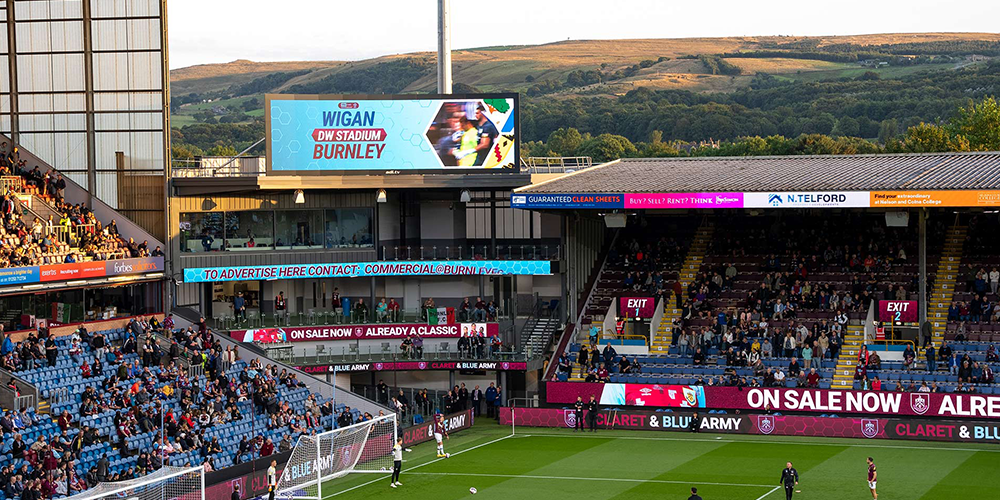
| Sports arenas, main and side screens | Long-distance optical transmission and multiple independent masters from one unit |
| 8K and ultra-wide LED walls | Custom canvases up to 7680 pixels wide or tall, 16 Ethernet outputs for zoning |
| XR and virtual production stages | 4K@60Hz sources with consistent timing across a tiled volume |
| Naked-eye 3D installations | Frame-sequential 3D via the EMT200 transmitter |
| Command and control centres | Multi-input operation, calibration tools and redundancy paths for 24/7 rooms |

5. MCTRL1600 vs MCTRL4K and MCTRL600
NovaStar’s controller range spans entry-level sending boxes to current 4K processors. The comparison below focuses on the attributes that decide a specification: resolution, input set, output count and 3D capability.
| Model | Maximum resolution | Video inputs | Ethernet outputs | Optical outputs | 3D | Typical role |
|---|---|---|---|---|---|---|
| MCTRL600 | 1920×1200@60Hz | DVI, HDMI | 4× Gigabit | None | No | Small and standard-resolution screens |
| MCTRL4K | 4096×2160@60Hz | DP 1.2, HDMI 2.0, 2× DL-DVI | 16× Gigabit | Yes | Yes | Current 4K sending controller; distributor guidance names it as the MCTRL1600 successor outside China |
| MCTRL1600 | 3840×2160@60Hz documented; 4096×2160@60Hz listed by some distributors | DP 1.2, 4× DVI (dual-link selectable) | 16× Gigabit | 4× 10G with backup paths | Yes, via EMT200 | Legacy 4K controller, still in service; doubles as an optical-electrical converter |
How to choose between them:
- Standard-resolution wall on a budget: an MCTRL600-class sending box is enough — see the MCTRL660 specification guide and the MCTRL500 breakdown for sibling models.
- New 4K build: specify a current controller. The VX1000 Pro and VX600 Pro add scaling, layers and source switching on top of 4K sending, which the MCTRL1600 does not do.
- Existing MCTRL1600 systems, spares or like-for-like replacement: match the original configuration and check the datasheet revision before substituting — input path and pixel budget are not interchangeable between models.
Availability and upgrade path
Distributor documentation describes the MCTRL1600 as a legacy model: several suppliers state that it is discontinued or no longer actively promoted, that its on-device operation interface is Chinese-language only, and that NovaStar’s recommended replacement outside China is the MCTRL4K. NovaStar’s own current product listings no longer feature the MCTRL1600, although the model is still supported by NovaLCT configuration software and remains in service in a very large number of installed walls.
For new projects, confirm current availability, firmware and documentation language with your supplier before committing. For existing installations, keep a record of the exact datasheet revision and receiving-card configuration so a spare unit can be matched correctly.
Current stock and pricing for this model are listed on our NovaStar MCTRL1600 4K×2K controller page.
6. Setup, Configuration and Troubleshooting
Deploying an MCTRL1600 comes down to four decisions: how the video reaches the controller, how the pixels are divided across the 16 Ethernet ports, how the optical path is protected, and how the settings are saved.
6.1 Plan the pixel budget before the equipment list
Start from the wall’s total pixels at the refresh rate and bit depth you will actually run. Divide that across the 16 Gigabit Ethernet outputs, then confirm the source path (DP 1.2 or DVI) gives you the capacity you need. Projects usually fail here rather than at the controller.
6.2 Configure with NovaLCT and save to hardware
Connect over USB or TCP/IP and use NovaLCT to load the receiving-card configuration (RCFG), import module parameters, set screen zoning, and run grayscale and colour calibration. Always send the settings to the receiver and save them to hardware so the wall restores correctly after a power cycle.
6.3 Protect the optical link
Assign the 4× 10G optical ports as primary and backup paths, and use field-tested SFP+ modules. Where the run is long, a fibre converter such as the CVT8-5GS converts between optical and Ethernet at the cabinet end.
6.4 Set up 3D playback
Add a NovaStar EMT200 transmitter and 3D glasses, and confirm the LED refresh rate is high enough to avoid flicker at the frame rate you are playing. Frame timing must stay consistent between the controller, receiving cards and the display.
6.5 Troubleshooting quick reference
| Symptom | Check first |
|---|---|
| No image on part of the wall | Confirm the affected zone’s Ethernet port is inside its pixel budget at the current refresh rate and bit depth; re-send the receiving-card configuration |
| Screen flickers or drops out under load | Reduce the pixel load on the busiest ports and verify SFP+ module quality and temperature behaviour |
| Backup path does not take over | Verify the port assignments and cabling in NovaLCT; a backup must be configured, not just connected |
| NovaLCT cannot find the controller | Check the USB or network path, confirm the controller and PC are on the same subnet, and test with a direct connection |
| 3D image breaks up | Verify EMT200 transmitter placement, glasses pairing and that the source frame rate is stable |
| Settings lost after power-off | Save the configuration to hardware before disconnecting — unsaved NovaLCT settings are held in software only |
7. FAQ
How many pixels can the NovaStar MCTRL1600 load?
It depends on the input path. Published figures are approximately 8.3 million pixels for two dual-link DVI paths, approximately 8.8 million pixels through DisplayPort 1.2, and up to approximately 9.2 million pixels across four single-link DVI paths. Each Gigabit Ethernet output carries roughly 659,722 pixels at 60Hz and 8-bit, and less as refresh rate or bit depth increases.
What is the maximum input resolution of the MCTRL1600?
The published MCTRL1600 specification documents 3840×2160@60Hz, while some distributor specifications list 4096×2160@60Hz. The DisplayPort path is documented as supporting up to 7680×1080@60Hz, and the controller accepts custom resolutions up to 7680 pixels wide or tall.
Does the MCTRL1600 support 3D playback?
Yes. The MCTRL1600 works with a NovaStar EMT200 3D transmitter and 3D glasses to produce stereoscopic 3D display, which is why it appears in immersive exhibition, showroom and themed-attraction projects.
Does the MCTRL1600 support HDR10 or HLG?
The published MCTRL1600 specification lists 8/10/12-bit processing and RGB and YCbCr 4:4:4, 4:2:2 and 4:2:0 video formats. It does not list HDR10 or HLG support — the HDR claims that circulate on some third-party articles are not confirmed by the specification documentation. If HDR10 or HLG is a project requirement, specify a controller whose datasheet lists that capability and confirm it with your supplier before ordering.
Which software configures the NovaStar MCTRL1600?
NovaStar NovaLCT. It connects over USB or TCP/IP and handles receiving-card configuration, screen zoning, grayscale and colour calibration, and saving settings to hardware. Current NovaLCT documentation lists the MCTRL1600 among supported sending devices.
Is there an English manual for the MCTRL1600?
Distributor documentation notes that the MCTRL1600’s own operation interface is Chinese-language only and that an official English manual is not published. English-language configuration is handled through NovaLCT, whose documentation is available in English. If English on-device menus are mandatory, a current controller such as the MCTRL4K is the appropriate specification.
Can the MCTRL1600 transmit video over long distances?
Yes. Its four 10G optical ports can be used as primary and backup paths, which is standard practice for sending a 4K signal from a control position to cabinets hundreds of metres away. Many installations pair it with 10G SFP+ modules and fibre-to-Ethernet converters at the cabinet end.
Is the MCTRL1600 still available, and what replaces it?
The MCTRL1600 is a legacy model. Distributor guidance points to the NovaStar MCTRL4K as the recommended replacement outside China, and NovaStar’s current product listings no longer feature the MCTRL1600. Stock levels vary, so confirm availability, firmware and documentation with your supplier. For new 4K projects, compare current controllers such as the VX1000 Pro before deciding.
8. Conclusion
The NovaStar MCTRL1600 remains a capable 4K@60Hz controller: 1× DisplayPort 1.2 plus 4× DVI inputs, 16 Gigabit Ethernet outputs, 4× 10G optical ports with backup paths, 8/10/12-bit processing and 3D support via the EMT200. Its two working modes — sending card and optical-electrical converter — let the same unit serve in direct-drive and long-distance transmission roles, which is why it is still found in stages, arenas, control rooms and 3D installations.
Two things decide whether it is the right choice today. First, the pixel capacity depends on which input path feeds it, so verify the number against your wall’s real pixel count at the refresh rate and bit depth you will run. Second, it is a legacy model: distributors point to the MCTRL4K as the replacement outside China, and the on-device interface is Chinese-language only. For new builds, compare the VX1000 Pro and VX600 Pro; for existing MCTRL1600 systems, match the original configuration and keep the datasheet revision on file.
If you are specifying a controller for an LED wall, send us the wall dimensions, pixel pitch, refresh rate target and video source format through the enquiry form on this page — we will confirm the pixel budget and the right control solution for the project.
Related Posts
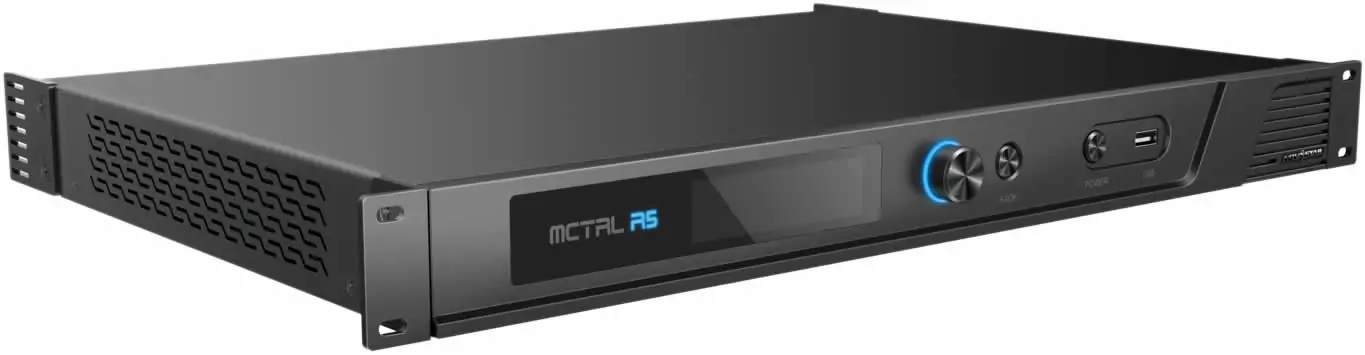
NovaStar MCTRL R5: Specs, Price, Manual & Setup Guide
The NovaStar MCTRL R5 is an independent LED display controller…
NovaStar VX600 Pro: Specs, Manual, Setup & Layer Guide
Novastar VX600 Pro isn’t just a video wall controller—it’s the…
NovaStar VX1000 Pro LED Controller: Specs, Manual & Price
The NovaStar VX1000 Pro is an all-in-one LED display controller…

No Comments