
LED Screen vs LCD Screen: Differences & How to Choose
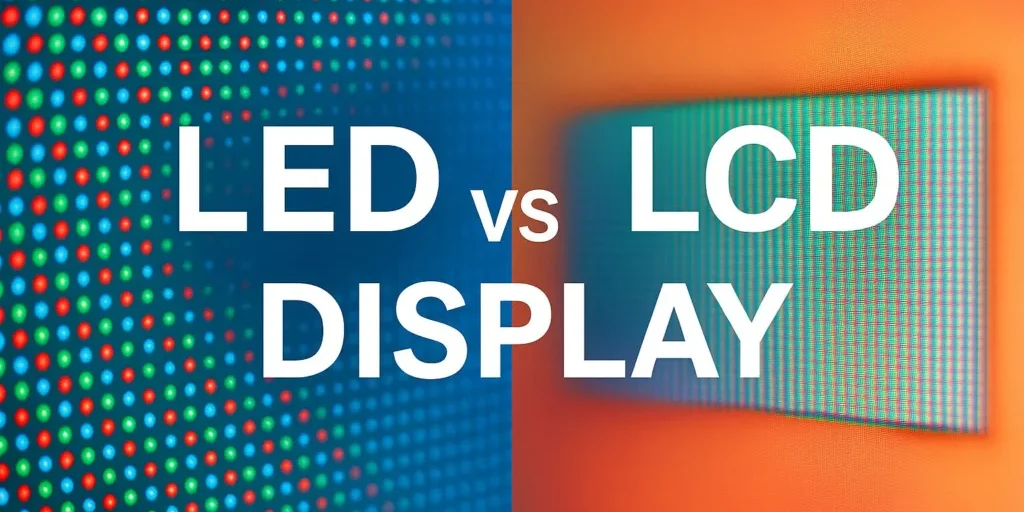
LED screen vs LCD screen is a comparison of two different things depending on the product. Most TVs and computer monitors sold as “LED” are LCD panels illuminated by LED backlights. A commercial direct-view LED screen, however, creates the image with light-emitting pixels and has no liquid-crystal layer. Clarifying that distinction is the first step toward choosing the right display.
For a desk monitor, compare the panel, resolution, refresh rate, backlight control, and connectivity. For a commercial video wall, compare direct-view LED with tiled LCD panels, then evaluate viewing distance, seams, brightness, maintenance, and complete installed cost. There is no universal winner in LED vs LCD: a screen that works well for a billboard may be unsuitable for reading a spreadsheet at arm’s length.
This guide explains the difference between LED and LCD, separates consumer terminology from professional display specifications, and provides practical selection checks. Use the comparison tables and worked examples to turn a broad technology question into a clear project brief before requesting quotations.
1. What Is an LCD Screen?
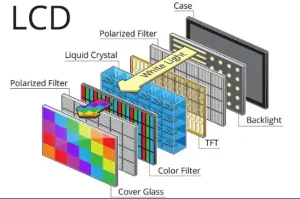
An LCD screen uses liquid crystals to regulate light passing through its pixels. In a typical full-color display, red, green, and blue subpixels combine to form the image. The liquid crystals modulate illumination; they do not generate it. Transmissive LCD televisions and monitors therefore need a backlight behind the image-forming layer.
Older products often used cold-cathode fluorescent lamps, or CCFLs. Modern LCD products commonly use LEDs instead. Consequently, an LED-backlit monitor and an LCD monitor can describe the same device. Treating every LCD as an outdated fluorescent-backlit product makes an LED screen vs LCD screen comparison misleading.
IPS, VA, and TN describe LCD panel technologies, while edge lighting, direct lighting, and local dimming describe aspects of the backlight. These labels answer different questions. A specification might correctly identify a monitor as both IPS LCD and LED-backlit. Check the exact model rather than assuming that one label excludes another.
Commercial LCD panels also differ from domestic televisions in operating-hour ratings, mounting provisions, control interfaces, and warranty conditions. In LCD vs LED procurement, establish whether the proposed LCD is a consumer TV, a professional signage display, or a panel designed specifically for video-wall use.
2. What Is an LED Screen?
01. LED-backlit LCD screens
In consumer retail, “LED TV” generally means an LCD television with LED illumination. The backlight may sit along the edges or behind the panel. Local dimming adjusts groups of LEDs to suit the image, but performance depends on the number of zones and their control. The term LED alone does not guarantee excellent black levels or uniformity.
For an LED vs LCD monitor comparison, first establish whether both candidates use LED backlights. If they do, evaluate actual panel performance instead of treating the names as competing technologies. Our broader LCD vs LED terminology guide provides additional background.
02. Direct-view LED displays
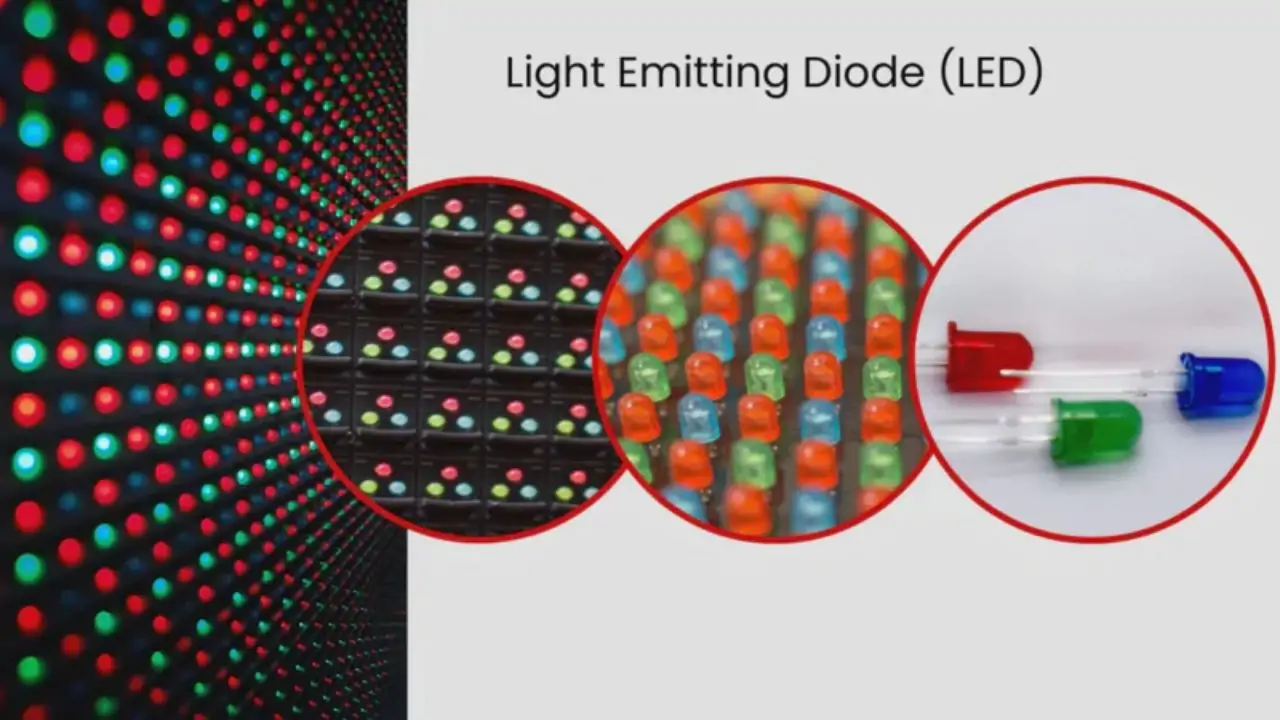
A direct-view LED display uses light-emitting red, green, and blue elements to form visible pixels. Modules fit into cabinets, and cabinets form a larger screen. A controller maps the video signal to the physical pixel array. This is the category normally discussed when specifying modular LED walls for stages, lobbies, and outdoor advertising.
SMD and COB describe LED packaging approaches; neither is an LCD backlight category in this context. For example, HonghaiLED’s EA600COB3 indoor COB LED screen is a direct-view product. The rest of this LED screen vs LCD screen guide explicitly distinguishes that architecture from consumer LED-backlit LCD.
3. LED Screen vs LCD Screen: The Main Differences
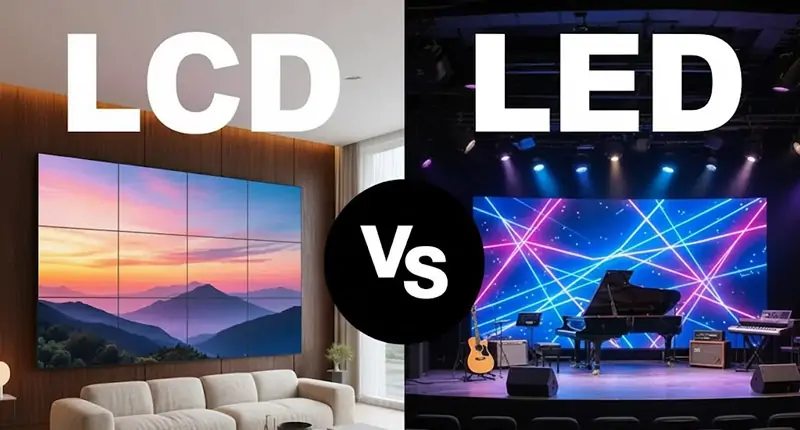
The main difference between LED and LCD in a commercial video wall is how the image is created: direct-view LED emits light at the picture surface, while LCD modulates a separate backlight. The practical consequences are best assessed across six buying criteria.
01. Brightness and ambient light
Brightness is specified in nits, equivalent to cd/m². Compare sustained output at the intended operating settings, not only a peak marketing figure. Outdoor LED and high-brightness LCD products exist, so the technology name alone does not establish sunlight readability. Reflections, display orientation, and surrounding light also matter.
For indoor LED vs LCD selection, excessive brightness can be counterproductive. Ask to see dark gradients and skin tones after dimming the screen to a comfortable room level. For a window-facing installation, assess solar heating separately from brightness: a display can be bright enough and still need a different thermal design.
02. Contrast, color, and black levels
Direct-view LED can turn emitting pixels off, but ambient light reflected from the display surface still affects perceived black. LCD contrast depends on the panel and backlight, including local dimming. Compare displays with the same content, room lighting, white point, and brightness. Contrast figures measured under different conditions are poor buying guides.
An LED screen vs LCD screen demonstration should include gray ramps, near-black detail, solid colors, and white backgrounds. Look for tint differences across modules or panels, crushed shadow detail, and visible brightness boundaries. Ask whether calibration data can be restored after a component replacement.
03. Power consumption
Neither category is automatically more efficient in every installation. Screen area, brightness, content, operating hours, and control electronics all influence consumption. LED-backlit LCD efficiency improvements over older CCFL products do not prove that a large direct-view LED wall uses less electricity than a smaller LCD installation.
The U.S. Department of Energy’s television buying guidance recommends comparing energy use and lifetime costs and explains the role of brightness settings. That guidance concerns televisions; for commercial LED vs LCD walls, request measured system power under matched operating conditions.
04. Size, seams, and installation depth
LCD video walls have a grid of panel boundaries. Bezel compensation can preserve image geometry across those gaps, but it cannot remove the physical borders. Direct-view LED offers a continuous image without LCD-style bezel lines, although poor alignment or calibration can still make module joins visible.
Compare complete installed depth, including brackets, cables, ventilation, and access space. A thin cabinet does not automatically make a shallow installation. In an LED screen vs LCD screen layout, maintenance clearance may affect the usable room more than the panel thickness.
05. Purchase price and installed cost
Standard-size LCD screens can be economical for compact, high-resolution installations. Direct-view LED costs depend strongly on pixel pitch, screen area, packaging, electronics, and mechanical design. Prices per panel and prices per square meter cannot be compared until both proposals deliver the required image size and resolution.
Use the same scope for both quotations: display, processing, structure, electrical work, delivery, commissioning, spares, and support. An LCD vs LED decision based only on the screen purchase price can overlook substantial integration costs.
06. Lifespan and serviceability
A stated operating life is not the same as a warranty or a promise of failure-free service. Ask what the lifespan figure measures, at what temperature and brightness, and with what remaining light output. Power supplies, electronics, cooling parts, and connectors can require attention before the emitting elements reach that point.
For either technology, evaluate access to replacement parts and the time needed to restore an acceptable image. A replaceable LED module is useful only if suitable stock, calibration information, and trained service personnel remain available.
4. LED Screen vs LCD Screen: Side-by-Side Comparison
This LED screen vs LCD screen table compares commercial direct-view LED with modern LED-backlit LCD. It does not compare modern products with obsolete CCFL models.
| Buying factor | Direct-view LED screen | LED-backlit LCD screen |
|---|---|---|
| Image formation | Light-emitting pixels; no LCD layer. | Liquid crystals modulate an LED backlight. |
| Large image continuity | No LCD bezel grid; alignment remains important. | Panel boundaries remain visible in tiled walls. |
| Close-view detail | Depends on exact pixel pitch and wall dimensions. | High pixel density is available in standard sizes. |
| Screen dimensions | Built from compatible module and cabinet increments. | Constrained by panel sizes and tiled layouts. |
| Outdoor operation | Requires an outdoor-rated model and installation. | Requires a suitable outdoor display or enclosure. |
| Replacement work | Modules and electronics may be separately serviceable. | Service often involves a complete panel or assembly. |
| Energy comparison | Measure at agreed brightness and representative content. | Measure with equivalent image area and settings. |
| Best starting point | Large continuous images and custom display geometry. | Compact displays, detailed text, and standard layouts. |
01. Pros and cons of LED screens
Direct-view LED supports large continuous canvases and modular repair. These advantages are valuable when a single image must cross the whole wall. Its tradeoffs include pitch-dependent close-view detail, installation precision, and the need to manage spare-module matching. An LED vs LCD comparison should test those details with the intended content.
02. Pros and cons of LCD screens
LCD offers familiar standard sizes and dense pixel arrays suited to small text. A single large LCD also avoids the internal seams of a tiled wall. Tradeoffs emerge when the installation needs unusual dimensions, multiple panel joins, or outdoor operation. Judge the specified product rather than assuming all LCD screens share identical limitations.
5. Where LED Screens Work Best
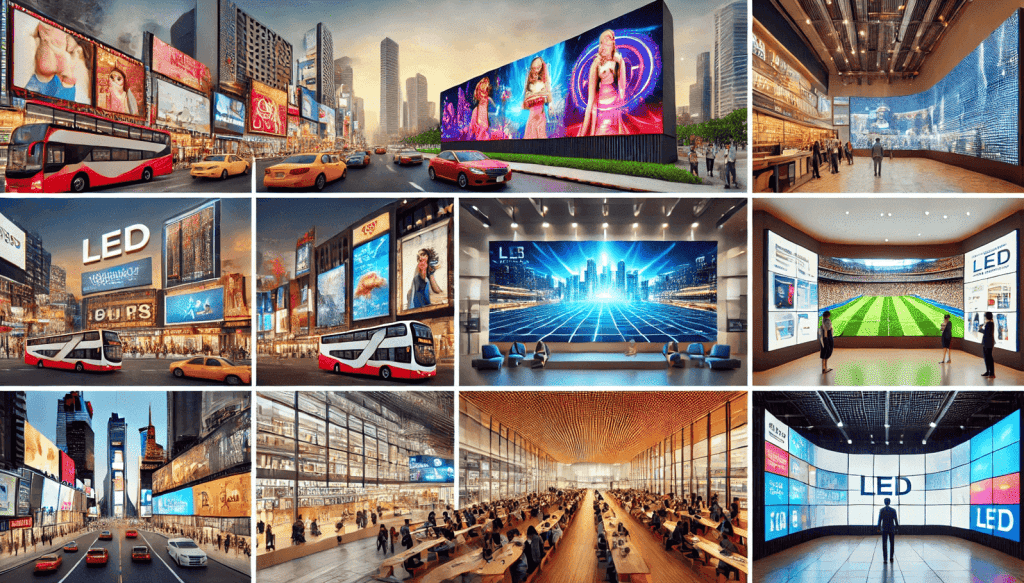
Direct-view LED is a strong candidate for a large reception wall, stage backdrop, retail feature display, or outdoor advertising installation. Its modular construction helps scale the image beyond a single conventional panel. In LED screen vs LCD screen planning, this advantage matters most when uninterrupted visuals are a genuine project requirement.
For presentations, start with the nearest audience position and smallest text. For advertising, start with viewing distance, message size, and the time viewers have to read the content. A distant roadside audience and visitors standing beside a lobby wall need very different pixel densities.
Explore indoor LED screen configurations after defining those requirements. Request a cabinet drawing, native resolution, service-access plan, and demonstration at normal brightness. Avoid choosing an indoor model for an exposed installation just because its quoted brightness seems sufficient.
For an LED vs LCD event display, transport and assembly also influence the choice. Consider protective handling, connector access, repeated alignment, spare equipment, and the time available for setup. A fixed-installation cabinet and a rental cabinet may solve different problems even when they use the same nominal pixel pitch.
6. Where LCD Screens Still Make Sense
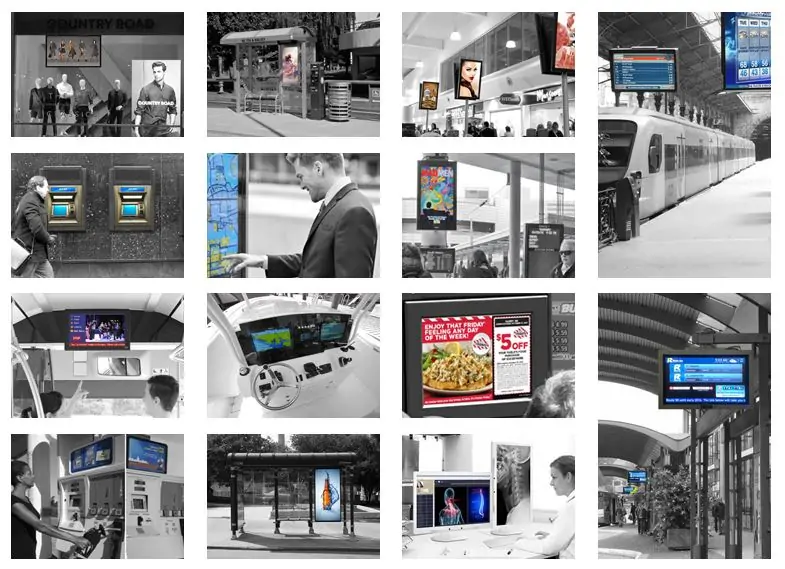
LCD remains practical for desktop monitors, menu boards, meeting-room screens, kiosks, and some control-room walls. High pixel density can make detailed interfaces easier to reproduce within a modest physical area. These are current applications, not simply reasons to retain obsolete equipment.
For an LCD vs LED monitor purchase, list the tasks first. Office work may prioritize text clarity, ergonomic adjustment, and docking connections. Gaming adds response behavior, input latency, refresh rate, and variable-refresh support. Color-sensitive work requires appropriate gamut coverage and calibration. The backlight label alone resolves none of these choices.
A tiled LCD wall can suit dashboards where separate information windows align with panel boundaries. For a map, face, or continuous image spanning the entire wall, test how the bezel grid affects interpretation. Include the source layout and controller capabilities in the demonstration.
When evaluating LED screen vs LCD screen for long operating hours, verify the exact duty rating and warranty. A consumer television should not be assumed to have the same support terms as a commercial signage panel. Ask how a replacement panel would be matched for brightness and color after several years.
7. Which Is Better: LED Screen or LCD Screen?
The better choice is the one that reproduces the required content at the actual viewing distance within the project budget. LED vs LCD has no useful universal winner: desktop detail, uninterrupted architectural imagery, and exposed outdoor signage are different design tasks.
| Application | Starting shortlist | Acceptance check |
|---|---|---|
| Desk work or laptop | Appropriate LCD or other consumer panel technology. | Read normal text at the intended size and distance. |
| Compact meeting room | Large LCD; fine-pitch LED when size or continuity justifies it. | Show spreadsheets and presentations from the nearest seat. |
| Large lobby feature wall | Direct-view LED and tiled LCD proposals. | Compare visible seams, reflections, detail, and service access. |
| Outdoor advertising | Outdoor-rated LED; purpose-built outdoor LCD for suitable sizes. | Check daylight legibility, weather protection, heat, and dimming. |
| Control-room dashboards | Commercial LCD or fine-pitch LED. | Confirm small-text readability, redundancy, and operating-hour rating. |
| Camera-facing studio | Displays tested with the production camera system. | Check banding, moiré, latency, and color at actual shutter settings. |
Use this matrix to create a shortlist, then request comparable demonstrations. If a supplier proposes a different technology, ask which requirement it improves and what tradeoff it introduces. A useful LED screen vs LCD screen recommendation should explain the project fit rather than merely declare one category superior.
8. How to Choose the Right LCD or LED Display
01. Calculate native resolution before buying
For a direct-view LED wall, approximate horizontal pixels equal active width in millimeters divided by pixel pitch in millimeters. Apply the same calculation vertically. Final dimensions must match available modules and cabinets, so verify the exact pixel matrix in the supplier’s drawing. Our LED display size guide explains the relationship between physical dimensions and resolution.
Consider an illustrative 4,800 × 2,700 mm active area. At an exact 2.5 mm pitch, the calculation gives 1,920 × 1,080 pixels. At 1.25 mm, the same area gives 3,840 × 2,160 pixels. Both are 16:9 screens, but their native pixel counts differ by a factor of four. These are calculations, not quotations or guaranteed cabinet configurations.
This is essential in LED vs LCD comparisons: accepting a 4K input does not prove a screen has 4K native resolution. Ask for both values. Scaling a high-resolution signal into fewer physical pixels cannot preserve every original detail.
02. Test viewing distance and real content
Pixel pitch measures the distance between neighboring pixel centers. It is a useful specification, but there is no single viewing-distance formula that guarantees readable content for everyone. Font size, eyesight, contrast, image detail, and the viewing task all affect the result.
For a fair LED screen vs LCD screen test, bring the smallest spreadsheet text, detailed diagrams, dark video, and brand colors you actually use. Stand at the nearest and farthest viewing positions. Check whether the display remains useful when someone moves off-axis or daylight changes.
03. Calculate energy and ownership costs
Annual electricity use in kWh equals average system power in kW multiplied by operating hours per day and operating days per year. Multiply that result by the local electricity rate. Add standby energy and relevant cooling consumption separately when these materially affect the comparison.
For an illustrative system averaging 0.9 kW over 12 hours daily and 365 days, energy use is 3,942 kWh per year. At an assumed $0.15/kWh, that is $591.30 annually. A comparable 1.2 kW system would use 5,256 kWh and cost $788.40 under the same assumptions. These examples do not represent typical LED or LCD performance.
In an LCD vs LED cost model, obtain representative measured power for both proposals. Use maximum rated power for electrical-capacity planning, not as a substitute for average annual consumption. Request the brightness, test image, and included components behind each measurement.
04. Make the quotation testable
Give every supplier the same brief: active image dimensions, nearest viewing distance, source resolution, content type, ambient conditions, daily schedule, camera use, and service constraints. Ask for an itemized system price and identify exclusions before comparing totals.
Agree on acceptance checks for pixel defects, alignment, color uniformity, brightness, input compatibility, and recovery after signal or power interruption. Confirm spare quantities, delivery times, warranty coverage, and who pays for access equipment and labor. This turns LED screen vs LCD screen procurement into a verifiable specification rather than a list of marketing claims.
9. Common Misunderstandings About LED and LCD
“LED always means direct-view.” In an LED vs LCD monitor listing, LED often describes the backlight. In a modular video-wall quotation, it usually describes the emitting pixels. Ask the supplier to state the architecture explicitly.
“Mini-LED and microLED mean the same thing.” A mini-LED-backlit TV still uses an LCD image layer. A direct-view microLED display uses very small inorganic emitting elements. OLED is another self-emissive technology and should not be treated as a synonym for either LCD or a conventional modular LED wall.
“A higher refresh number guarantees better camera results.” LED driver refresh specifications and input-video frame rates describe different processes. Banding and moiré also depend on scan behavior, synchronization, camera shutter, lens, and distance. Test the complete production chain.
“Seamless means maintenance-free.” Modular construction does not eliminate alignment errors, component failures, or color drift. For LED screen vs LCD screen planning, ask how the image will be maintained after a repair, not just how it looks on installation day.
“The longest lifespan claim is the best value.” Compare its measurement basis with the warranty and spare-parts commitment. A serviceable installation with documented support can be more useful than a headline hour rating without clear conditions.
10. FAQs
01. What is the difference between LED and LCD screens?
An LCD screen uses liquid crystals to control a backlight. A direct-view LED screen creates the image with emitting pixels. However, most consumer products called LED TVs or LED monitors are LED-backlit LCDs. Clarify the product category before comparing specifications.
02. LED screen vs LCD screen: which is better?
For a large continuous video wall, direct-view LED is often worth evaluating. For compact screens and close-view text, LCD can be a practical starting point. The right choice depends on required resolution, viewing distance, lighting, maintenance, and complete installed cost.
03. Is an LED monitor different from an LCD monitor?
Often they are the same category: an LCD panel with LED backlighting. In an LCD vs LED monitor comparison, check the actual panel technology, backlight design, resolution, refresh rate, and ports. Do not pay a premium merely because one listing emphasizes LED.
04. Which uses less power: LED or LCD?
There is no reliable technology-only answer for commercial walls. Compare average system power at equivalent size, brightness, content, and operating hours. An LED vs LCD efficiency claim based on unmatched screens can confuse differences in area or settings with differences in technology.
05. Which is better for gaming or a laptop?
For gaming, compare measured response behavior, input latency, refresh support, resolution, and the computer’s output capability. For a laptop, also consider battery consumption and reflections. Many products in an LED vs LCD search use the same underlying LCD architecture, so the model specification matters more than the label.
06. Can LCD screens be used outdoors?
Yes, purpose-built outdoor LCD products exist. Verify environmental protection, sunlight performance, operating temperatures, and thermal management. The same requirement applies to LED: an indoor module does not become weatherproof simply because it is bright.
07. Does a smaller LED pixel pitch always justify its price?
No. A smaller pitch increases pixel density, but its value depends on the viewing task and screen size. Compare the actual content at the intended distance. For LED screen vs LCD screen projects, specify the detail viewers must resolve before selecting pitch or panel resolution。
11. Conclusion
A useful LED screen vs LCD screen decision begins by identifying the architecture. Consumer LED-backlit LCD and commercial direct-view LED are different categories. Once that is clear, compare the image size, native resolution, lighting, viewing distance, operating schedule, and service requirements that determine real performance.
Shortlist LCD where standard dimensions and dense close-view detail fit the task. Evaluate direct-view LED where a large continuous canvas or modular configuration adds value. Use matched demonstrations and complete quotations to settle the LED vs LCD choice.
For a commercial project, send HonghaiLED your screen dimensions and viewing requirements. Include site photos, indoor or outdoor conditions, intended content, and operating hours so the proposed pitch, cabinet layout, control system, and maintenance plan can be checked against your needs.
Related Posts

How to Choose the Best LED Lamp Beads for LED Displays
Choosing the best LED lamp beads for LED displays starts…

LED Packaging Technology: SMD, COB, GOB & MIP Guide
LED packaging technology determines how light-emitting chips are connected, supported,…
16:9 Aspect Ratio vs 4:3: LED Display Sizes and Resolutions
16:9 vs 4:3 describes screen shape: 16:9 is wider, while…

No Comments